Brand: JVC
Category: Portable Navigation Device
Document Type: Manual
Language: EN
Brand: JVC
Category: Portable Navigation Device
Document Type: Manual
Language: EN
Uploaded: Nov. 21, 2025, 8:04 p.m.
| Symptom | Remedies/Causes |
|---|---|
| No sound from speakers. | Adjust volume to optimum level. Check cords and connections. |
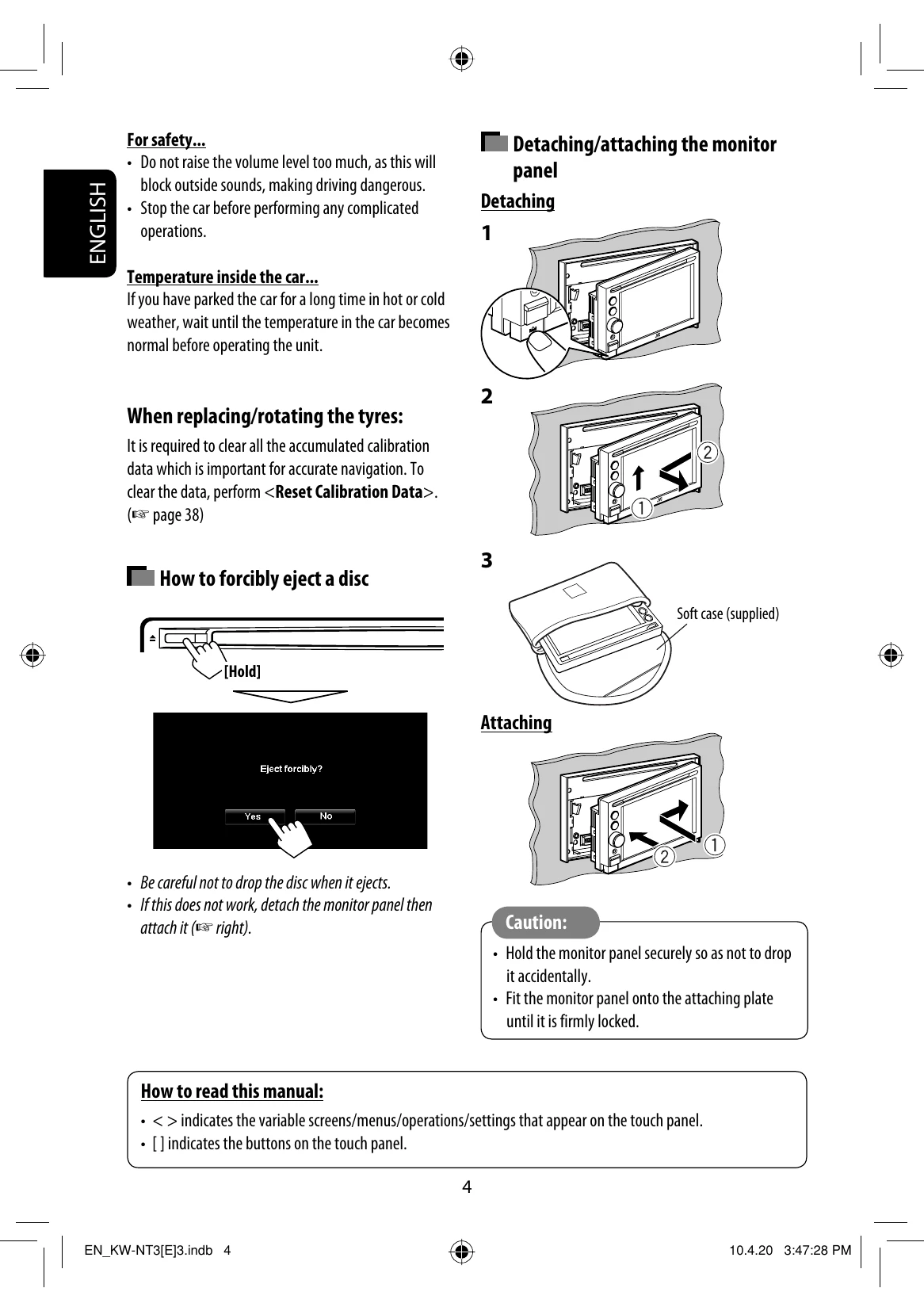
| Screen is not clear and legible. | Direct sunlight may cause this. Adjust image settings. Detach and reattach the monitor panel. |
| Autoradio does not function at all. | Detach and reattach the monitor panel. |
| Touch panel does not respond correctly. | Keep hands and touch panel clean and dry. Eliminate static electricity and avoid magnetic objects. Allow unit to stabilize to car temperature. Ensure no rubber mat is causing static. |
| Guidance or AV source sound is difficult to hear. | Increase the <Adaptation Volume> level. |
| <Adaptation Volume> setting has no effect. | Reset calibration data by selecting <Reset Calibration Data>. |
| CD Text or information tag is not displayed correctly. | Text may not display correctly depending on recording conditions or character type. |
| "System start up failed." | System cannot start. Detach and reattach the monitor panel. |
| Guidance does not start. | System is performing calibration. Wait for calibration to complete. |
| Cannot use certain AV source functions on the map screen. | Only limited functions are available on the map screen. Press AV MAP and control the source on the AV screen. |
| Route calculation seems to have stopped. | Route calculation may take time depending on the route. Wait a moment. |