Brand: JVC
Category: Camcorder
Document Type: Manual
Language: EN
Brand: JVC
Category: Camcorder
Document Type: Manual
Language: EN
Uploaded: Aug. 10, 2025, 12:34 a.m.
Turning on the unit: Open the LCD monitor.
Turning off the unit: Close the LCD monitor.
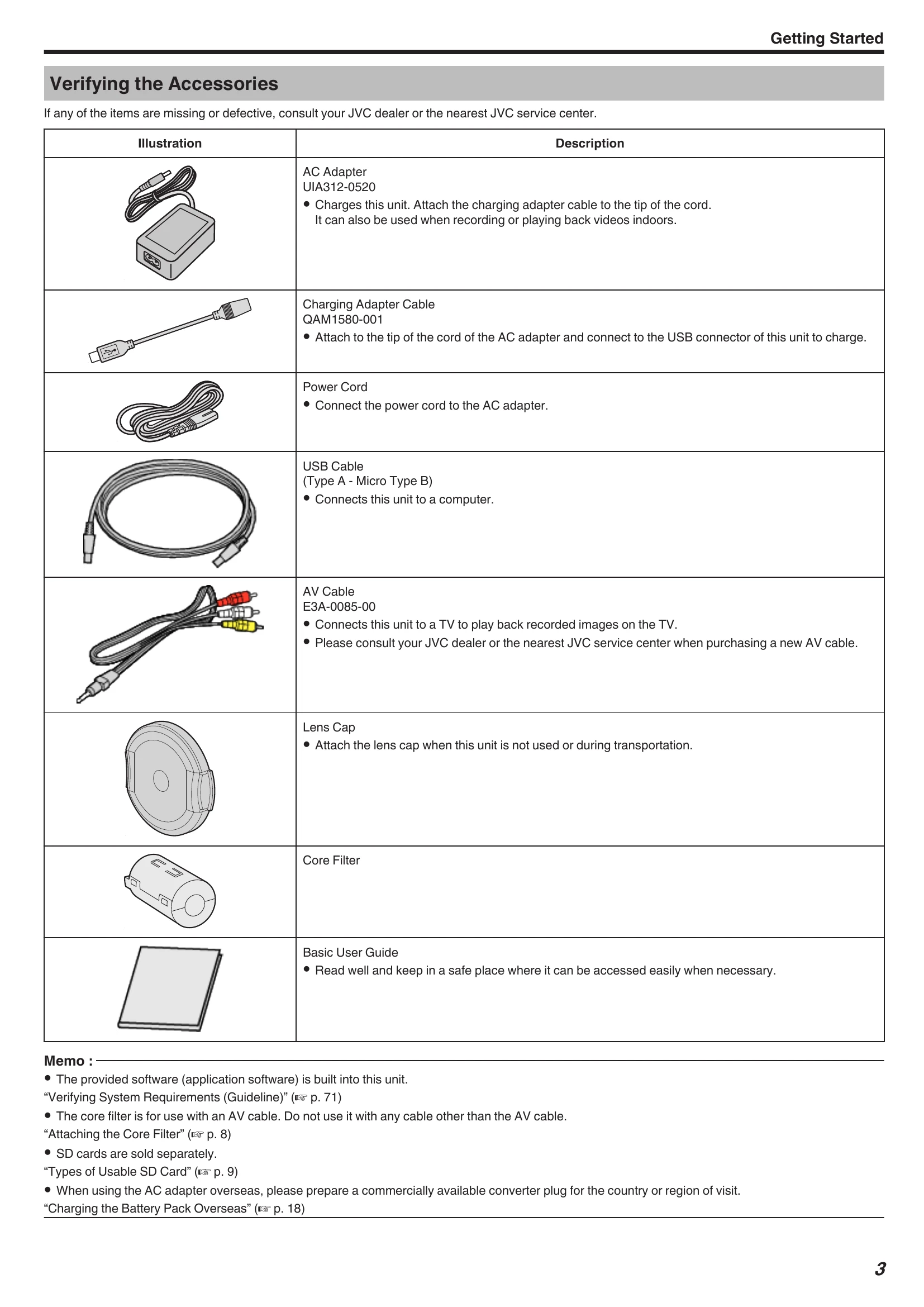
Charging the battery: Connect the AC adapter to the unit.
Inserting an SD card: Open the terminal cover, close the LCD monitor, then insert the SD card.
Using the touch screen: Tap or drag on the screen to operate.
Recording: Open the LCD monitor, check the recording mode, then press the START/STOP button.
Playback: Switch to playback mode and use the operation buttons.
| When the unit is not working properly | Charging |
|---|---|
| Resetting this Unit | Unable to charge the battery. |
| This unit is a microcomputer-controlled device. Electrostatic discharge, external noise and interference (from a TV, a radio, etc.) might prevent it from functioning properly. In that case, perform the steps below to reset this unit. (The recorded data will not be erased.) | When the battery pack is fully charged, the lamp does not light up. Be sure to charge using the supplied AC adapter. Malfunction in the unit that occurred due to the use of an AC adapter other than the one provided is not included in the warranty. |
| 1 Open the terminal cover. • Remove the power cord and all connecting cables. | Check the connection, then disconnect and reconnect the charging adapter cable. |
| 2 Close the LCD monitor to turn off this unit. | Charging cannot be performed under low or high temperature environments. Charge under the room temperature range of 10°C to 35°C. (Under environments beyond the temperature range, charging may stop to protect the battery pack.) |
| 3 Press the Reset button gently using an object with pointed tip. | Using a non-original AC adapter may result in damage to this unit. Be sure to use an original AC adapter. |
| Reset Button | The remaining battery display is not correct. |
| If this unit is used for long periods of time in high or low temperatures, or if the battery pack is repeatedly charged, the amount of remaining battery may not be displayed correctly. | |
| The battery runs out quickly even after charging. | |
| Be sure to charge using the supplied AC adapter. Malfunction in the unit that occurred due to the use of an AC adapter other than the one provided is not included in the warranty. The performance of the battery will drop temporarily when the temperature is -10°C to 0°C, this will cause the remaining recording time to shorten. When the recording time becomes extremely short even when the battery is fully charged, the battery needs to be replaced. For details on replacing the built-in battery (subject to a fee), consult the nearest JVC service center. |