Brand: JVC
Category: Audio System
Document Type: Manual
Language: EN
Brand: JVC
Category: Audio System
Document Type: Manual
Language: EN
Uploaded: Nov. 21, 2025, 8:12 p.m.
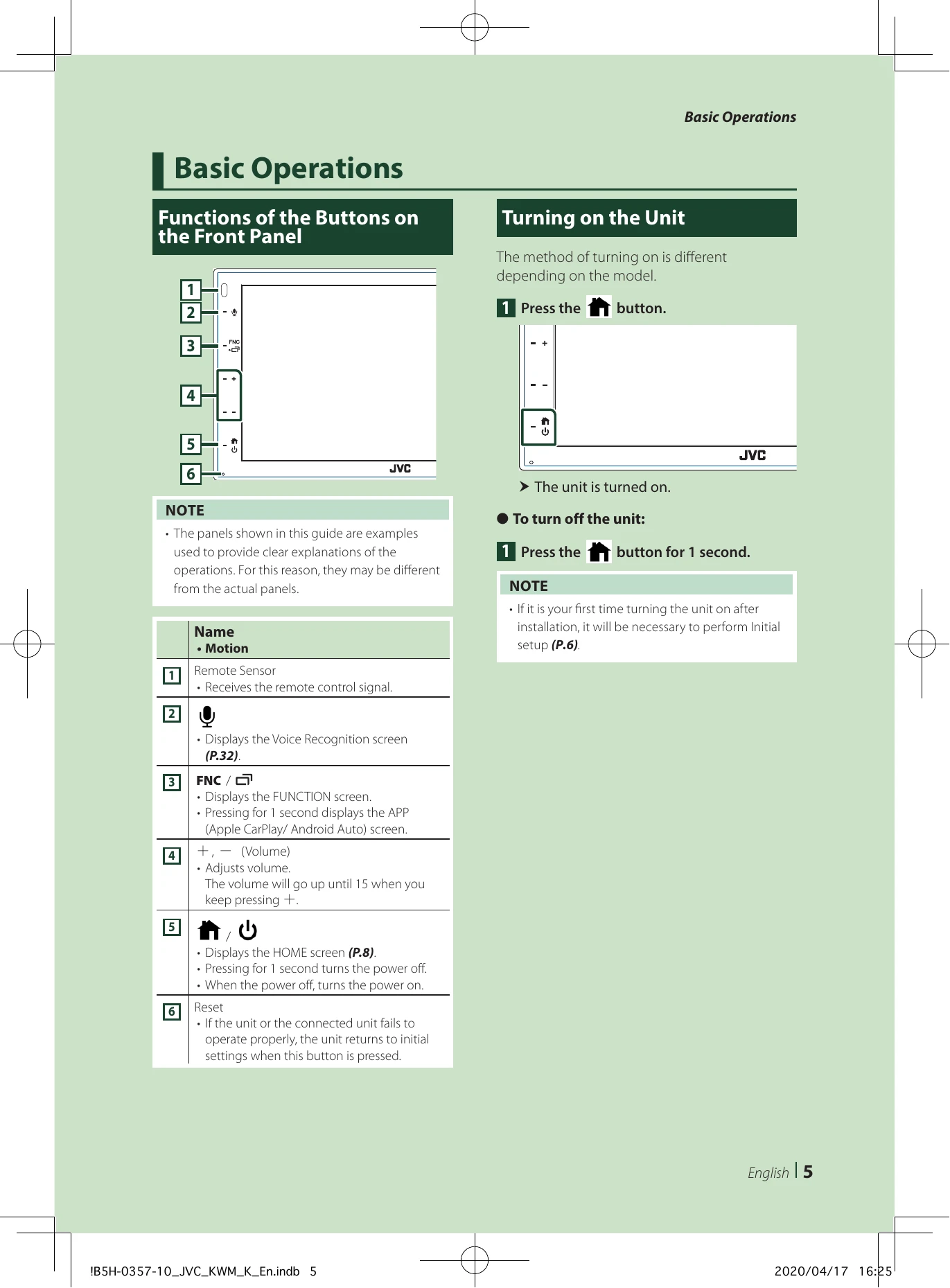
Press the button.
Press the button for 1 second.
Perform this setup when you use this unit for the first time.
Press + to increase, and - to decrease. Holding + increases the volume continuously to level 15.
| Problem | Solution |
| About settings |
• Cannot set up the subwoofer. • Cannot set up subwoofer phase. • No output from the subwoofer. • Cannot set up the low pass filter. • Cannot set up the high pass filter. Subwoofer is not set to on. Set the subwoofer to on. See Speaker/X'over setup (P.41). |
| About audio operations |
Radio reception is poor. The car antenna is not extended. Pull out the antenna all the way. The antenna control wire is not connected. Connect the wire correctly. See Connecting wires to terminals (P.50). |
| Cannot select a folder. |
The random play function is enabled. Turn off the random function. |
| The sound skips when an audio file is being played. |
The recording condition is bad. Record the file again or use another USB memory. |
| Other |
The Touch Sensor Tone doesn't sound. The preout jack is being used. The Touch Sensor Tone cannot be output from the preout jack. |