Brand: HUAWEI
Category: Other
Document Type: Manual
Language: EN
Brand: HUAWEI
Category: Other
Document Type: Manual
Language: EN
Uploaded: Nov. 21, 2025, 6:41 p.m.
No warranty information is provided in this manual.
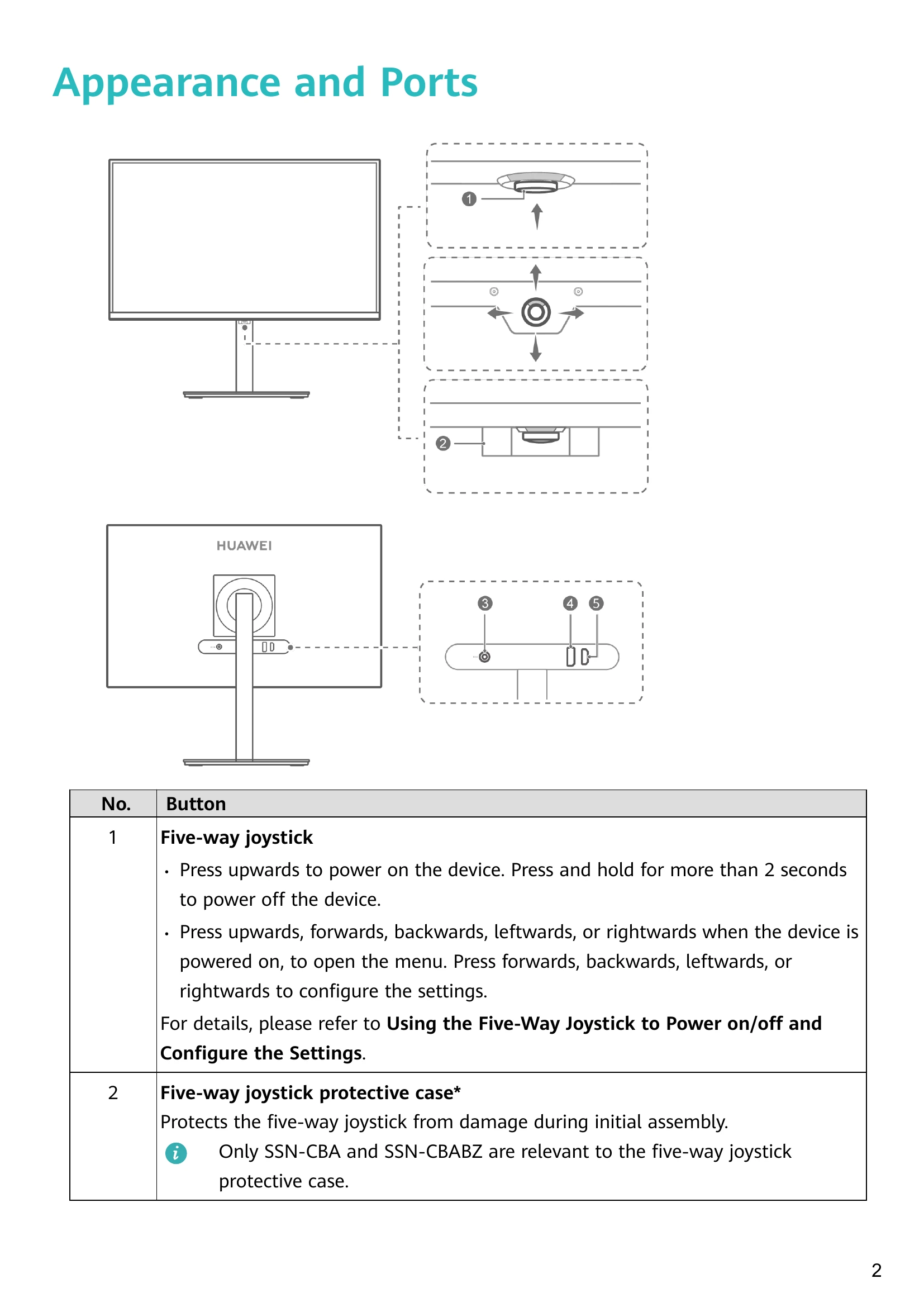
To power on, press the five-way joystick upwards. The monitor will turn on when the brand logo appears.
To power off, press and hold the joystick upwards for more than 2 seconds.
With the monitor powered on, press the joystick upwards to open the menu.
Navigate the menu by pressing the joystick forwards, backwards, leftwards, and rightwards.
Press leftwards to return to the upper-level menu or exit the menu.
Press upwards or rightwards to confirm settings.
Connect one end of a DP or HDMI cable to the monitor's DP or HDMI port, and the other end to your computer.
Connect power cables to both devices and power them on.
Refer to the diagrams on pages 4, 6, 7, and 8 for assembly instructions specific to your model.
Erect the monitor, adjust height and tilt, then rotate the screen 90 degrees clockwise for portrait mode. (Available on specific models.)
| Issue | Solution |
|---|---|
| Unable to power on the display | Check if the display is powered on. Check if the power adapter is correctly connected. |
| There are no images on the display | Check cable connections. Ensure the display and computer are powered on. Check for damage to DP or HDMI cables. Restart the display and computer. |
| The screen is too dark or too bright | Open the settings menu and adjust brightness and contrast. |
| The screen colour is abnormal | Check DP or HDMI cable for damage. Open the settings menu and adjust colour temperature. |