Manual for F317

Manual for F317

Brand: HUAWEI

Category: Other

Document Type: Manual

Language: EN
Uploaded: Nov. 21, 2025, 6:53 p.m.

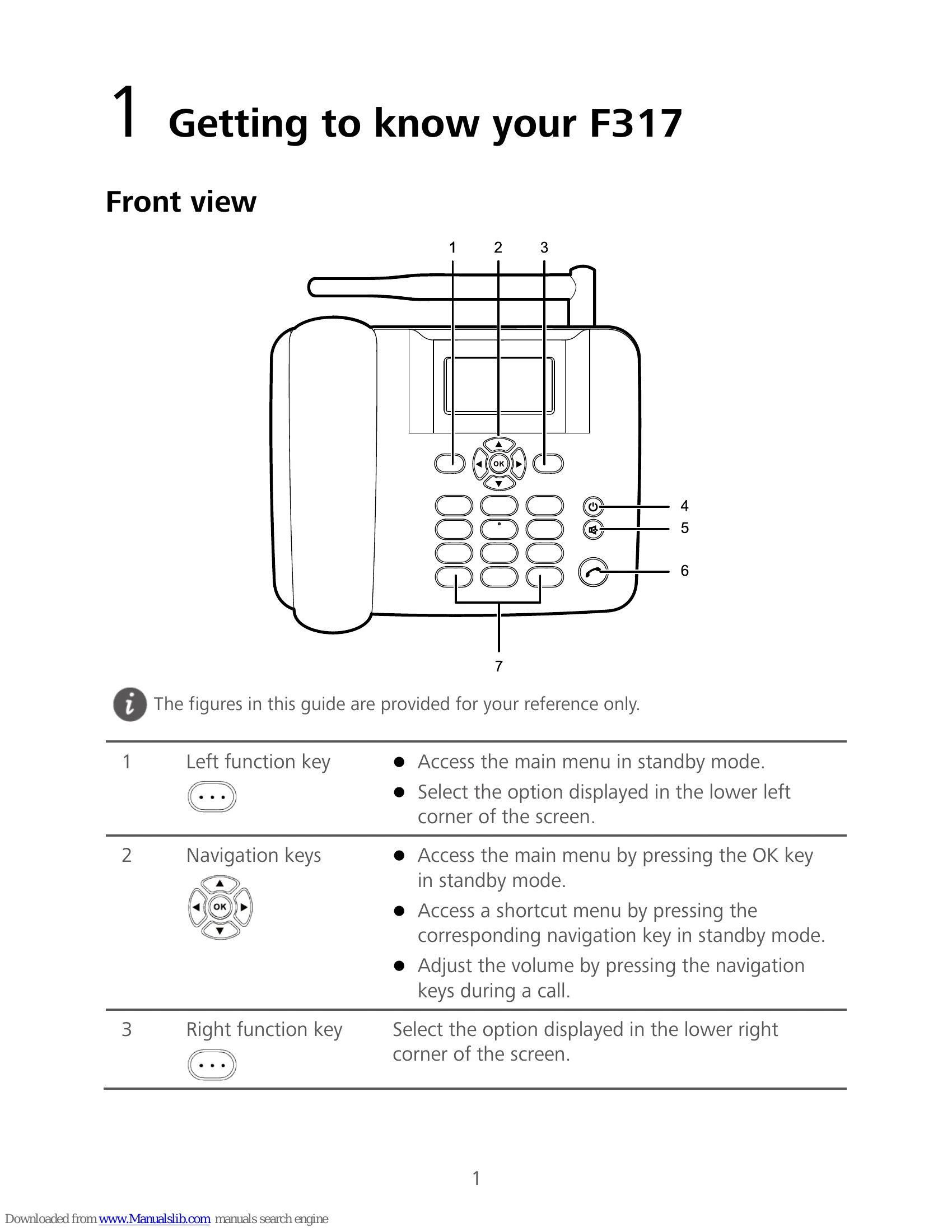
  • Powering On/Off: Press and hold the End key ( ) until the screen lights up to power on. Press and hold the End key ( ) to power off.
  • Making a Call: In standby mode, enter a phone number using the number keys and press the Call key ( ). Press the End key ( ) to end the call or cancel dialing.
  • Answering/Rejecting a Call: Press the Call key ( ) to answer an incoming call, or press the End key ( ) to reject it.
  • Sending a Message: Select Message > Write message, compose your message, add recipients, and press the OK key ( ) to send.
  • Reading a Message: Select Message > Inbox, use navigation keys to scroll, and press the OK key ( ) to open and read.
  • Text Input: Use traditional input (ABC/abc) by pressing number keys repeatedly, or predictive input (EN/en) by pressing keys in spelling sequence. Press # to switch methods, * for symbols, and 0 for space.
  • FM Radio: Select Menu > FM radio to tune channels and adjust volume.
  • Security: Set phone lock (default code 000000) via Settings > Security settings > Power-on password. Lock keypad by pressing and holding #. Unlock by pressing the left function key and then *.

Troubleshooting and error codes

Problem Solution
F317 cannot be powered on 1. Remove battery cover and check battery installation. 2. Charge the battery if power is low.
No information displayed on screen If the phone was unused for a long time and the battery drained, charge it for a while; it is a normal phenomenon.
Battery cannot be charged 1. Check phone and power adapter connection. 2. Check power adapter and socket connection. 3. Try a new power adapter or battery.
Poor signal reception 1. Check SIM card installation. 2. Place phone in an area with strong signals.
In-call volume too high or too low During a call, use navigation keys to adjust volume.
Privacy Policy