Brand: HUAWEI
Category: Other
Document Type: Manual
Language: EN
Brand: HUAWEI
Category: Other
Document Type: Manual
Language: EN
Uploaded: Nov. 21, 2025, 8:20 p.m.
Manual Publish Date: 2009
The manual provides no warranty information.
In standby mode or off-hook, enter a phone number and press the Call/Redial key. Press the End key or hook up to cancel dialing.
When an incoming call arrives, press the Left soft key or hook up to answer. Press the End key or hook up to end the call.
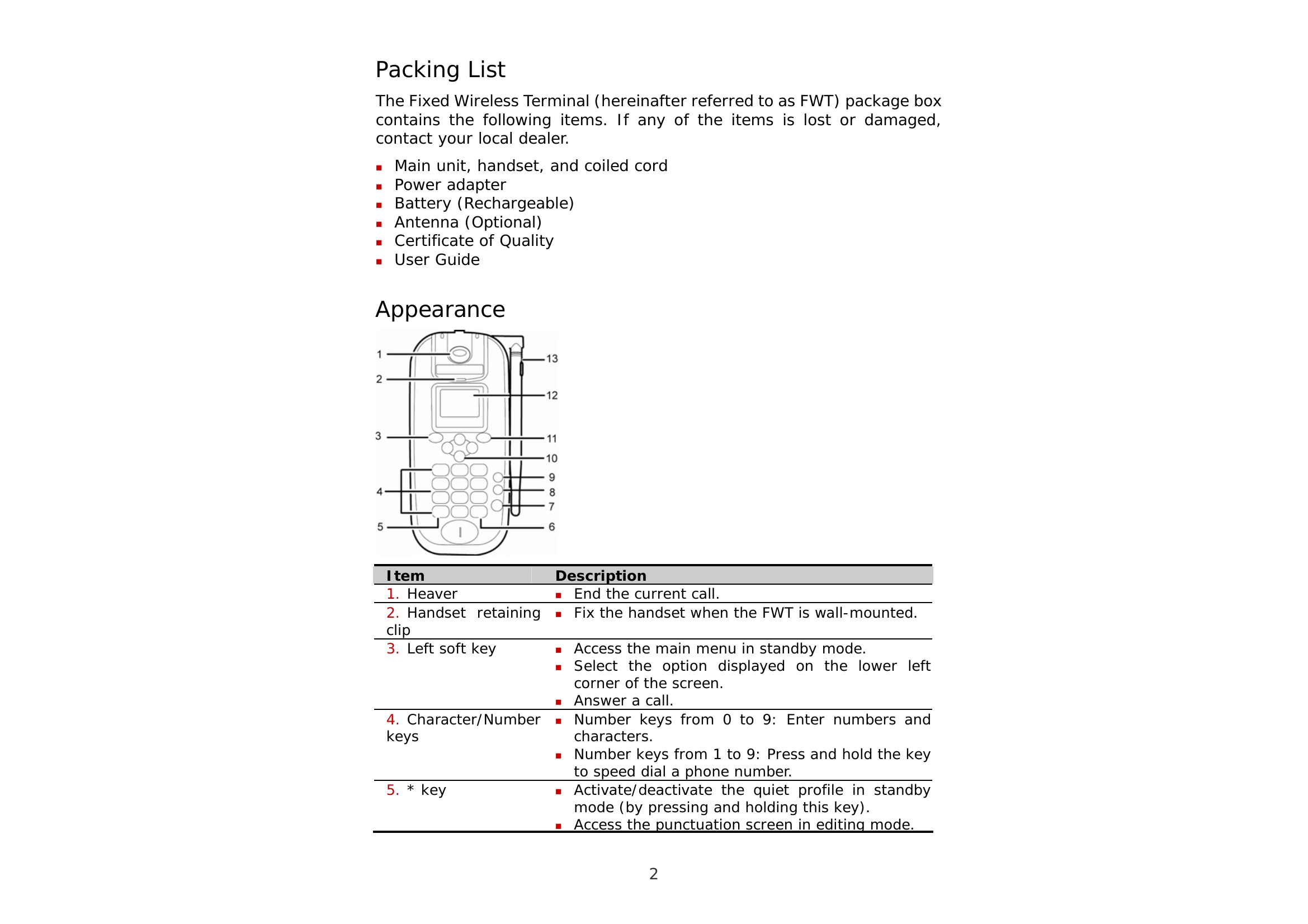
In editing mode, press the # key to change input modes. Use number keys for letters and numbers. The * key accesses symbols.
Connect the FWT to a PC using a USB cable and install the management program to access Internet surfing and faxing.