Quick Start Guide for DDSU666-H

Quick Start Guide for DDSU666-H

Brand: Huawei

Category: Other

Document Type: Quick Start Guide

Language: EN

Uploaded: April 20, 2026, 7:48 p.m.

Manual Publish Date: 2018-05-18

1 Overview

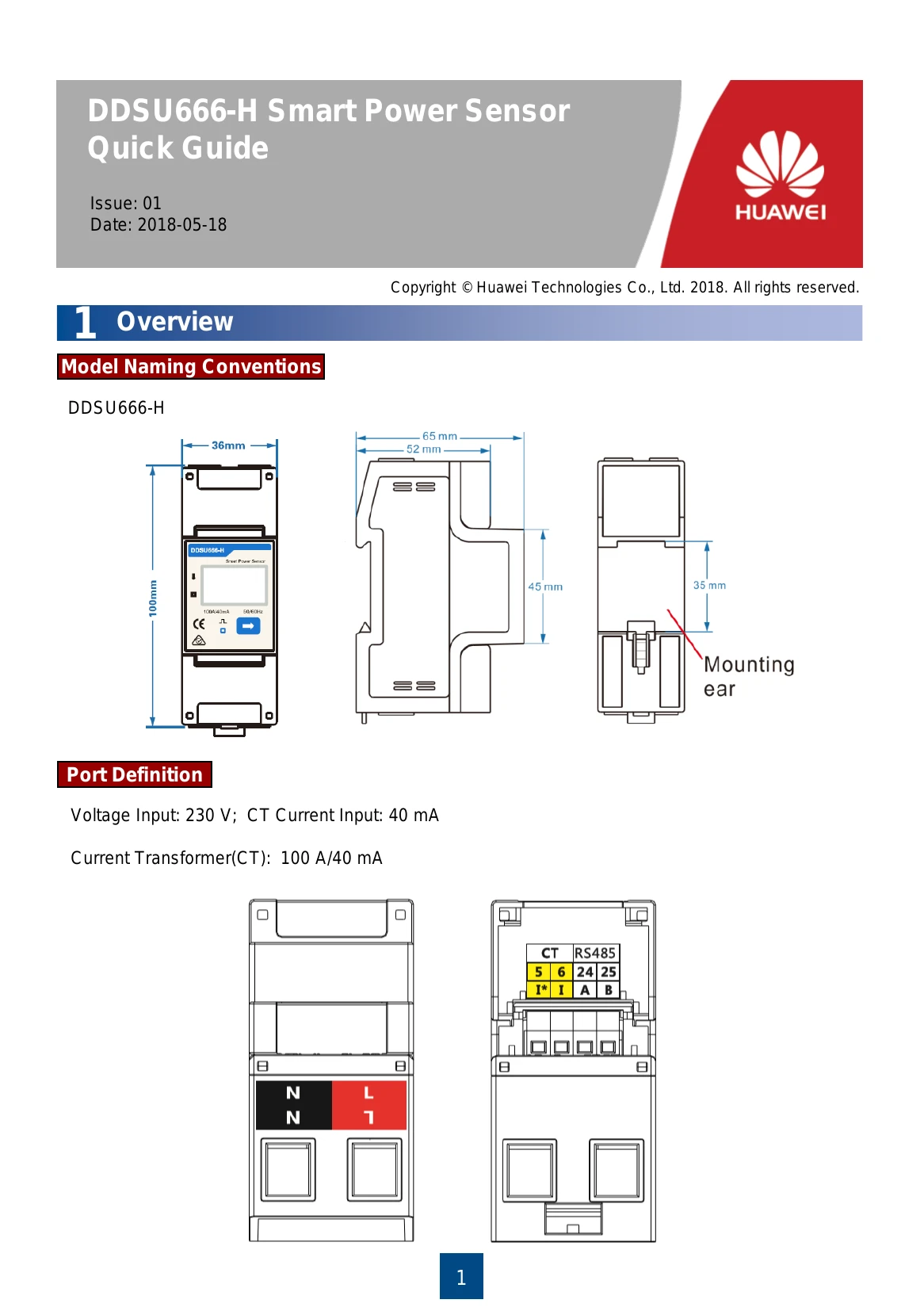
This section introduces the model naming conventions and physical dimensions of the DDSU666-H Smart Power Sensor.

2 Installing the DDSU666-H

Instructions for installing the instrument onto a standard 35mm DIN rail.

3 Installing the DDSU666-H Cable

Details on preparing and connecting the AC power cable, CT cable, and communication cable.

4 User Interface

Describes the display interface and values shown during auto loop and manual key presses, including active energy, power, voltage, frequency, and communication settings.

5 Setup

Explains how to set the communication address and baud rate using the device's buttons.

6 Troubleshooting

Provides a table of common fault phenomena, their factor analysis, and elimination methods for issues like no display, abnormal RS485 communication, and power metering inaccuracy.

7 Verifying the Installation

Checkpoints for ensuring secure installation and correct cable connections.

8 Powering On the System

References for further details on powering on the system.
Troubleshooting and error codes

Fault phenomenon Factor analysis Elimination method
No display after the instrument being powered on
  1. Incorrect wiring mode;
  2. Abnormal voltage supplied for the instrument;
  1. If the wiring mode is incorrect, please connect based on the correct wiring mode (see the wiring diagram).
  2. If the supplied voltage is abnormal, please supply the voltage on the instrument specification.
Abnormal RS485 communication
  1. The RS485 communication cable is disconnected, short circuit or reversely connected.
  2. The address, baud rate, data bit and parity bit of the instrument is not in accordance with the host computer;
  1. If any problems for the communication cable, please change the cable.
  2. Set the address, baud rate, data bit and parity bit of the instrument to be the same as the host computer through buttons and so as the "parameter setting".
Power metering inaccuracy
  1. Wrong wiring, please check whether the corresponding phase sequence of voltage and current is correct.
  2. Check whether the high & low end of current transformer inlet is reversely connected. Please observe the power, to be abnormal if any negative values.
  1. For wrong wiring, please connect based on the correct wiring mode (see Connecting Diagram).
Privacy Policy