Brand: HUAWEI
Category: Audio
Document Type: Manual
Language: EN
Brand: HUAWEI
Category: Audio
Document Type: Manual
Language: EN
Uploaded: Nov. 21, 2025, 8:21 p.m.
Manual Publish Date: 2019-11-01
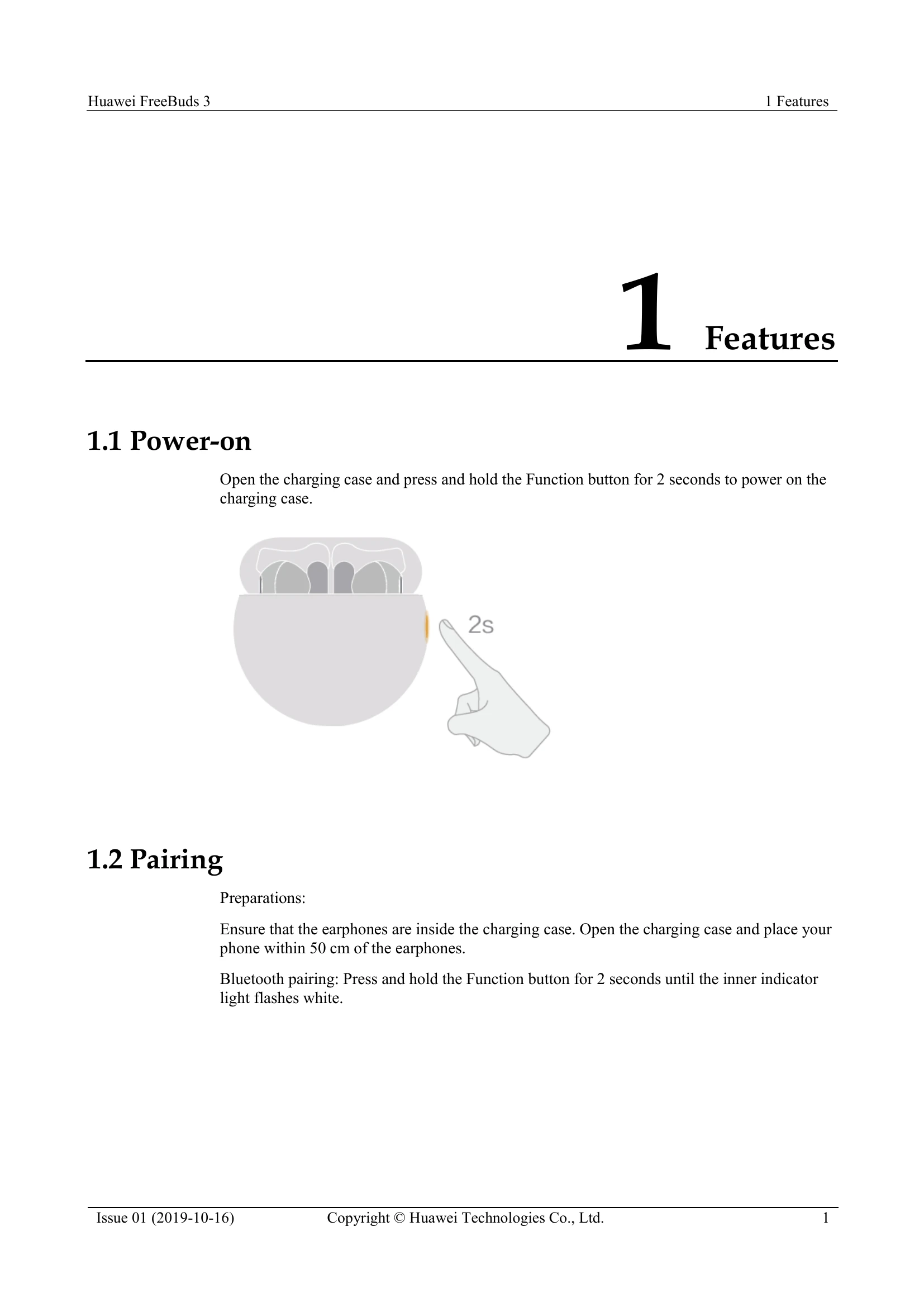
1.1 Power-on: Open the charging case and press and hold the Function button for 2 seconds to power on the charging case.
1.2 Pairing: Ensure earphones are in the case, open case, place phone within 50 cm. Press and hold Function button for 2 seconds until inner indicator light flashes white. Proximity pairing also available.
1.3 Audio Control: Double-tap the upper part of the right earbud handle to skip to the next song during music playback.
1.4 Active Noise Cancellation: Double-tap the upper part of the left earbud handle to enable or disable ANC mode.
1.5 Charging the Earphones: Place earbuds in the charging case.
1.6 Charging the Charging Case: Use a Type-C charger or a compatible wireless charger.
1.7 Factory Settings Restoration: If issues arise, ensure earphones are in the case, open case, and press and hold Function button for 7 seconds until the inner indicator light flashes red.
2.1 Installing the Huawei AI Life App: Scan QR code or use AppGallery to download and install. Pair with FreeBuds 3.
2.2 Adding FreeBuds 3 to the Device List: Install AI Life app, pair FreeBuds 3, ensure phone is on Wi-Fi. Open AI Life app, tap +, then Add device. Select FreeBuds 3 and connect.
2.3 ANC Settings: In the AI Life app, navigate to Home, select FreeBuds 3, then tap "Noise cancelling" to adjust the ANC level.
2.4 Setting Double-tap Functions: In the AI Life app, go to Home, select FreeBuds 3, then tap "Shortcuts" to customize double-tap actions for each earbud.
2.5 Software Update: In the AI Life app, go to Home, select FreeBuds 3, then tap "Check for updates." Follow prompts to update.
| State | Description |
|---|---|
| Inner indicator light | |
| Turns green | The battery level of the earphones is higher than 60%. |
| Turns yellow | The battery level of the earphones is between 20% and 60%. |
| Turns red | The battery level of the earphones is lower than 20%. |
| Flashes white | The earphones have entered Pairing mode. |
| Flashes red | The earphones have been restored to their factory settings. |
| Outer indicator light | |
| The charging case is being charged | |
| Turns green: The battery level is higher than 90%. | |
| Turns yellow: The battery level is less than 90%. | |
| The charging case is not being charged | |
| Turns green: The battery level is higher than 60%. | |
| Turns yellow: The battery level is between 20% and 60%. | |
| Turns red: The battery level is lower than 20%. |