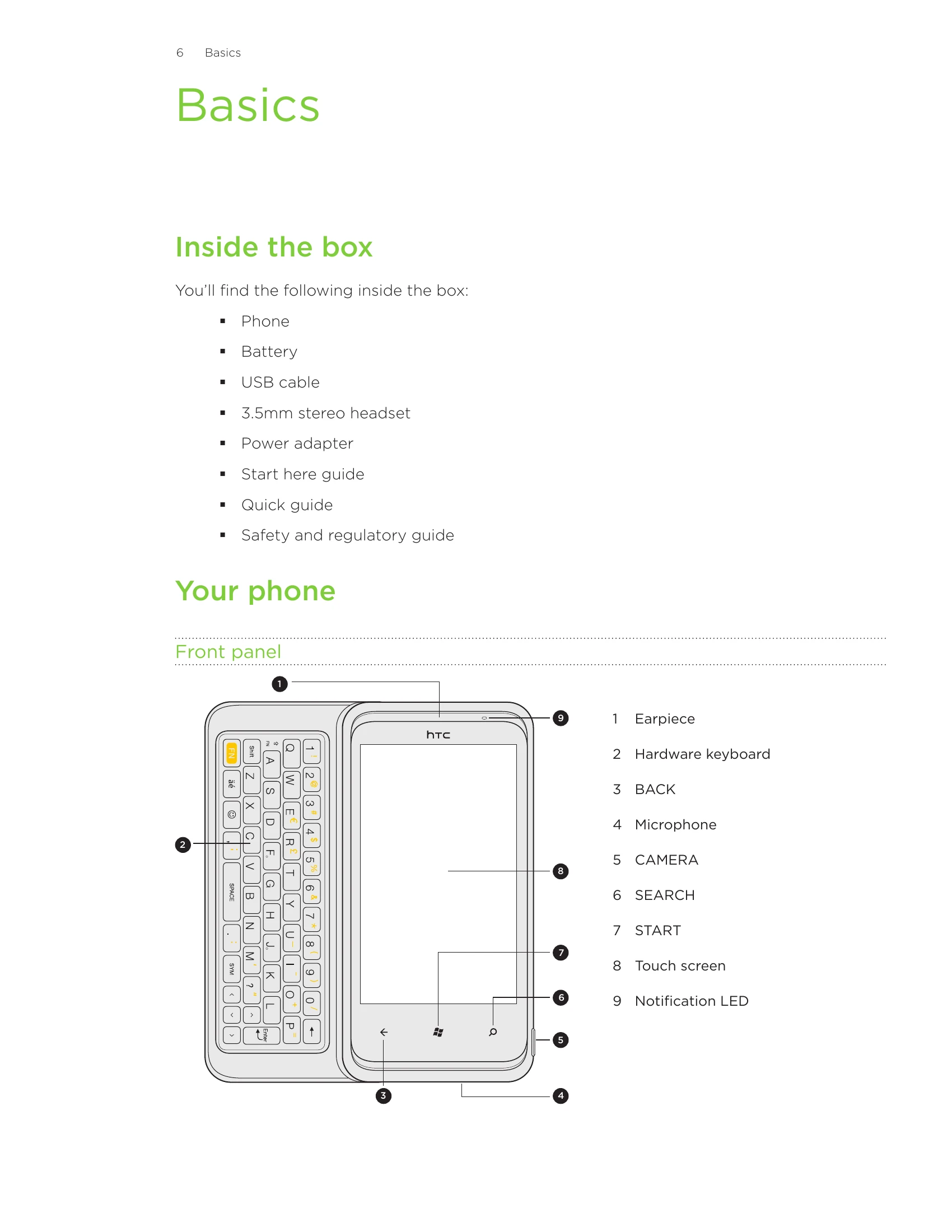
Basics: Familiarize yourself with your phone's components, including the front, top, left, and back panels, and learn how to remove and replace the back cover and SIM card. Understand battery insertion and charging.
Getting Started: Learn to set up your phone, navigate the Start screen, rearrange tiles, and understand Sleep mode. Master unlocking the screen, changing wallpaper, and interpreting status icons. Adjust volume and explore basic interactions like searching and setting up accounts.
Phone Calls: Make and receive calls, manage in-call options like muting and speakerphone, and set up conference calls. Learn to use call history and add contacts from it.
Key Features: Explore the Keyboard, Messaging, Email, Calendar, and Camera functions. Learn to connect to Wi-Fi and Bluetooth, and browse the web.
Additional Features: Discover Zune for synchronization, Maps for navigation, HTC Hub for apps, and security features like PIN and password protection. Explore settings for display, sound, and language, and learn about software updates and factory resets.