Brand: HP
Category: Digital Camera
Document Type:
Language: EN
Brand: HP
Category: Digital Camera
Document Type:
Language: EN
Uploaded: Aug. 9, 2025, 11:55 p.m.
1 year limited warranty backed by HP Customer Support.
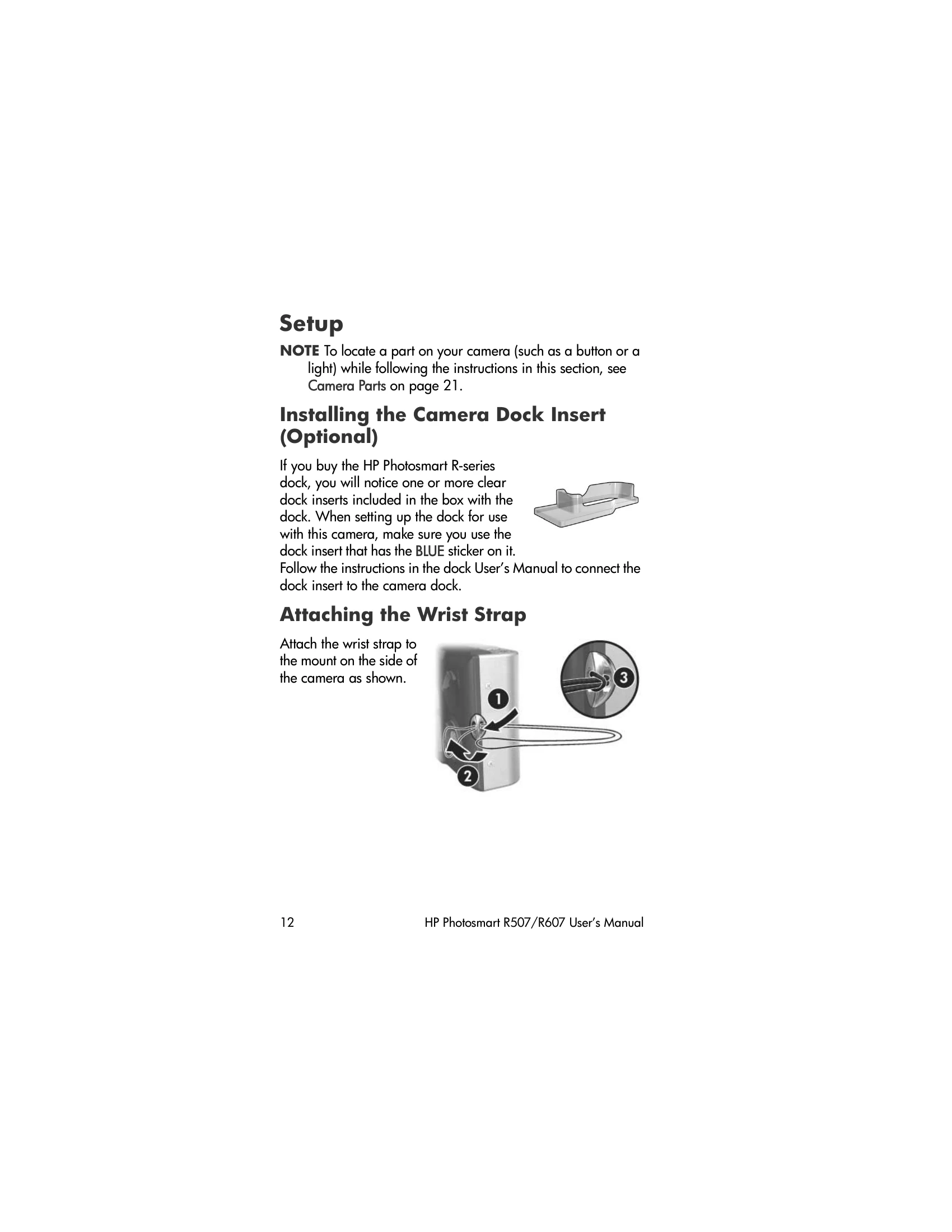
Getting Started: Follow the setup instructions to install the camera dock insert (if applicable), attach the wrist strap, and install a memory card and battery. Charge the battery using the AC adapter. Turn on the camera by sliding the ON/OFF switch. Set the language and date/time. Install the HP Image Zone software for transferring and managing photos.
Taking Pictures: Frame your shot using the viewfinder. Use the zoom lever to adjust the focal length. Utilize shooting modes like Auto, Panorama, or Portrait. Adjust settings like flash, self-timer, and image quality as needed. Use the Capture Menu to fine-tune settings like EV Compensation, White Balance, ISO Speed, and Color.
Reviewing Images: Use the Playback Menu to view, delete, remove red-eye, and organize your photos.
HP Instant Share: Select images for automatic transfer to designated destinations like email or online albums.
| Feature | Description |
|---|---|
| Error Messages on the Camera | 130 |
| Error Messages on the Computer | 140 |
| Camera Self-diagnostic Tests | 143 |