Manual for Photosmart M730

Manual for Photosmart M730

Brand: HP

Category: Digital Camera

Document Type:

Language: EN
Uploaded: Aug. 9, 2025, 11:55 p.m.

Warranty Information

The information herein is subject to change without notice and does not constitute an additional warranty.

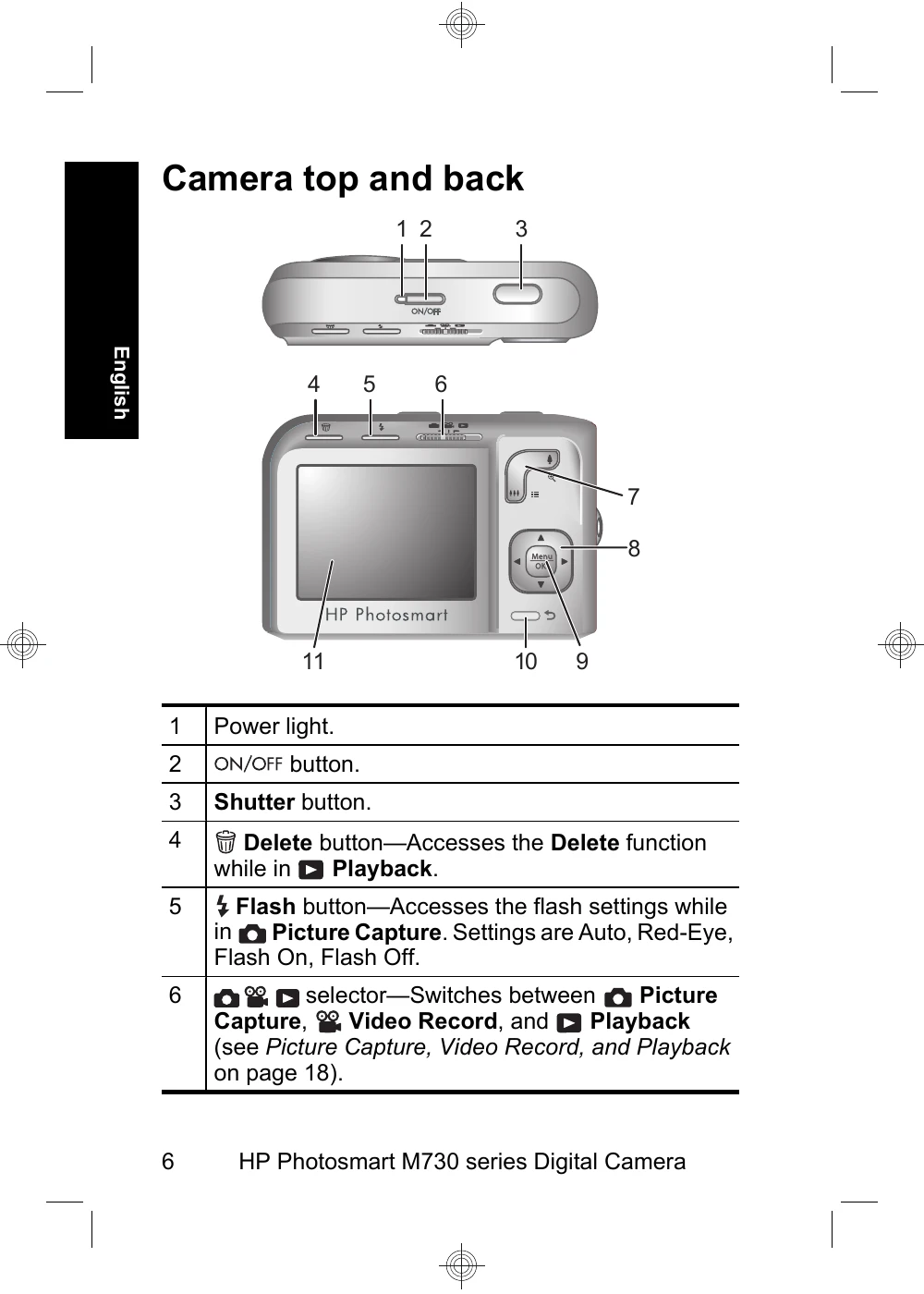
  • Getting started: View the electronic User Guide, identify camera parts, install batteries, turn on the camera, choose language and region, set date and time, install memory card and software.
  • Taking pictures and recording video clips: Select Picture Capture or Video Record mode, frame the subject, press the shutter button halfway to focus, then fully to capture.
  • Reviewing and deleting: Switch to Playback mode to scroll through images and video clips, delete unwanted items.
  • Transferring and printing: Connect the camera to a computer via USB to transfer files, or connect to a PictBridge-compatible printer for direct printing.
Privacy Policy