Brand: HP
Category: Digital Camera
Document Type:
Language: EN
Brand: HP
Category: Digital Camera
Document Type:
Language: EN
Uploaded: Aug. 9, 2025, 11:53 p.m.
HP offers a 1-year exchange warranty for this product.
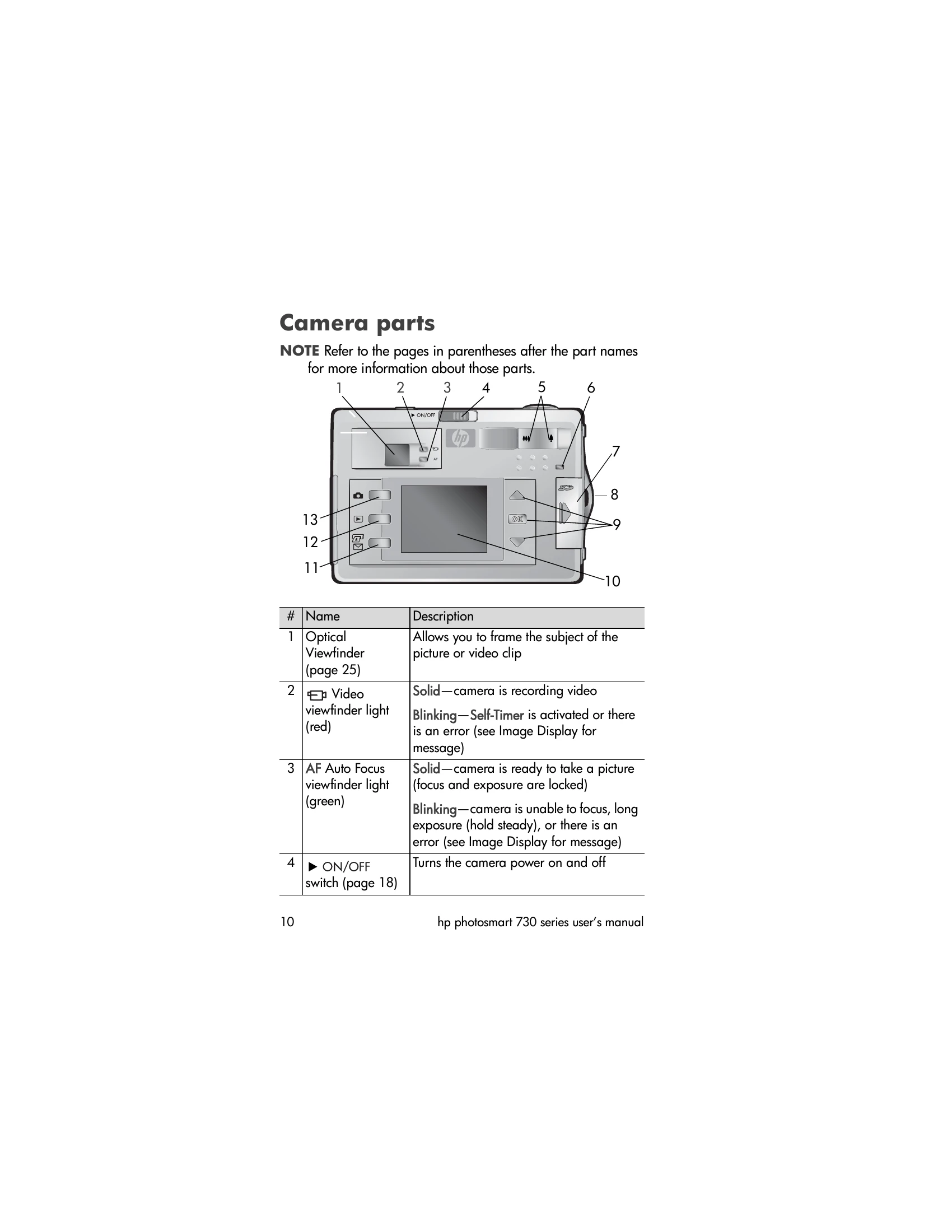
Insert batteries and memory card. Attach wrist strap. Turn on camera using the ON/OFF switch. The camera may prompt you to select a language and set the date/time upon first use.
Taking Pictures:Frame your shot using the Image Display or viewfinder. Use the zoom lever to adjust the view. Press the shutter button halfway to focus and expose, then fully to take the picture. Use the MODE button to select capture modes like Self-Timer or Burst.
Reviewing Images:Press the Playback button to review images. Use the arrow buttons to navigate and the OK button to select options.
Connecting to Computer:Install the HP Photo & Imaging software. Connect the camera to your computer using the USB cable to transfer images.
| Problem | Possible Cause | Solution |
|---|---|---|
| Camera does not turn on. | Batteries are dead or not inserted correctly. | Insert new batteries or recharge existing ones. Ensure batteries are inserted correctly according to polarity markings. |
| Cannot take pictures. | Memory card is full or not inserted. Camera is in video mode. | Insert a memory card or delete existing files. Switch to still picture mode. |
| Images are blurry. | Camera shake or improper focus. | Hold the camera steady, use a tripod, or ensure the focus is locked before taking the picture. |
| Cannot connect to computer. | USB cable is not connected properly. Driver is not installed. | Ensure the USB cable is securely connected to both the camera and computer. Install the HP Photo & Imaging software, which includes necessary drivers. |