Your HP photosmart 612 digital camera takes high-quality pictures you can share with family and friends on the Internet or by e-mail. It comes with software for manipulating, storing, and printing your photos. Your camera includes the following features: 2.3 megapixel (MP) resolution, point-and-shoot simplicity, automatic exposure, automatic focus, integrated flash with red-eye reduction, universal serial bus (USB) computer connection, 2x digital zoom, 2x optical zoom, color image display for previewing and reviewing images, 8 MB internal memory for storing images in the camera, slot for CompactFlash (CF) memory card (card not included), self-timer, batteries.
Setup:
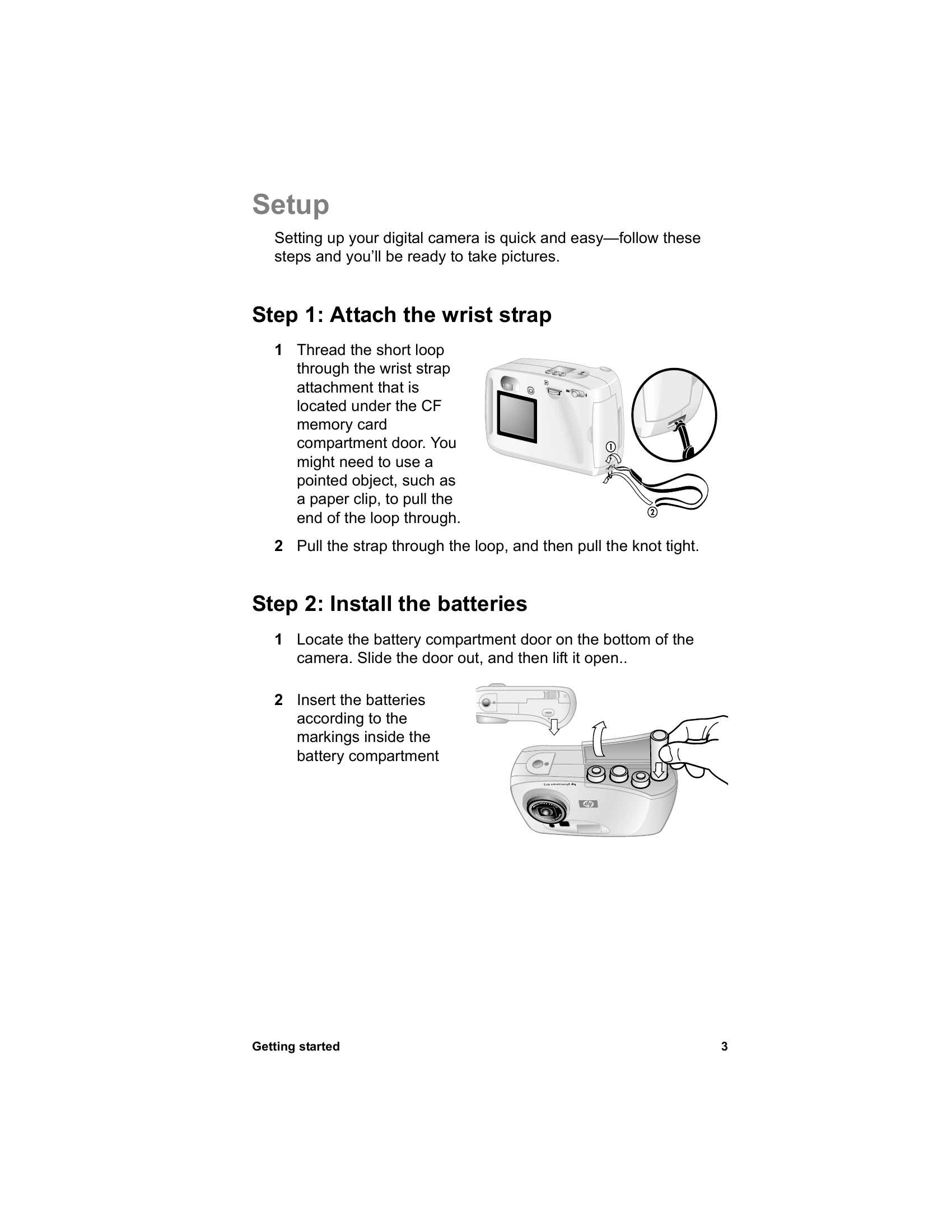
- Attach the wrist strap by threading the loop through the attachment under the CF memory card compartment door.
- Install the batteries by locating the compartment door on the bottom of the camera, sliding it out, and lifting it open. Insert batteries according to markings.
- Choose the camera language by turning the POWER CONTROL to turn on the camera, then turning the CONTROL dial until the desired language is highlighted and pressing the dial to select.
- Set the camera date and time by turning the dial to point to the date format, pressing to change, then turning to point to the date and pressing to change. Repeat for remaining values and select Exit.
Taking a picture:
- Turn on the camera.
- Frame your subject in the viewfinder.
- Adjust zoom using the ZOOM control and press the SHUTTER button halfway to set focus and exposure.
- When the green light appears, press the SHUTTER button fully.
Viewing your images:
Press the dial to review pictures. Turn the dial to scroll through images. The status line shows information like picture number, images stored, print order details, and date.