Manual for 618

Manual for 618

Brand: HP

Category: Digital Camera

Document Type:

Language: EN
Uploaded: Aug. 9, 2025, 11:54 p.m.

Manual Publish Date: 2000

Warranty Information

The manual provides information on limited product warranty and the HP Year 2000 warranty for the camera.

Taking Simple Point-and-Shoot Pictures

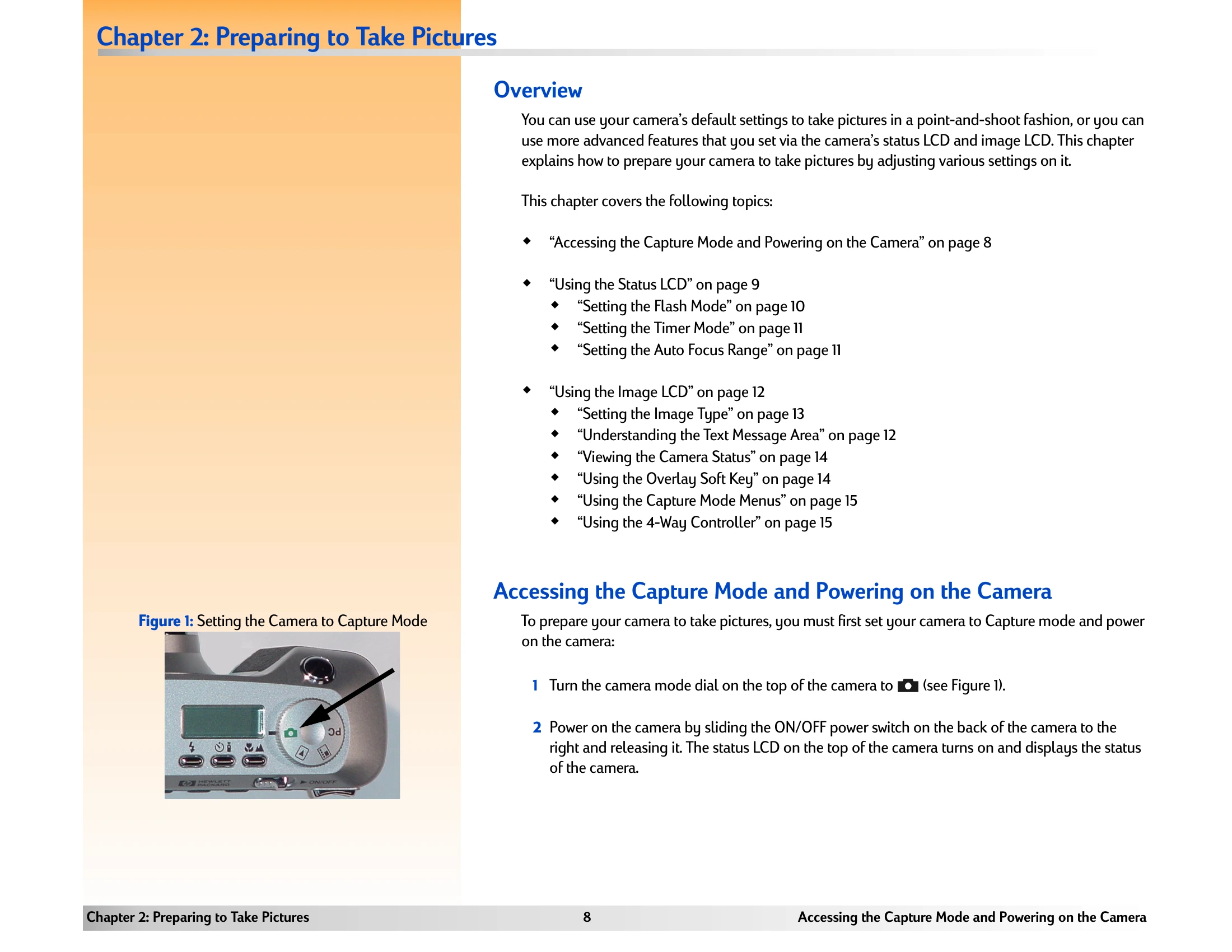
  1. Set the camera mode dial to the Capture mode.
  2. Power on the camera if you haven't already.
  3. Look through the viewfinder to select and frame a subject for your picture.
  4. Press the shutter release button.

Taking More Advanced Pictures

  1. Set the camera mode dial to Capture mode.
  2. Power on the camera.
  3. Set flash mode, timer mode, and/or auto focus range via status LCD buttons.
  4. Press the DISPLAY button to turn on the image LCD.
  5. Press the left soft key to set the image type (One Shot, Continuous, or Timelapse).
  6. Press the MENU button to display Capture mode menus.
  7. Select menu options in Capture Settings, Photo Assist, and/or Image Stamp menus to change settings.
  8. Press the right (Exit) soft key to exit menus.
  9. Use image LCD or viewfinder to select and frame subject. Use zoom lever and diopter control as needed.

Troubleshooting and error codes

Problem Possible Cause Solution
The camera will not turn on. The batteries are dead. Replace the batteries.
The image LCD is blank. The image LCD is turned off. Press the DISPLAY button to turn on the image LCD.
The camera will not take a picture. The memory card is full or missing. Replace the memory card or delete images to free up space.
Images are blurry. Camera shake or incorrect focus. Hold the camera steady, use a tripod, or use Focus Lock. Adjust the diopter control for viewfinder clarity.
Privacy Policy