Brand: Honeywell
Category: Scanner
Document Type: Manual
Language: EN
Brand: Honeywell
Category: Scanner
Document Type: Manual
Language: EN
Uploaded: Nov. 21, 2025, 6:46 p.m.
Refer to sps.honeywell.com for warranty information.
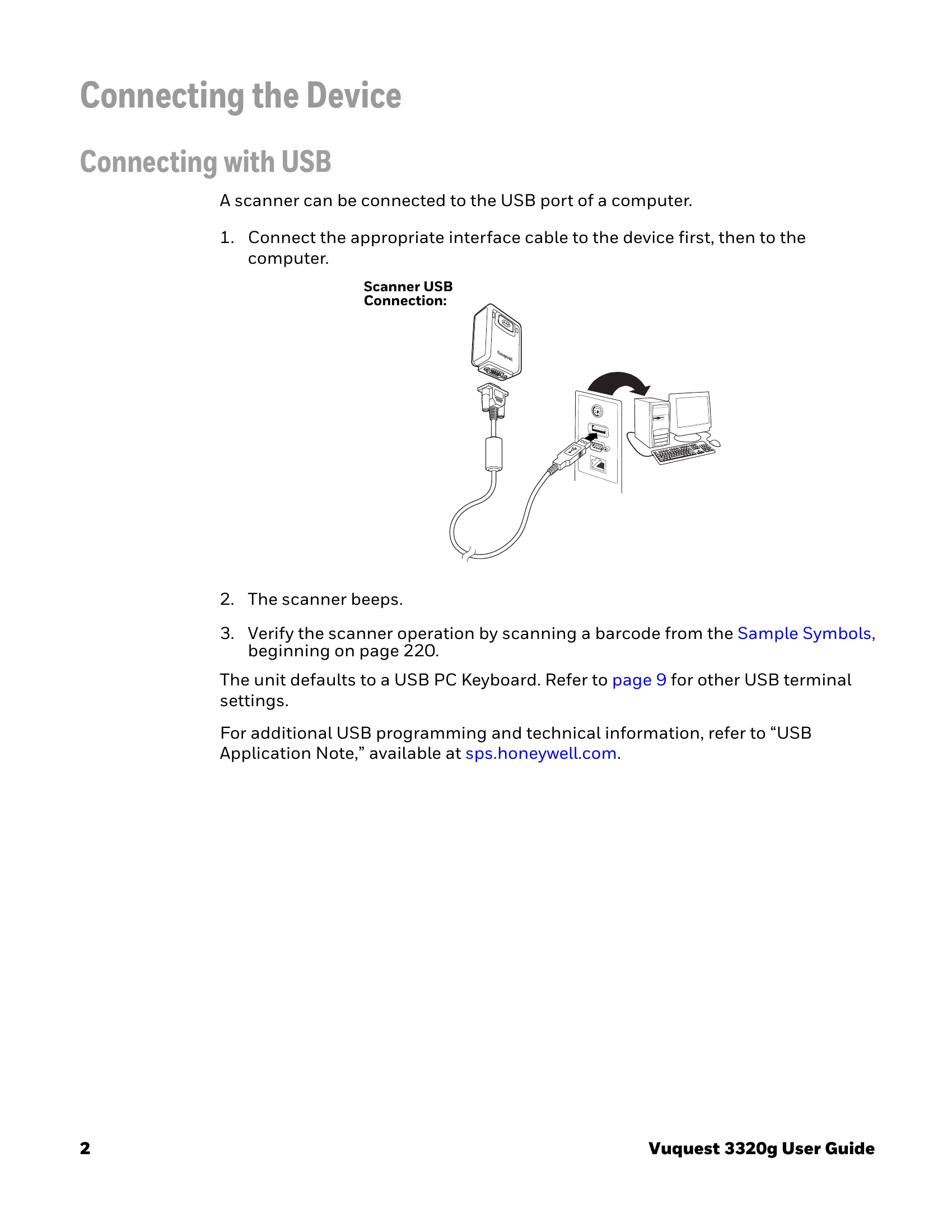
This User's Guide provides installation and programming instructions for the Vuquest™ 3320 area-imaging scanner. It covers connecting the device via USB, Keyboard Wedge, or RS232 Serial Port. Reading techniques for linear barcodes and 2D matrix symbols are explained. The guide details various settings including input/output, data formatting, symbologies, imaging commands, and utilities. It also provides information on maintenance, troubleshooting, and product specifications.
Programming is accomplished by scanning barcodes within the guide. The manual includes sections on data editing, interface programming, and how to set custom defaults or reset the device.
| Issue | Possible Cause | Solution |
|---|---|---|
| Scanner does not power up | Scanner is not connected properly | Ensure the scanner is securely connected to the power source or host device. |
| Scanner does not read barcodes | Barcode is dirty or damaged | Clean the barcode or try scanning a different barcode. |
| Incorrect symbology enabled | Ensure the correct symbology is enabled for the barcode being scanned. Refer to Chapter 7 - Symbologies. | |
| Incorrect distance/angle | Adjust the distance and angle of the scanner to the barcode. Refer to Reading Techniques. | |
| Data is not transmitted correctly | Incorrect interface settings | Verify the interface settings (USB, Keyboard Wedge, RS232) are configured correctly for the host system. |
| Incorrect data formatting | Check and adjust data formatting settings if necessary. Refer to Chapter 5 - Data Formatting. |