Brand: Honeywell
Category: Printer
Document Type: Manual
Language: EN
Brand: Honeywell
Category: Printer
Document Type: Manual
Language: EN
Uploaded: Nov. 21, 2025, 7:31 p.m.
Manual Publish Date: 2022-08-01
For warranty information, consult sps.honeywell.com and select Support > Warranties.
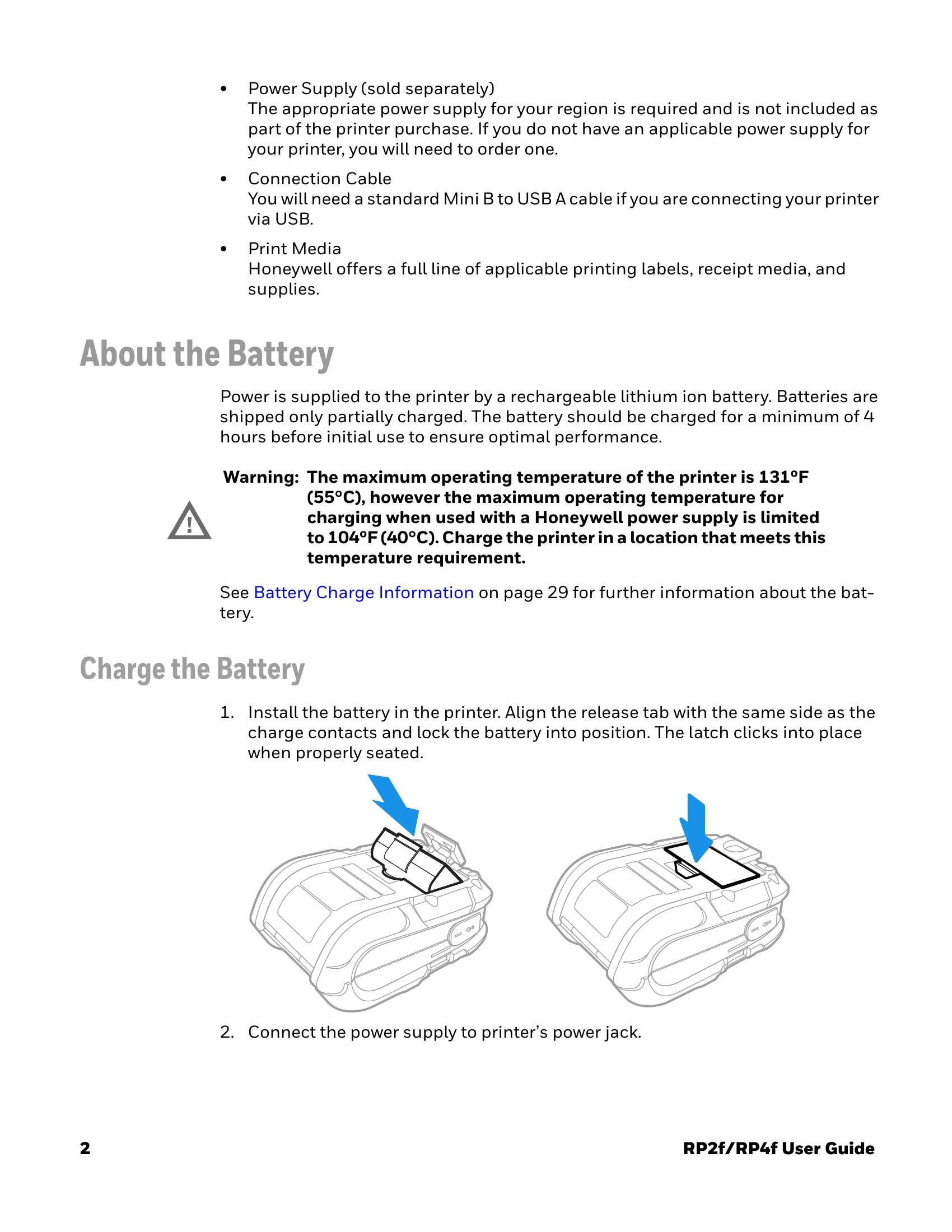
The RP Series printer family offers rugged durability and state-of-the-art electronics for portable thermal printing. It features USB, WiFi LAN, and Bluetooth® technology for easy host system connection. The printer supports multiple languages including Fingerprint (FP), Direct Protocol (DP), IPL, ZSim, DPL, Smart Printing (C#), Direct PDF printing, EZ-Print, and CPCL Simulator (CSim). Initial setup involves unpacking the device, charging the battery for at least 4 hours, and potentially installing a Windows printer driver from the Honeywell website. The printer can be configured via programming commands, the media button, PrintSet 5, Print Set MC, or its web page. Media loading and calibration are essential steps for operation. The interface can be programmed using USB or wireless connections, and the printer supports various command languages for printing labels and receipts.
| Errors Alerts | Status | Delay Repeat | Delay Unit | Message |
| Next Label Not found | Disable | 1 | Occurrences | Error-Next label not found |
| Out of Media | Enable | 1 | Occurrences | Error-Out of media |
| Printer in Pause Mode | Disable | 1 | Occurrences | Error-Printer in pause mode |
| Application Break | Disable | 1 | Occurrences | Error-Application break |
| Printhead Lifted | Enable | 1 | Occurrences | Error-Printhead lifted |
| Printhead Not Detected | Disable | 1 | Occurrences | Error-Printhead not detected |
| Printhead Too Hot | Disable | 1 | Occurrences | Error-Printhead too hot |
| Motor Too Hot | Disable | 1 | Occurrences | Error-Motor too hot |
| Power Supply Too Hot | Disable | 1 | Occurrences | Error-Power supply too hot |
| Memory Full | Disable | 1 | Occurrences | Error-Memory Full |
| Flash Memory Full | Disable | 1 | Occurrences | Error-Flash Memory Full |
| Warning Alerts | Status | Delay Repeat | Delay Unit | Message |
| Upgrading Firmware | Disable | 1 | Occurrences | Warning-Upgrading firmware |
| Odometer (User Resettable) | Disable | 1 | Occurrences | Warning-Odometer (User Resettable) has reached a preset value. |
| Odometer (Printhead) | Disable | 1 | Occurrences | Warning-Odometer (Printhead) has reached a preset value. |
| Odometer (Printer) | Disable | 1 | Occurrences | Warning-Odometer (Printer) has reached a preset value. |
| Replace Printhead | Disable | 1 | Occurrences | Warning-Replace printhead |
| Clean Printhead | Disable | 1 | Occurrences | Warning-Clean printhead |
| Faulty Dot | Disable | 1 | Occurrences | Warning-Faulty dot is detected |
| Memory Low | Disable | 1 | Occurrences | Warning-memory low |
| Flash Memory Low | Disable | 1 | Occurrences | Warning-Flash Memory low |
| Information Alerts | Status | Delay Repeat | Delay Unit | Message |
| Print Job Complete | Disable | 1 | Occurrences | Print Job Complete |
| Started | Disable | 1 | Occurrences | Printer is started |
| Printer is Rebooting | Disable | 1 | Occurrences | Printer is Rebooting |