Manual for H-2

Manual for H-2

Brand: Honeywell

Category: Camera

Document Type:

Language: EN
Uploaded: Aug. 9, 2025, 11:46 p.m.

Warranty Information

Free repair service for material and workmanship defects within 18 months of purchase.

Getting Started:
  • IMPORTANT: Read First! Focus only after cocking the rapid wind lever. Ensure the rapid wind lever is fully stroked. Do not touch the mirror surface.
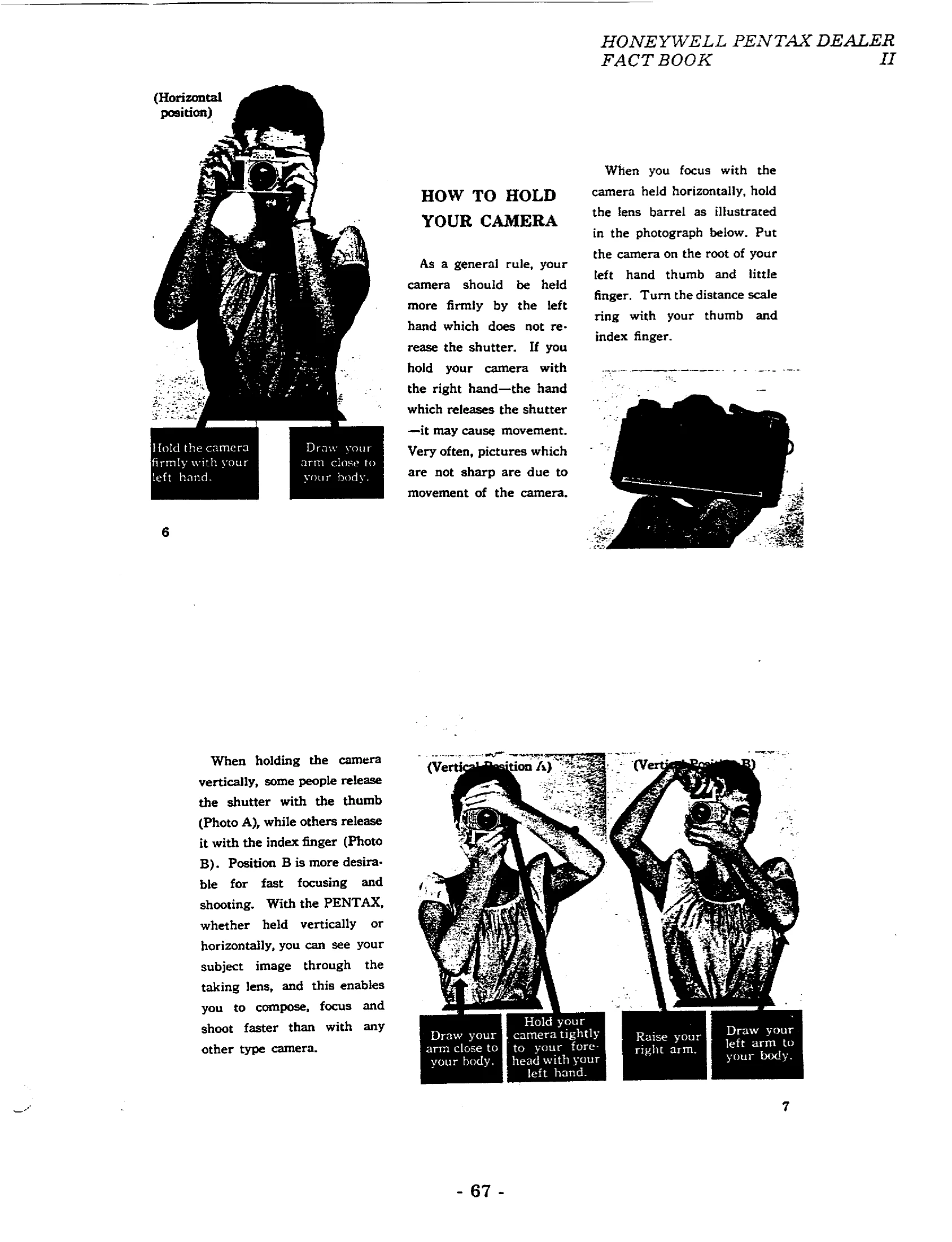
  • Camera Handling: Hold the camera firmly with your left hand, drawing your arm close to your body. For vertical shots, use the index finger to release the shutter for faster focusing.
Taking Pictures:
  1. Cock the rapid wind lever.
  2. Compose your picture.
  3. Select the f/stop and shutter speed.
  4. Cock the automatic diaphragm lever for full-aperture viewing.
  5. Focus your subject.
  6. Trip the shutter.
Film Loading and Rewinding:
  • Loading: Open the back, pull out the rewind knob, insert the film cassette, and draw the film to the take-up spool.
  • Rewinding: Unfold the rewind crank, depress the release button, and turn the crank to rewind the film. Avoid direct sunlight when unloading.
Maintenance:
  • Protect from humidity, dust, and extreme temperatures.
  • Use a soft brush or dry cloth for cleaning. Use air spray or a camel hair brush for the mirror and lens. Never wipe the mirror or lens surface with cloth.
  • Do not use oil in the camera or touch shutter curtains.
Flash Synchronization:
  • Use FP and X terminals for flash. Consult the table for correct shutter speeds and flash bulb combinations. The X setting is typically 1/50 sec.
Depth of Field:
  • Use the Depth-of-Field Guide on the lens to determine the range of focus at different apertures.
Interchangeable Lenses:
  • Takumar lenses are compatible. Attach lenses carefully, do not overtighten.
Accessories:
  • Lenshoods, filters, 90° finders, accessory clips, film magazines, and lens cases are available.
Resolving Power:
  • Takumar lenses are factory-tested for high resolving power, exceeding industry standards. Use slow-speed, fine-grain film for testing.
Special Features:
  • Automatic diaphragm, instant return mirror, microprism focusing aid.

Troubleshooting and error codes

ProblemPossible CauseSolution
Pictures are not sharpCamera movementHold camera firmly; use tripod at slow speeds.
Inaccurate exposureIncorrect ASA settingSet correct ASA number on film type dial.
Flash not firing correctlyIncorrect synchronizationCheck flash terminals, shutter speed, and flash bulb compatibility.
Film not advancingRapid wind lever not fully strokedEnsure lever is fully stroked until it stops.
Double exposureShutter cocked without film advanceCoupled film wind and shutter cocking prevents this. Depress rewind button while advancing film for deliberate double exposure.
Privacy Policy