Brand: Honeywell
Category: Camera
Document Type: Manual
Language: EN
Brand: Honeywell
Category: Camera
Document Type: Manual
Language: EN
Uploaded: Nov. 21, 2025, 9:13 p.m.
Manual Publish Date: 2017-04-01
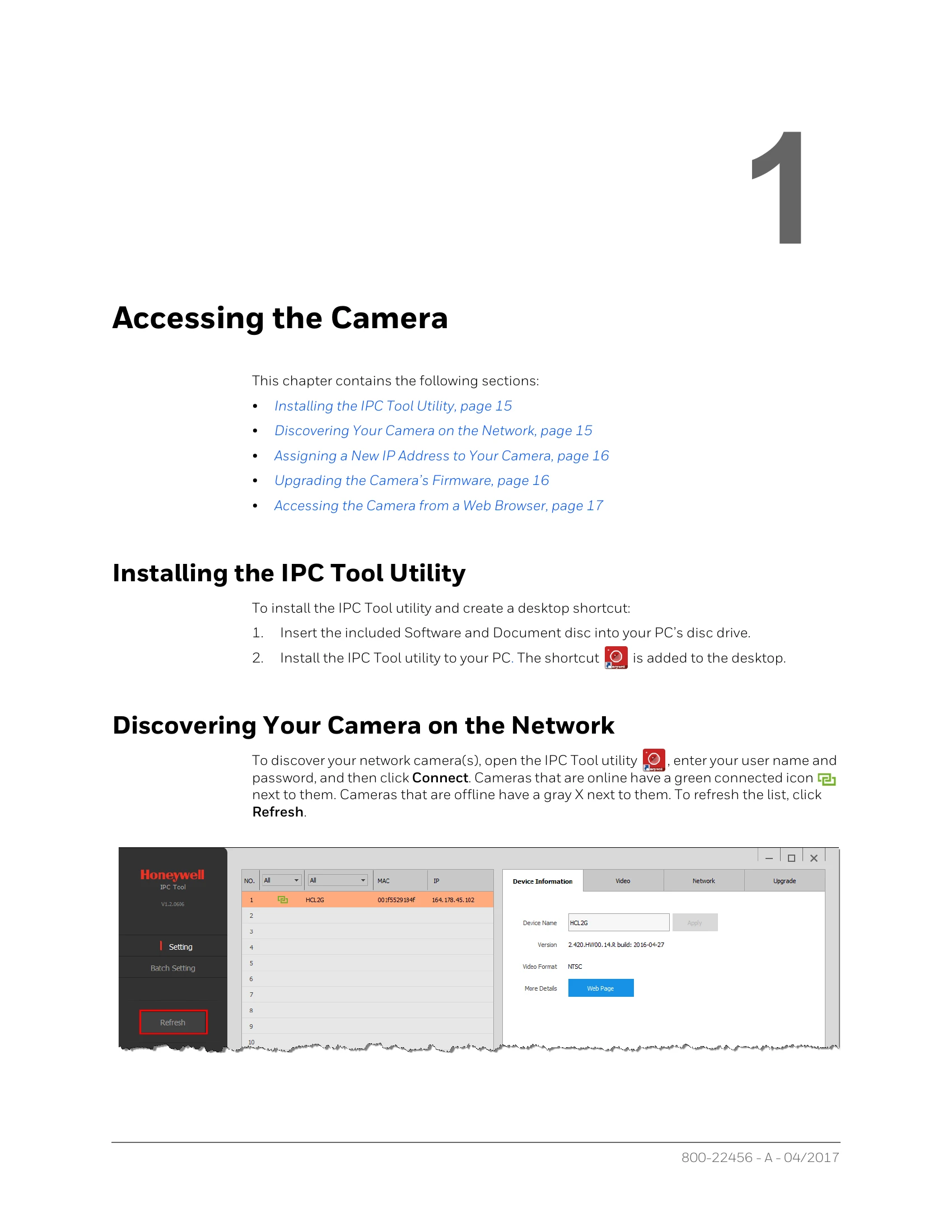
Accessing the Camera: Install the IPC Tool utility, discover the camera on the network, assign an IP address, upgrade firmware, and access via web browser.
Logging In and Viewing Live Video: Log in to the web client using default or secure credentials. Configure and work within the Live interface, adjusting image settings, zoom, focus, and PTZ controls.
PTZ Operation: Configure PTZ functions like presets, tours, scans, patterns, and auto pan. Set up idle motion, power-up actions, and tilt limits. Operate PTZ controls including directional arrows, zoom, focus, iris, and special functions like Assistant and Positioning.
Playing Back Recorded Video: Use the playback interface to view recorded video, control playback speed, and adjust volume. Create and download video clips or snapshots.
Configuring Video and Audio Settings: Adjust camera picture properties, exposure, white balance, day/night settings, and defog. Configure streaming settings, format, resolution, frame rate, and bit rate. Set up audio input, noise filter, and volume levels.
Configuring Network Settings: Configure TCP/IP, IPv4/IPv6, and ARP/Ping settings. Set up network connections, ONVIF, PPPoE, and DDNS. Implement IP/MAC filtering, email notifications, UPnP, SNMP, Bonjour, multicast, 802.1X, and QoS. Manage certificates.
Configuring Event Settings: Set up alarm, system, motion detection, camera tampering, audio, smart plan, auto tracking, and face detection events. Configure recording, alarm outputs, email notifications, and PTZ actions upon event detection.
Configuring Recording Settings: Set up recording schedules for general, motion, and alarm events, including holiday schedules. Configure storage paths for SD card, FTP, or NAS. Manage record length, pre-event recording, disk full options, and record mode.
Configuring System Settings: Adjust general settings like device name and language. Configure date and time, account settings (users and groups), and maintenance tasks like auto reboot and file deletion. Upgrade firmware, view version information, manage logs, and monitor online users.