Brand: HITACHI
Category: TV
Document Type: Manual
Language: EN
Brand: HITACHI
Category: TV
Document Type: Manual
Language: EN
Uploaded: Nov. 21, 2025, 8:41 p.m.
This guarantee covers defects within 12 months of purchase, provided the product is installed and used correctly.
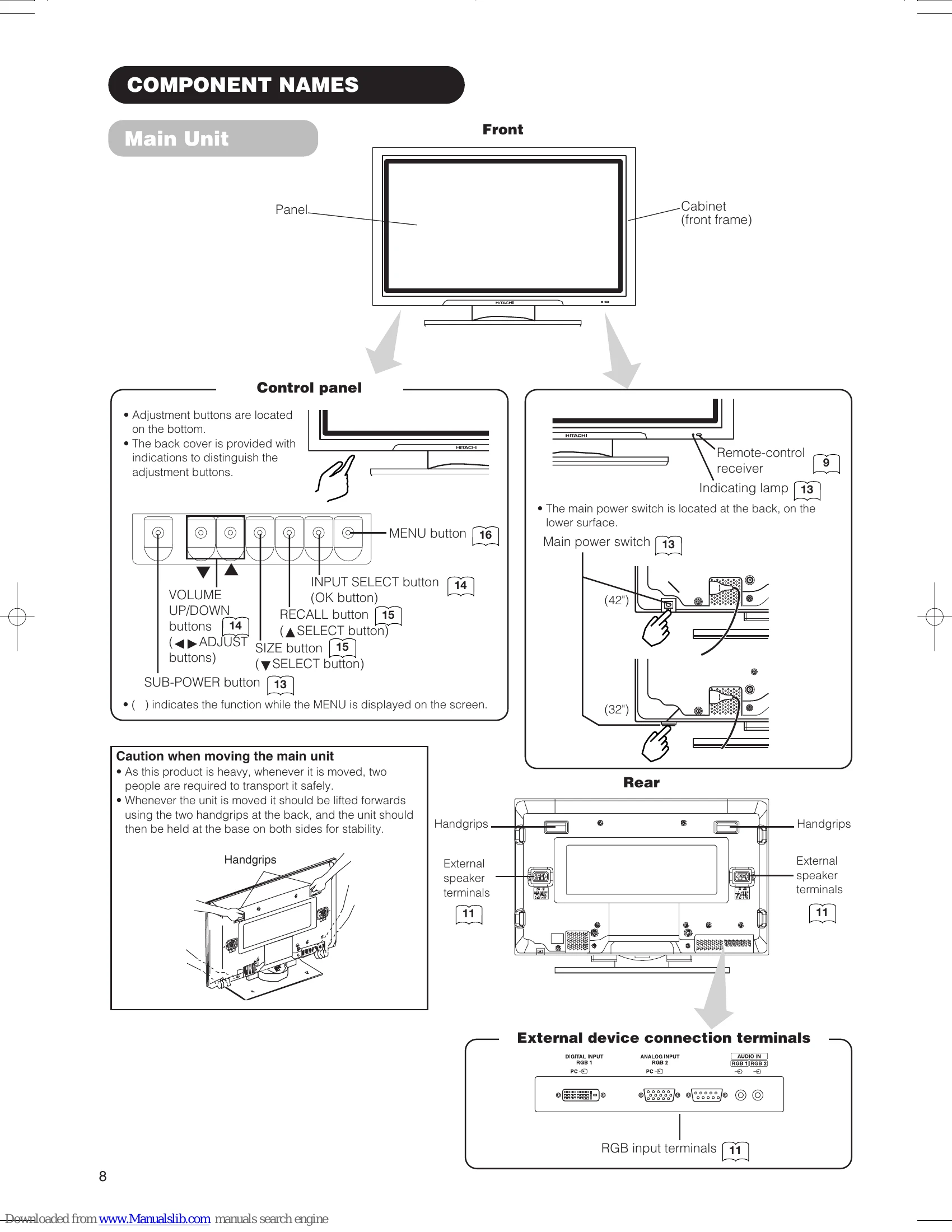
The volume can be adjusted by pressing the VOL+ and VOL- buttons of the remote control (or the volume buttons of the monitor unit).
Each time the SIZE button of the remote control or the monitor is pressed, the screen display area will change in sequence and the status will be displayed at the bottom of the screen.
| Symptom | Possible reason | Remedy |
|---|---|---|
| snowy picture - poor sound |
(1) Connection of antenna cable to the TV is poor. (2) Corroded or poor antenna connections. (3) Antenna has moved position. (4) Adverse weather conditions. (5) Transmitter problems. |
(1) Make new connection and/or change antenna plug. (2) Make new connections or renew cable. (3) Re-align antenna. (4) None. (5) Check with local Operator. |
| multiple images - sound O.K |
(1) Antenna has moved position. (2) TV not tuned correctly. (3) Adverse weather conditions. (4) Transmitter problems. (5) AV Input not set correctly. |
(1) Re-align antenna. (2) Re-tune or fine tune TV. (3) None. (4) Check with local Operator. (5) Check the external equipment connected. |
| intermittent interference |
(1) Interference from electrical or mechanical motors, fluorescent lights, portable radios etc. |
(1) Check devices for shielding and renew if necessary or move further from TV. |
| no picture or sound |
(1) TV may be in AV mode. (2) Picture/sound setting set to minimum. (3) TV in standby or power save mode. |
(1) Press the INPUT SELECT button or 0 to 9 buttons on your remote control to return to normal TV mode. (2) Check picture / sound controls (go to MAIN MENU). (3) Press POWER ON / OFF button. |