Manual for C2146TN

Manual for C2146TN

Brand: HITACHI

Category: TV

Document Type: Manual

Language: EN
Uploaded: Nov. 21, 2025, 6:53 p.m.

Warranty Information

12-month guarantee against manufacturing defects, provided the product is installed and used according to instructions.

  • Main Features: "AUTOTUNE" system, front-mounted Audio/Video phono and S-VHS inputs, ON and OFF Timer functions, menu-driven remote control, twin scart sockets, NICAM digital stereo, colour co-ordinated on-screen display menus, Fastext, high quality picture tube.
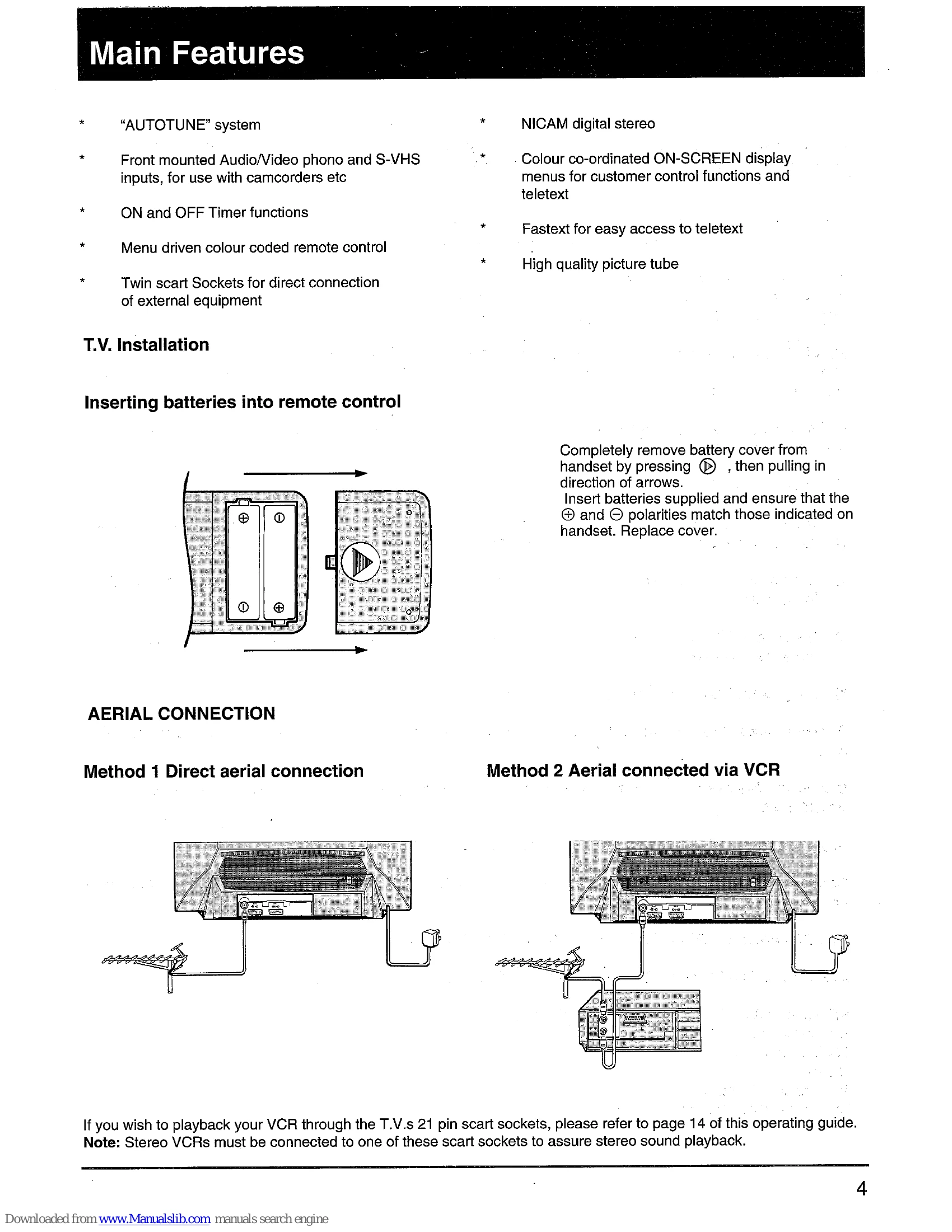
  • T.V. Installation: Instructions for inserting batteries into the remote control and connecting the aerial (direct or via VCR).
  • Controls and Connections: Details of front and rear connections, and how to switch the TV ON.
  • Functions of Remote Control Handset: Explains buttons for TV, Teletext, and VCR functions.
  • Tuning: Covers "AUTOTUNE" method and manual search tuning.
  • Picture and Sound Settings: How to adjust picture and sound parameters.
  • Connecting External Equipment: Guides for connecting VCRs, computers, and satellite receivers via front phono sockets or rear scart sockets.
  • Teletext and Fastext Operation: Instructions for entering teletext mode, using Fastext topics, and managing favourite pages.
  • Timer Operations: Setting ON timer, OFF timer, and combined ON/OFF timer functions.
  • Problem Guide: Troubleshooting common issues like no picture/sound, noisy picture, and handset not working.
  • Do's and Don'ts: Safety guidelines for using the equipment.
  • Battery Safety Guidelines: Recommendations for safe battery handling.
  • Specifications: Technical details of the TV.

Troubleshooting and error codes

Problem Possible Cause/Solution
NO PICTURE OR SOUND FROM SWITCH ON 1. Red light on (standby): Press button on handset. Slight delay expected.
2. Red light off: TV may be in AV mode. Press a programme number tuned to a TV broadcast.
3. "AUTOTUNE" used: Ensure programme numbers were allocated. Try conventional tuning.
TO EXIT MENUS QUICKLY Press the (TV) button on the handset. Applies to menus and direct tuning displays.
NOISY PICTURE (Snow effect) Check the aerial connection.
HANDSET DOES NOT WORK 1. Change batteries.
2. Ensure infra-red receiving lens is not obstructed.
Privacy Policy