Brand: HITACHI
Category: Industrial Marking
Document Type: Parts/Service
Language: EN
Brand: HITACHI
Category: Industrial Marking
Document Type: Parts/Service
Language: EN
Uploaded: Nov. 21, 2025, 8:53 p.m.
Manual Publish Date: 2011-08-01
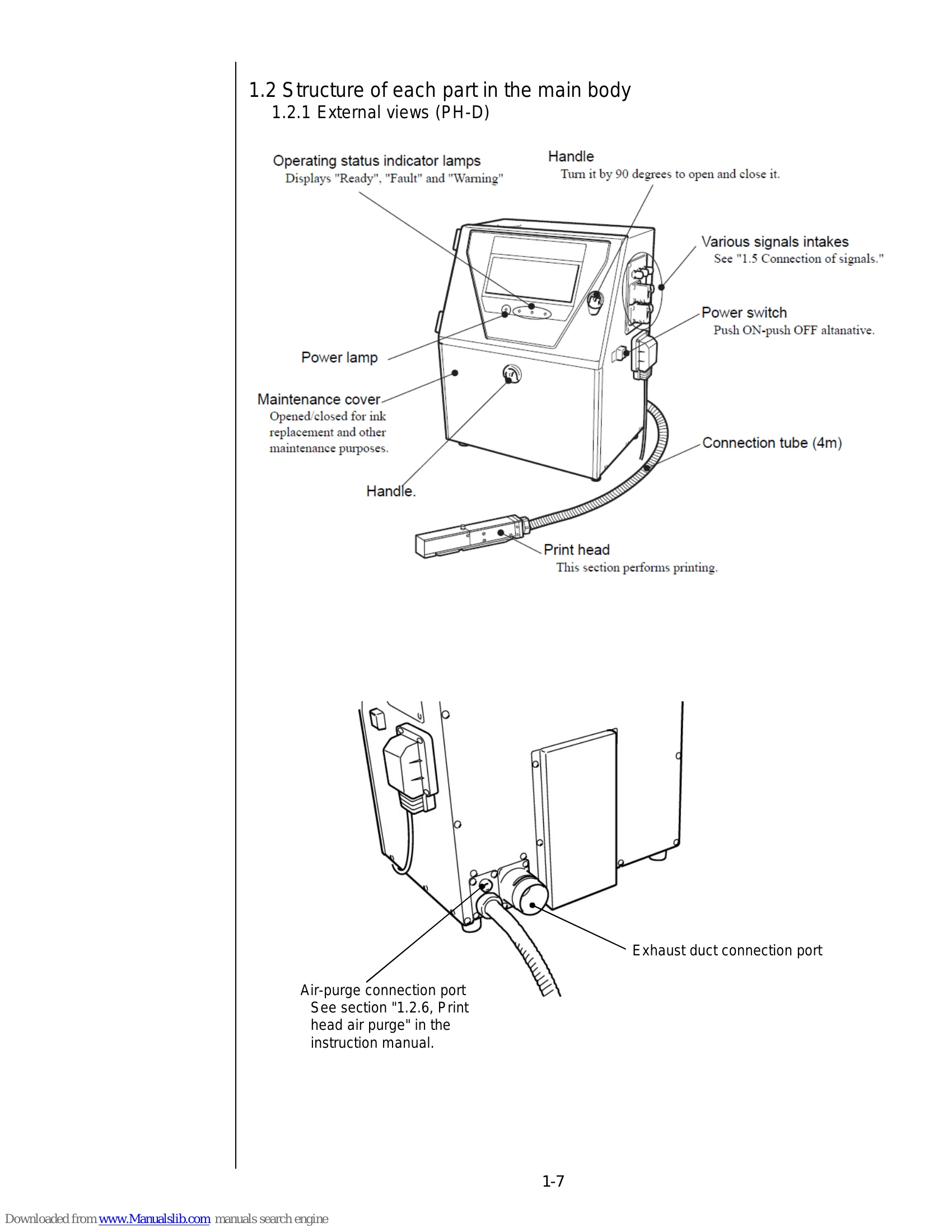
The HITACHI PH printer is an industrial inkjet marking device designed for efficient and reliable printing on various surfaces. It features a print head that ejects ink to create desired marks. The printer's operation involves several key stages:
Safety precautions are paramount, covering areas such as handling flammable inks, electrical safety, and proper ventilation.
| Fault Code/Symptom | Description | Possible Cause | Remedy |
|---|---|---|---|
| Storage Media Error | The system cannot access or write to the storage media. | Memory card issue or board failure. | Insert system-data memory card, perform system reset, or replace EZJ124 board. |
| Nozzle clog, Ink beam bending trouble | Ink droplets are not ejected correctly or the ink beam is misaligned. | Clogged nozzles or foreign substances. | Perform ultrasonic cleaning, nozzle backwash, or cleaning paper wiping. |
| Ink-stop type faults | Printing stops due to ink-related issues. | Low ink, clogged filter, pump failure, etc. | Check ink levels, clean filters, inspect pump, and perform appropriate maintenance procedures. |
| Print-stop type faults | Printing stops due to print head or related issues. | Print head malfunction, sensor errors, etc. | Refer to print head maintenance sections and troubleshooting guides. |
| No on-screen indications | The display or control panel is not functioning. | Power supply issue, display connection, or board failure. | Check power supply, connections, and potentially replace the controller board. |