Manual for HDC-761E

Manual for HDC-761E

Brand: HITACHI

Category: Digital Camera

Document Type: Manual

Language: EN
Uploaded: Nov. 21, 2025, 6:11 p.m.

Warranty Information

This product is available through Argos. Return faulty items with proof of purchase to Argos for repair/replacement.

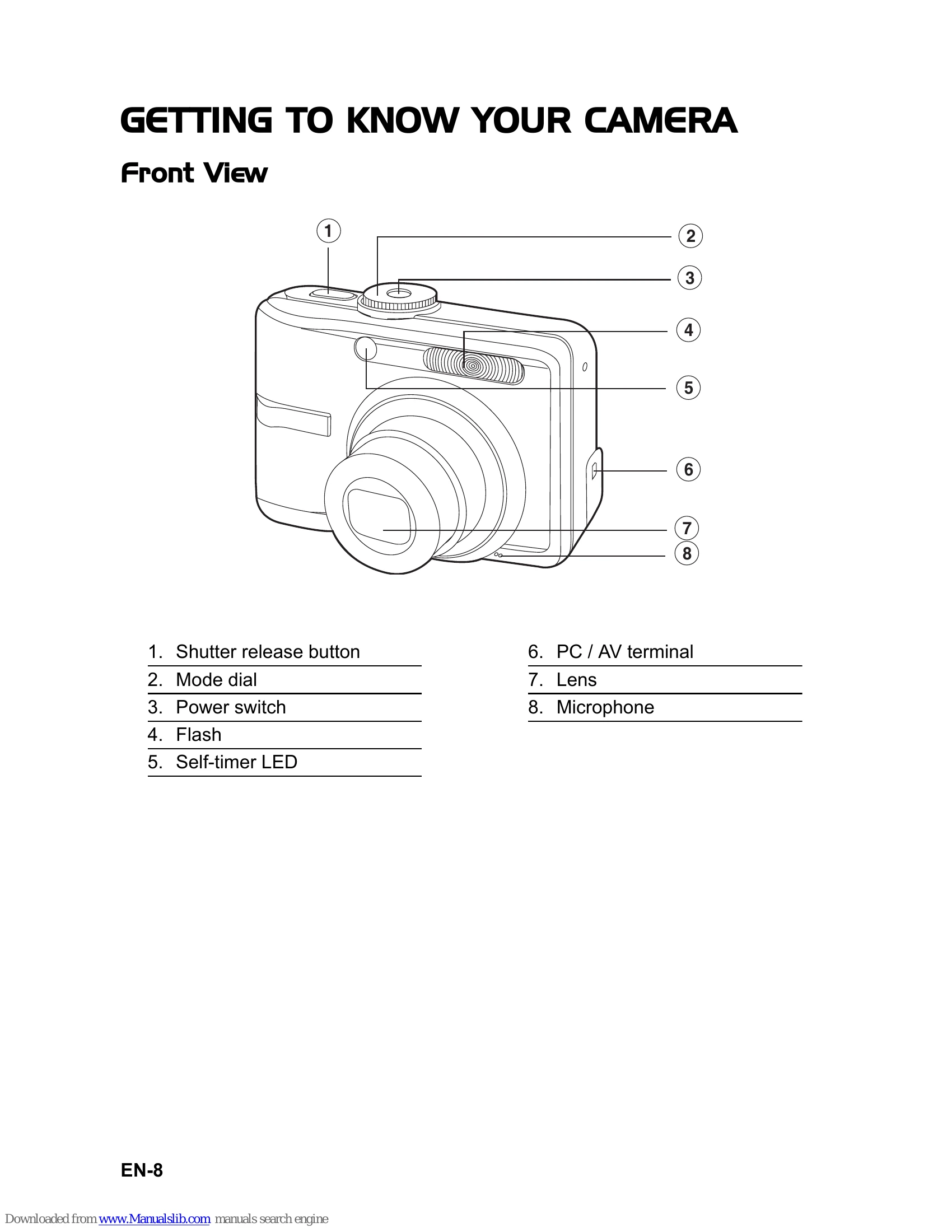
Turning the Power On/Off: Press the power switch until the digital camera turns on. To turn the power off, press the power switch again.
Choosing the Screen Language: Rotate the mode dial to the desired mode, turn the camera on, select "Language" from the "Set-up1" menu, and choose your preferred language using the four-way controller, then press OK.
Setting the Date and Time: Rotate the mode dial to the desired mode, turn the camera on, select "Date & Time" from the "Set-up1" menu, adjust the date and time using the four-way controller, and press OK.
Formatting an SD Memory Card or Internal Memory: Rotate the mode dial to the desired mode, turn the camera on, select "Format" from the "Set-up1" menu, choose "Yes" and press OK to confirm. Be aware that all data will be erased.
Shooting Images: Rotate the mode dial to the desired shooting mode, compose the image, press the shutter release button halfway to focus, and then press it fully to capture the image.
Setting Image Resolution and Quality: Rotate the mode dial to the desired shooting mode, press MENU, select "Image Size" and "Quality" using the four-way controller, choose your desired settings, and press OK.

Troubleshooting and error codes

Symptom Possible causes Solutions / Corrective Actions
Power does not turn on.
  • The battery has run out.
  • The battery is not oriented correctly.
  • The battery cover is not closed properly.
  • Load new or fully charged battery.
  • Load the battery in the correct direction.
  • Close the battery cover correctly.
Camera suddenly powers down.
  • The function of [Auto Shut Down] in the mode has been activated.
  • The battery has run out.
  • Turn the power back on and set the option of [Auto Shut Down] to [Off].
  • Load new or fully charged battery.
Image is not captured when the shutter release button is pressed.
  • The camera is in the mode.
  • Memory is full.
  • Rotate the mode dial to , P, , or .
  • Transfer the desired files to your computer and then delete unnecessary files, or use a different memory card.
Flash does not fire.
  • Flash off is selected in flash mode.
  • 10+2 sec. Self-timer is selected in self-timer mode.
  • The [Capture Mode] is set to [Burst] or [AEB].
  • The camera is in the (video) mode.
  • Select a different flash mode.
  • Select [Single] in the [Capture Mode].
  • Switch the mode dial to another mode.
Continuous shooting is not possible.
  • The capacity of the built-in memory or SD memory card is full.
  • Insert SD memory card with available space or delete unwanted images.
Cannot transfer files over a USB connection.
  • USB cable is connected to the computer improperly.
  • Camera is turned off.
  • Check all connections.
  • Turn on the camera.
Privacy Policy