Brand: HITACHI
Category: Digital Camera
Document Type: Manual
Language: EN
Brand: HITACHI
Category: Digital Camera
Document Type: Manual
Language: EN
Uploaded: Nov. 21, 2025, 7:29 p.m.
Manual Publish Date: null
The product is exclusively available through Argos and for any issues, return to Argos with proof of purchase.
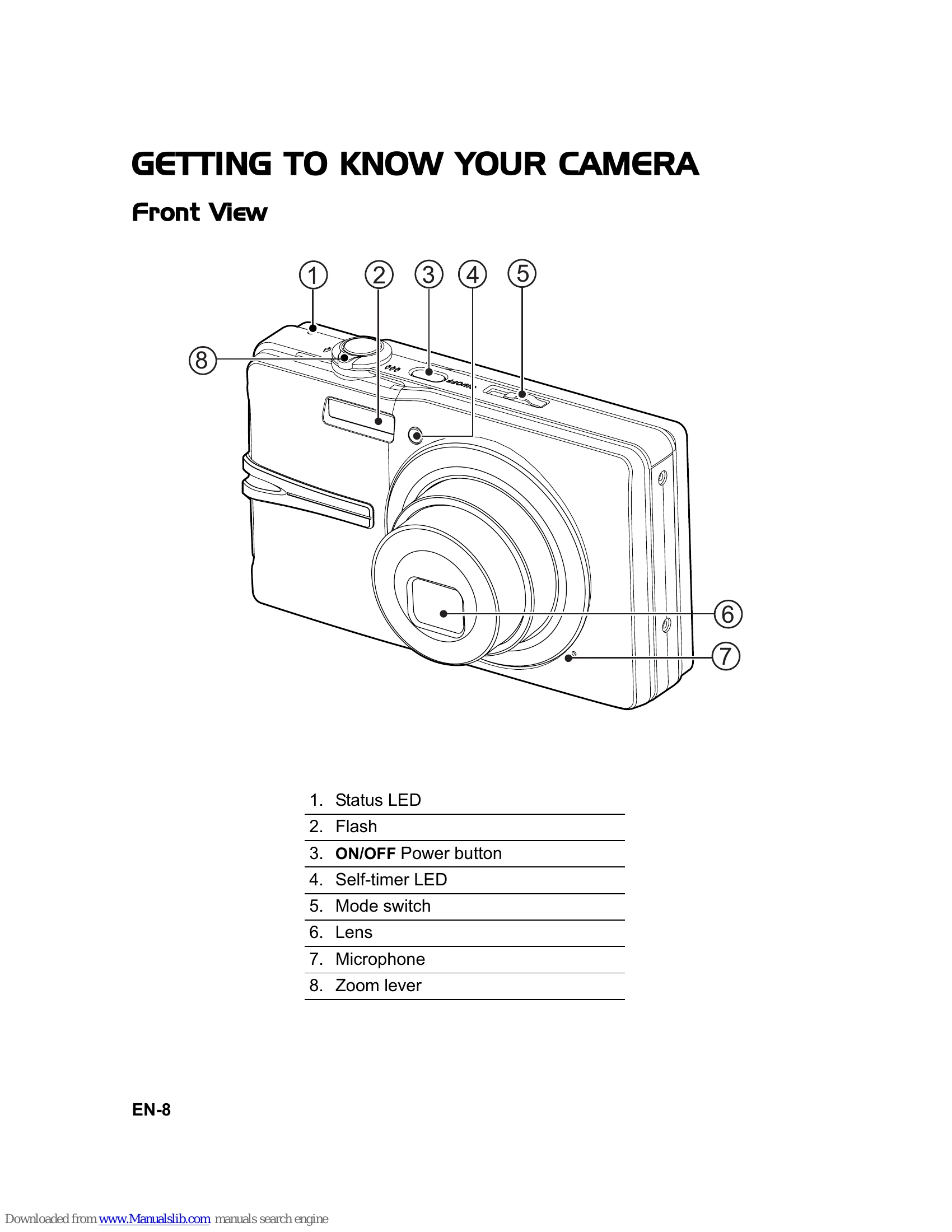
1. Press the ON/OFF button to turn on the camera. The status LED will light green.
\n2. Slide the mode switch to [].
\n3. Compose your image using the LCD monitor. Use the zoom lever to zoom in or out.
\n4. Press the shutter button halfway to focus and adjust exposure. Press fully to capture the image.
\n\n1. Slide the mode switch to [].
\n2. Compose your image.
\n3. Press the shutter button to start recording. Press again to stop.
\n\n1. Press the button to enter playback mode.
\n2. Use the / buttons to navigate through images/videos.
\n3. Press the SET button to play video clips.
\n| Problem | Possible Cause | Solution |
|---|---|---|
| Camera does not turn on | The battery is depleted. | Charge the battery. |
| Cannot capture images | The memory is full. | Insert a new memory card or erase existing images. |
| Images are blurry | Camera shake or subject movement. | Use a tripod or select the Anti-shake scene mode. |
| Subject is too close. | Use Macro mode. | |
| No sound in video playback | Sound is turned off. | Check the sound settings. |
| "PRINT ERROR" displayed | Printer connection issue. | Check the connection between the camera and printer. |
| "ERROR" displayed | Communication error between camera and printer. | Check the camera's settings. |