Brand: HITACHI
Category: Camcorder
Document Type: Manual
Language: EN
Brand: HITACHI
Category: Camcorder
Document Type: Manual
Language: EN
Uploaded: Nov. 21, 2025, 7:28 p.m.
No warranty information is available in this document.
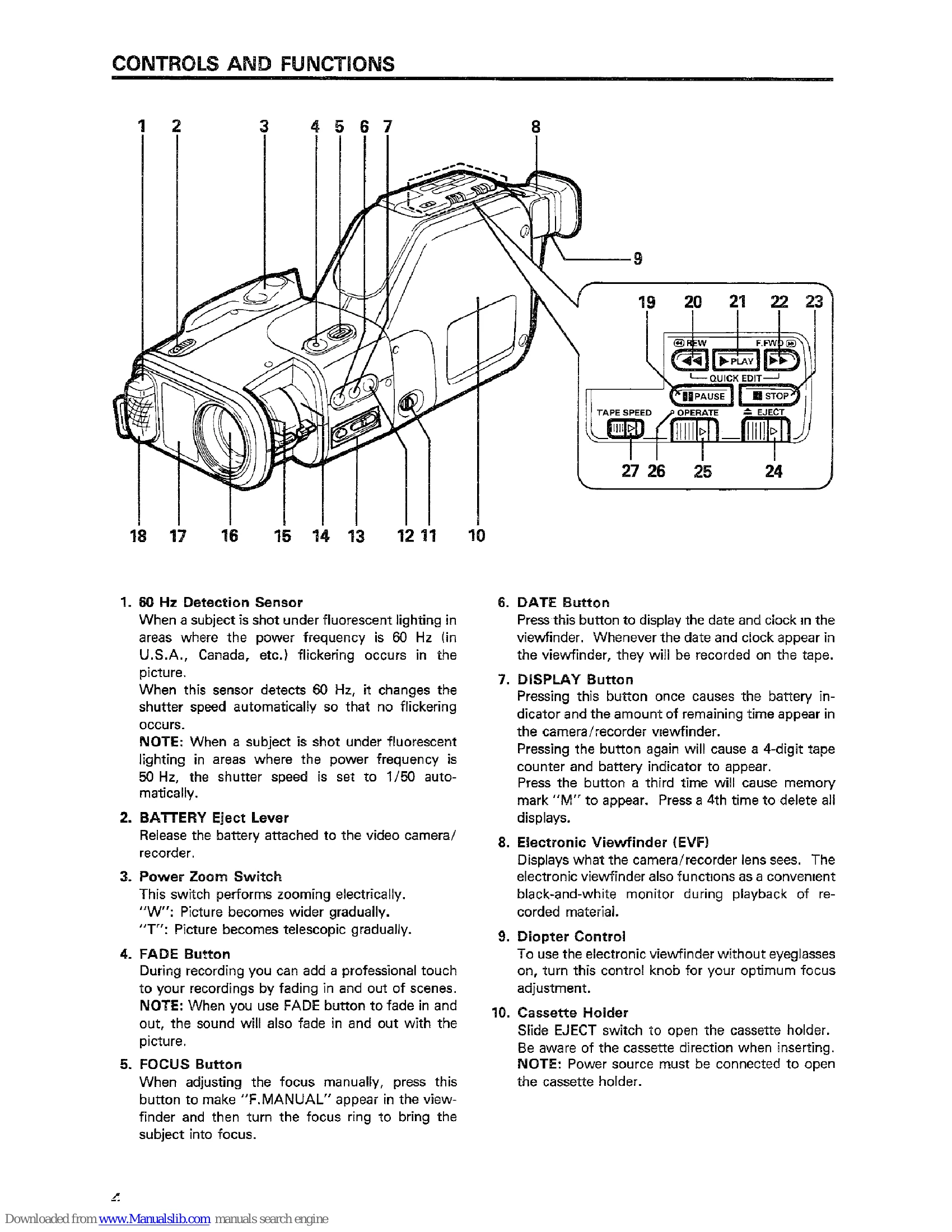
Powering On/Off: Use the Twist Grip. Slide the UNLOCK switch and twist the grip. To turn off, twist the grip to VTR mode or slide the OPERATE switch.
Recording: Insert a VHS-C cassette. Set the TAPE SPEED switch to SP or LP. Press the record start/stop button. The "REC" indicator will appear. Press again to stop recording.
Playback: Insert cassette, slide OPERATE switch, and press PLAY button.
Focusing: Auto focus is standard. For manual focus, press FOCUS button to display "F.MANUAL", then use the focus ring.
Zooming: Use the power zoom switch (W for wide, T for tele) or the zoom ring for manual zooming.
Date/Clock: Use DATE, SET, and SHIFT buttons to set the time and date for recording.
| Symptom | Check Point & Correction |
|---|---|
| Cassette holder cannot be opened when you press EJECT button. | Connect the power source. |
| Cassette cannot be inserted into cassette compartment. | Load cassette in direction indicated by arrow on cassette. |
| Picture does not appear in the viewfinder. | Connect the power source. |
| The camera/recorder will not go into the recording mode, even when record start/stop button is pressed. | Turn on VTR power or camera power. |
| PLAY button cannot be engaged. | Turn on VTR power. |
| Interference on playback picture. | Adjust TRACKING control. |
| Picture is out of focus. Auto-focus does not operate. | Press the FOCUS button to turn off "F.MANUAL" in the viewfinder. |
| Picture is out of focus. Auto-focus does not operate. | The video camera/recorder is set to "MACRO" mode. Release the "MACRO" mode. |