Brand: HITACHI
Category: Audio
Document Type: Manual
Language: EN
Brand: HITACHI
Category: Audio
Document Type: Manual
Language: EN
Uploaded: Nov. 21, 2025, 6:39 p.m.
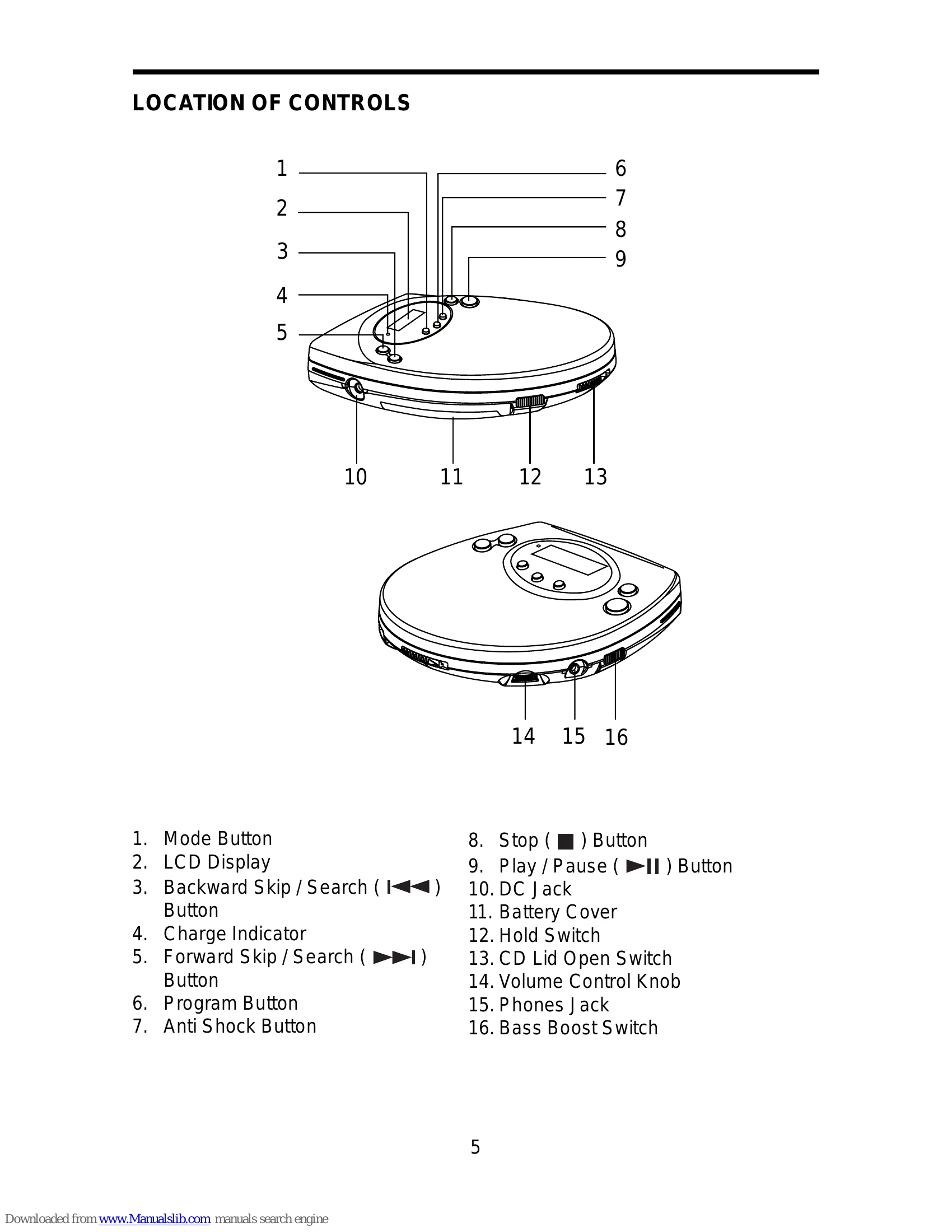
This unit has no ON/OFF switch. To turn on and off, press the following buttons.
To turn on: Press Play/Pause (playback starts).
To turn off: Press Stop button once to set at standby mode. Press Stop button twice to turn off the power immediately.
Auto power-off function: When the unit is idle (standby mode) for approximately 30 seconds, the unit's power will automatically turn off.
Slide the BASS BOOST switch to the ON position.
This switch prevents accidental selection of an unwanted function during Playback or Stop mode. In the HOLD "ON" position, no function button on the unit can operated (except OPEN). Moving the switch to the "OFF" position, the unit returns to normal operation.
| Problem | Possible Cause | Solution |
|---|---|---|
| Sound has become weak or distorted | Batteries are low. | Replace with new or recharged batteries. |
| Disc may not work / Sound skipping | Dirty lens / Dirty, scratched or warped discs. | Clean the lens. Use clean, undamaged discs. |
| CD player may get trapped inside / Malfunction | Using compact discs with cellophane tapes or labels attached, or those with peeled off stains. | Do not use such discs. |
| Noise from stereo earphones | Using CD-ROM and VCD discs. | Do not use CD-ROM and VCD discs. |