Brand: Haier
Category: Televisions
Document Type: Manual
Language: EN
Brand: Haier
Category: Televisions
Document Type: Manual
Language: EN
Uploaded: Nov. 21, 2025, 8:17 p.m.
One year parts and labor warranty for this product, excluding non-rechargeable batteries.
When you startusing your setfor the first time, you must select the language which will be used for displaying menus and indications.
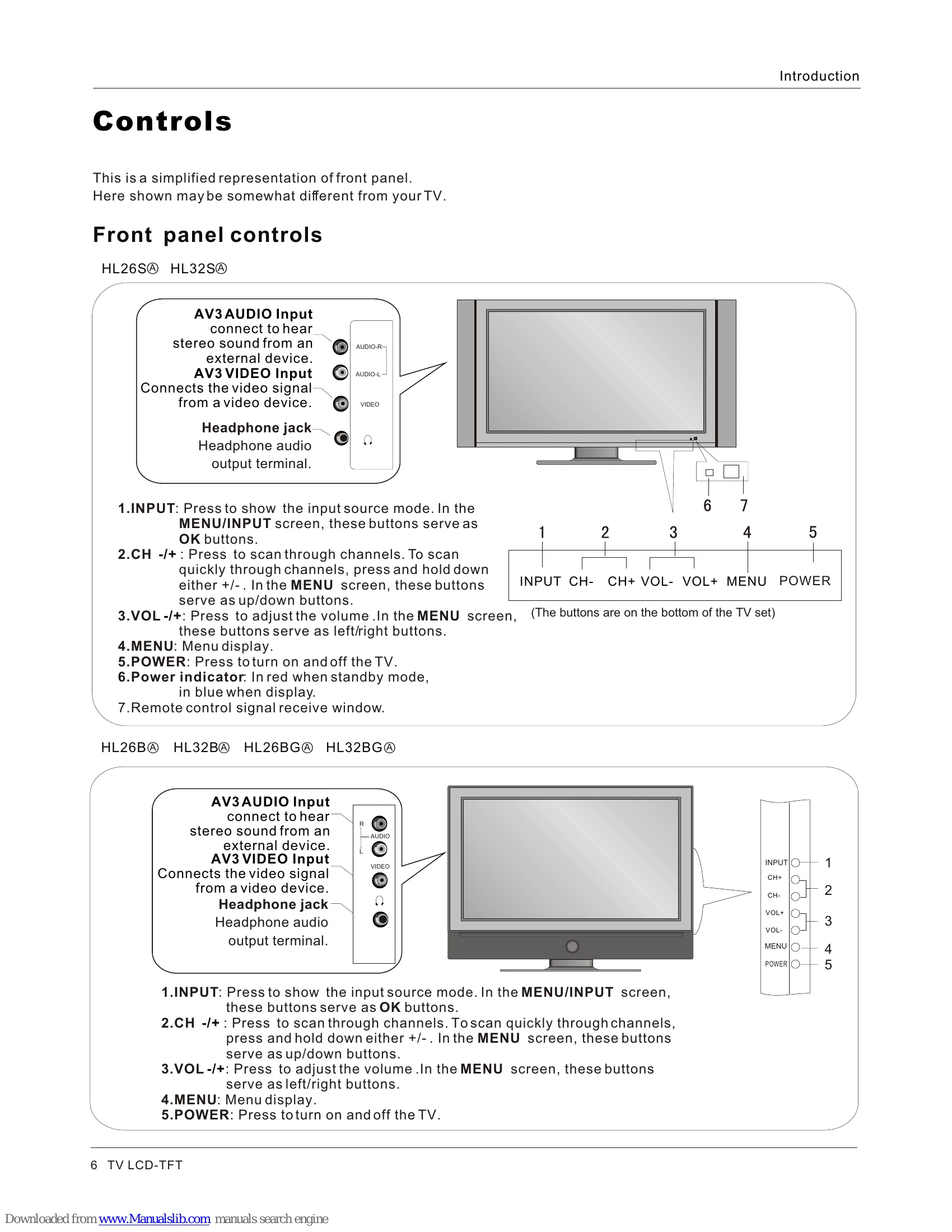
Change the picture source so you can watch your TV, cable TV, VCR, DVD, or any other devices that are connected to your TV.
| Problem | Solution |
|---|---|
| No picture, no sound | Verify if the television is properly plugged. Verify if the television is properly supplied power. Verify if electricity is available. |
| Blank screen | Verify if correct signals are input. Press INPUT button to change signal input to TV input. Restart the television if power supply is interrupted. |
| No sound | Press Mute button and verify if Mute mode is set. Switch to other channel and verify if the same problem happens. Press VOL+ button to see if the problem can be solved. |
| Poor sound | Verify if sound system is correct. Refer to Page 23 for adjustments. |
| No picture in some channel | Verify if correct channel is selected. Adjust the antenna. Make adjustments by Fine Tune and Manual Scan. |
| No color for some channel program (black and white) | Verify if the same problem exists in other channels. Check out of picture and sound systems. Refer to relative instructions in the Manual for color adjust. |
| Spots with some or all pictures | Verify if the antenna is correctly connected. Verify if the antenna is in good condition. Make fine adjustment of channel. |
| Horizontal/vertical bars or picture shaking | Check for local interference such as an electrical appliance or power tool. |
| Television out of control | Disconnect the television from power supply and, 10 seconds later, connect the television to the power supply. If the problem still exists, contact authorized after-sales service for technical assistance. |