Brand: GoPro
Category: Electronics
Document Type: Manual
Language: EN
Brand: GoPro
Category: Electronics
Document Type: Manual
Language: EN
Uploaded: Aug. 10, 2025, 12:48 a.m.
None
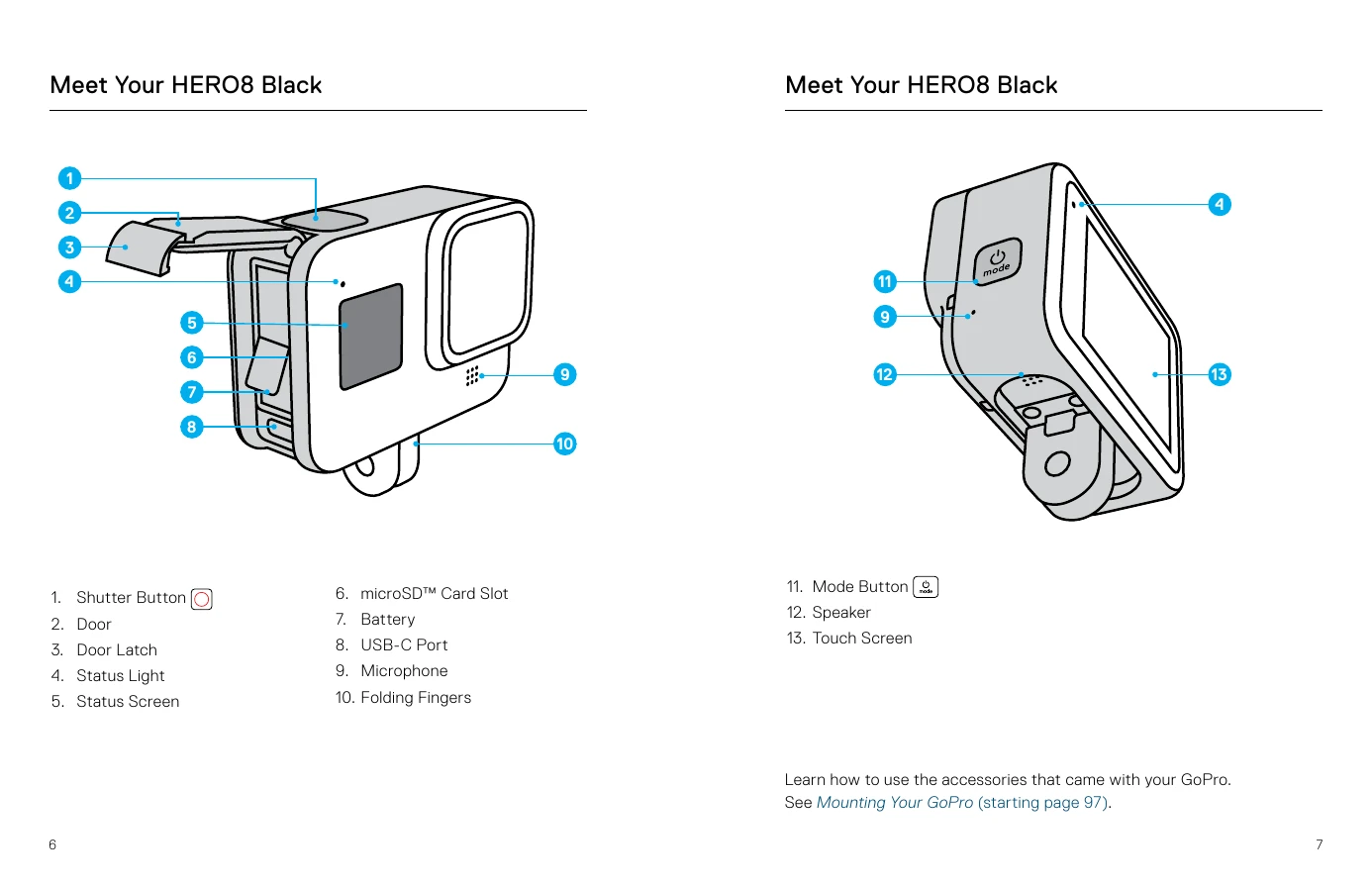
Press the Mode button to turn on your HERO8 Black. To turn it off, press and hold the Mode button for 3 seconds.
Your GoPro has three main capture modes: Video, Photo, and Time Lapse. Switch between them by swiping left or right. Each mode has presets for quick access to settings.
Press the Shutter button to start recording video or take a photo. Press it again to stop recording (for Video, Time Lapse, and Live Streaming).
You can change settings within presets or create your own custom presets for instant access to preferred settings.