Brand: GoPro
Category: Electronics
Document Type: Manual
Language: EN
Brand: GoPro
Category: Electronics
Document Type: Manual
Language: EN
Uploaded: Aug. 10, 2025, 12:49 a.m.
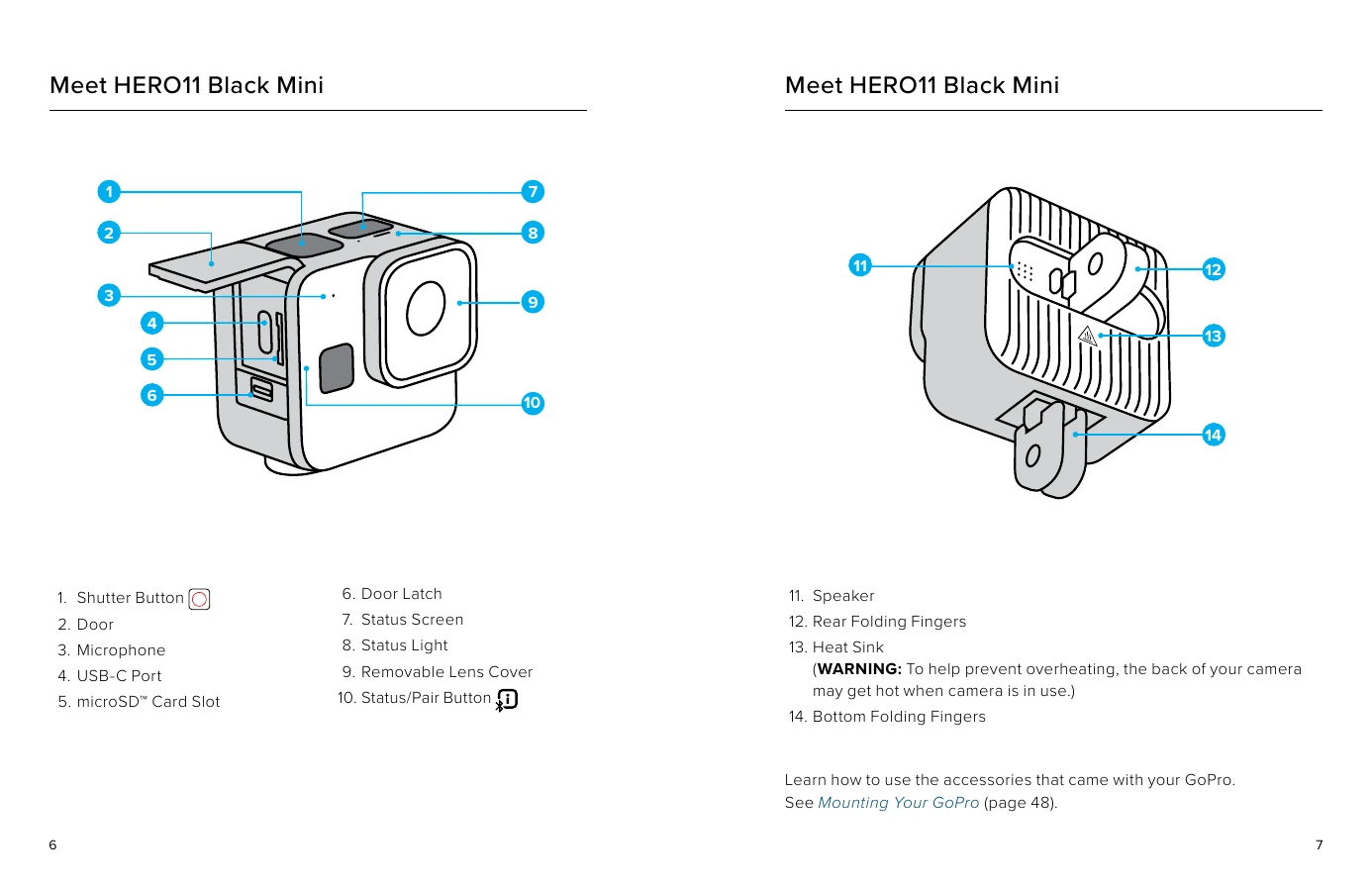
This section provides an overview of the HERO11 Black Mini camera, detailing its components like the Shutter Button, Door, Microphone, USB-C Port, microSD Card Slot, Door Latch, Status Screen, Status Light, Removable Lens Cover, and Status/Pair Button. It also highlights the Speaker, Heat Sink, and Folding Fingers.
This section guides you through setting up your camera, including the requirements for microSD cards and how to reformat your SD card. It also covers the essential steps for initial setup, such as inserting the SD card, charging the battery, and connecting to the GoPro Quik app for initial pairing and language selection.
Learn how to connect your camera to the GoPro Quik app for various functions, including adjusting settings, previewing shots, and transforming footage into video stories. It covers first-time pairing and re-pairing other devices.
This section explains how to keep your GoPro's software up-to-date, either through the GoPro Quik app or manually by visiting GoPro.com/update.
Understand the different functions of your camera's buttons depending on whether the camera is on or off. Learn how to power on/off, start/stop recording, and navigate through menus.