Brand: Generic
Category: Home Appliances
Document Type: Manual
Language: EN
Brand: Generic
Category: Home Appliances
Document Type: Manual
Language: EN
Uploaded: Nov. 21, 2025, 6:28 p.m.
Refer to your retailer or local municipal office for warranty information.
| Problem | Possible cause | Comments/Remedy |
|---|---|---|
| The oven does not work. | Blown fuse. | Look in the fuse box and check that the fuse is in working order. |
| Not plugged in. | Plug in the oven. | |
| Power failure. | Check whether the kitchen light switches on. | |
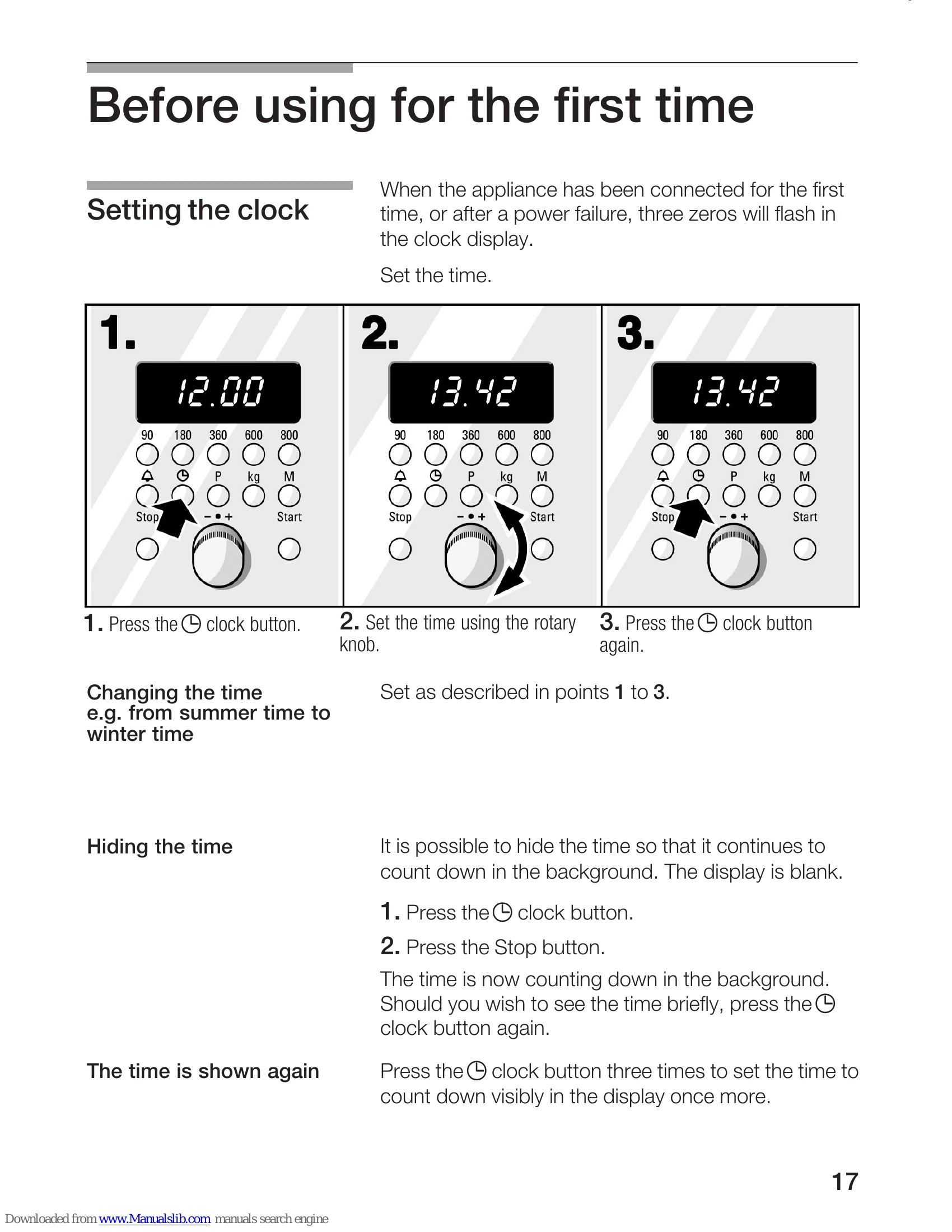
| The clock display flashes. | Power failure. | Reset the time. |
| The clock display suddenly becomes blank. | The time counts down in the background. | Press the clock button three times. The time is visible. |
| A cooking time, temperature and/or a flashing symbol appear in the display. | A rotary knob or a button was pressed accidentally. | Press the Stop button. |
| The microwave does not switch on. | The Start button was not pressed after the setting had been made. | Press the Start button or clear the setting by pressing the Stop button. |
| The door is not closed properly. | Check whether left-over food or a foreign object is trapped in the door. Make sure that the seal surfaces are clean. Check to see if the door seal has become twisted. | |
| The microwave was not started. | Press the Start button. | |
| The food takes longer than usual to heat up. | The microwave setting selected was too low. | Select a higher setting. |
| A greater amount than usual was placed in the microwave. | Double the amount = almost double the cooking time | |
| The food was colder than usual. | Stir or turn the food during cooking. | |
| The microwave does not switch off. | Switch off the fuse in the fuse box. Contact customer service. | |
| The Er1 or Er4 error message appears in the temperature display. | The temperature sensor has failed. | The microwave works. Contact customer service. |
| The Er3 error message appears in the clock display. | The electronic circuits have overheated. | The cooling fan is operating. Er3 will clear after cooling and the oven will heat up again. |
| Er5 appears in the temperature display. | Electrical fault. | Only the microwave works. Contact customer service. |