Manual for DC-TS7

Manual for DC-TS7

Brand: Generic

Category: Digital Camera

Document Type:

Language: EN
Uploaded: Aug. 9, 2025, 11:35 p.m.

Warranty Information

Warranty information is not explicitly stated in this manual.

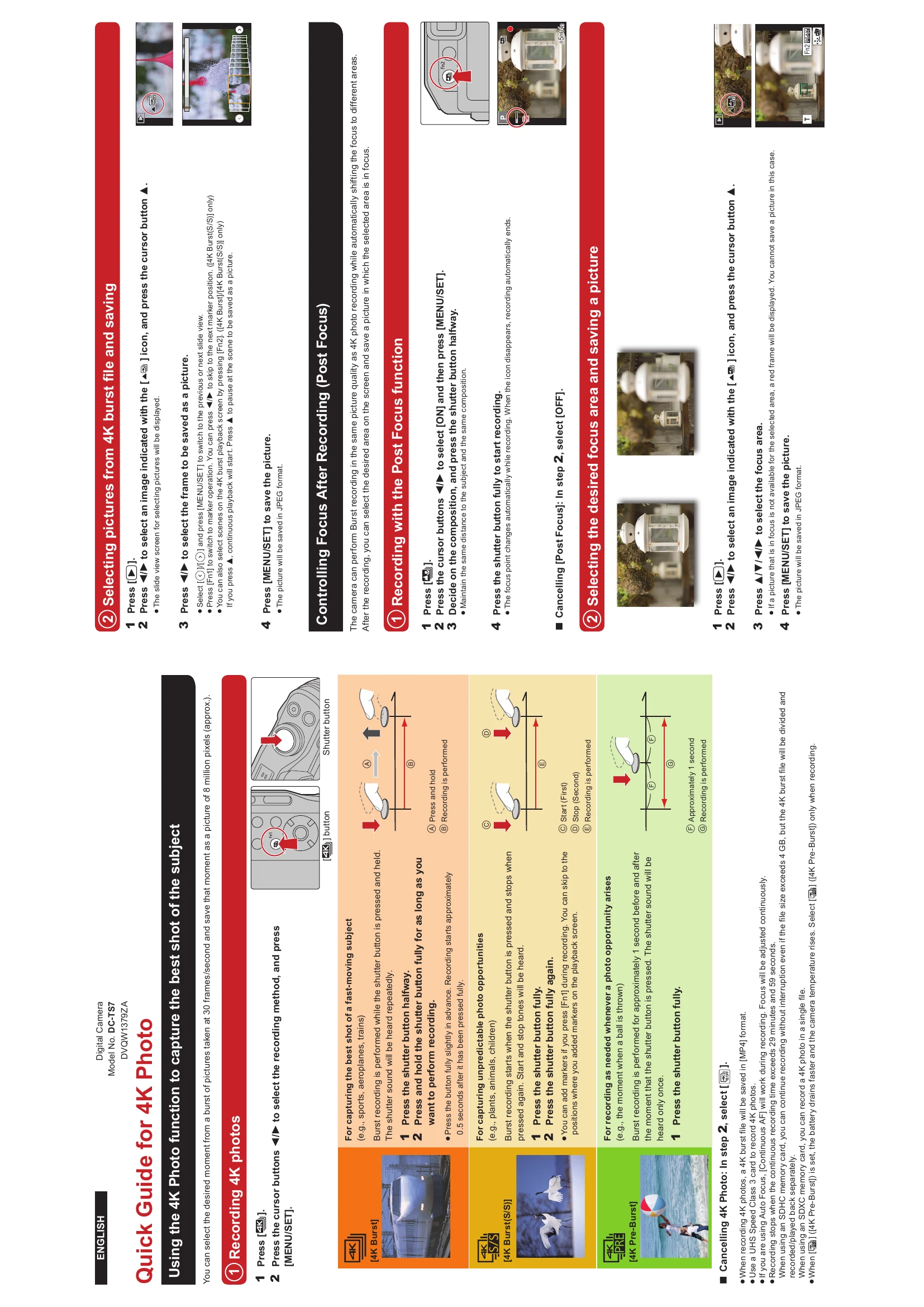
Using the 4K Photo function to capture the best shot of the subject

You can select the desired moment from a burst of pictures taken at 30 frames/second and save that moment as a picture of 8 million pixels (approx.).

Recording 4K photos

  1. Press [4K] button.
  2. Press the cursor buttons ▶◀ to select the recording method, and press [MENU/SET].

Selecting pictures from 4K burst file and saving

  1. Press [].
  2. Press ▶◀ to select an image indicated with the [▲] icon, and press the cursor button ▲.
  3. Press ▶◀ to select the frame to be saved as a picture.
  4. Press [MENU/SET] to save the picture.

Controlling Focus After Recording (Post Focus)

The camera can perform Burst recording in the same picture quality as 4K photo recording while automatically shifting the focus to different areas. After the recording, you can select the desired area on the screen and save a picture in which the selected area is in focus.

Recording with the Post Focus function

  1. Press [].
  2. Press the cursor buttons ▶◀ to select [ON] and then press [MENU/SET].
  3. Decide on the composition, and press the shutter button halfway.
  4. Press the shutter button fully to start recording.

Selecting the desired focus area and saving a picture

  1. Press [].
  2. Press ▶◀ to select an image indicated with the [▲] icon, and press the cursor button ▲.
  3. Press ▲△▲△ to select the focus area.
  4. Press [MENU/SET] to save the picture.

Troubleshooting and error codes

Header 1 Header 2 Header 3 Header 4
Row 1 Data 1 Row 1 Data 2 Row 1 Data 3 Row 1 Data 4
Row 2 Data 1 Row 2 Data 2 Row 2 Data 3 Row 2 Data 4
Row 3 Data 1 Row 3 Data 2 Row 3 Data 3 Row 3 Data 4
Privacy Policy