Brand: Generic
Category: Digital Camera
Document Type:
Language: EN
Brand: Generic
Category: Digital Camera
Document Type:
Language: EN
Uploaded: Aug. 9, 2025, 11:43 p.m.
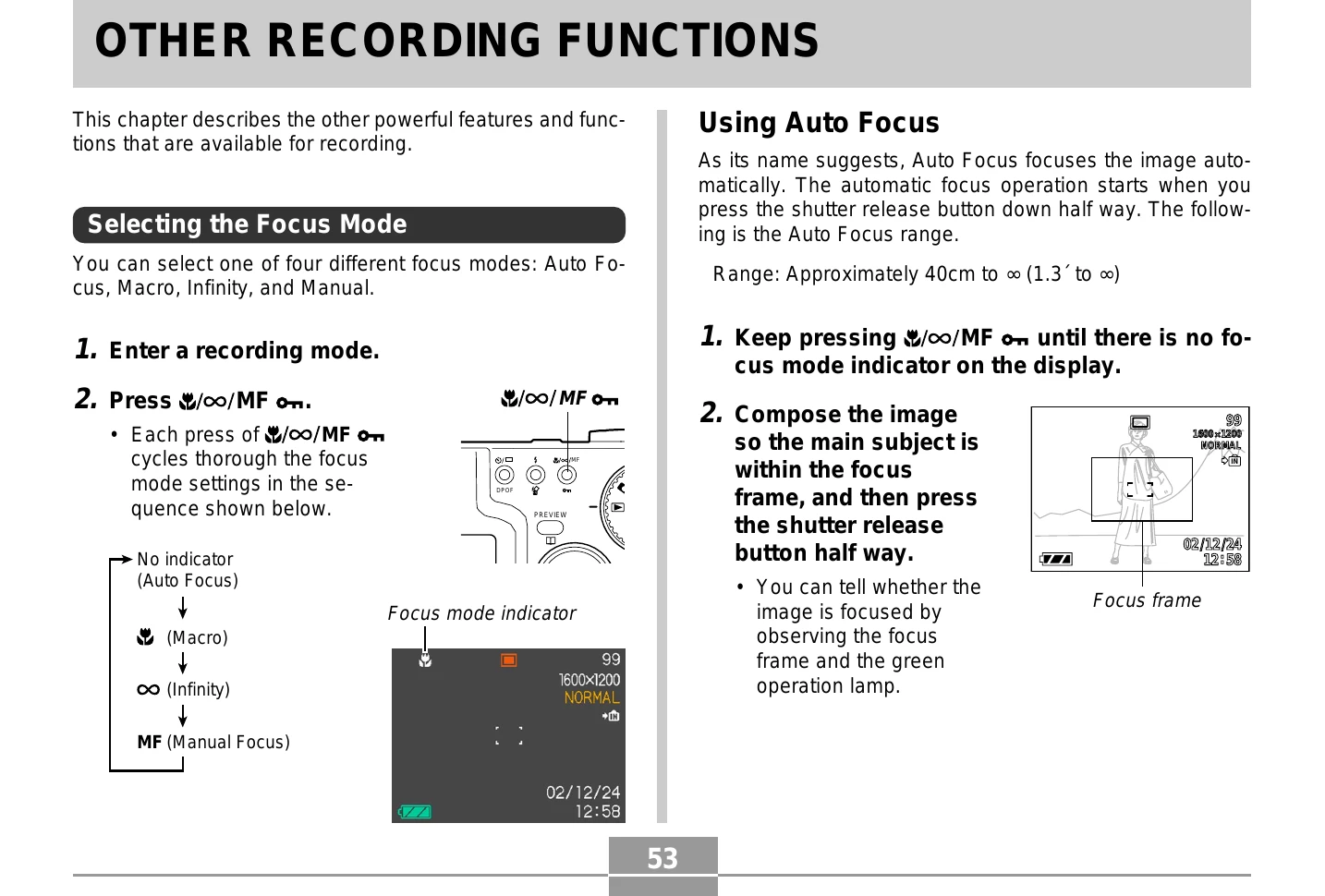
The camera offers four focus modes: Auto Focus, Macro, Infinity, and Manual. Each mode can be selected by pressing the "/∞/MF" button. Auto Focus automatically adjusts focus, with a range of 40cm to infinity. Macro mode is for close-up subjects (14cm to 50cm). Infinity mode fixes focus for distant subjects. Manual Focus allows for precise adjustment using the directional buttons.
Explore modes like Continuous Shutter for rapid shooting, Coupling Shot to combine two people into one image, and Pre-shot to overlay a background for self-portraits. Exposure Compensation (EV Shift) allows manual adjustment of exposure. The Night Scene Mode extends exposure time for better night shots.
Manual Exposure mode lets you control shutter speed and aperture. Movie Mode records video clips up to 30 seconds long. Shooting at Fixed Intervals automates image capture at set times or intervals.
Adjust white balance for accurate colors under different lighting. Select metering modes (Multi-pattern, Center-weighted, Spot) for optimal exposure. Manage files with protection and DPOF settings for printing. Customize startup screens, alarms, date/time, and display language.
| When you see this: | The image is focused. |
|---|---|
| Green focus frame | The image is focused. |
| Green operation lamp | The image is focused. |
| Green flashing focus frame | The image is not in focus. |
| Flashing green operation lamp | The image is not in focus. |