Brand: FUJITSU
Category: Computers
Document Type: Manual
Language: EN
Brand: FUJITSU
Category: Computers
Document Type: Manual
Language: EN
Uploaded: Nov. 21, 2025, 6:44 p.m.
Manual Publish Date: 2021-04-01
| Error Code (LCD) | Error Code (Function Number Display) | Error Description | Action |
|---|---|---|---|
| J1:5A | J1 | Paper jam |
Paper is jammed in the imprinter. Take the following measures:
|
| U5:4A (*1) | U5 (*1) | Imprinter cover open |
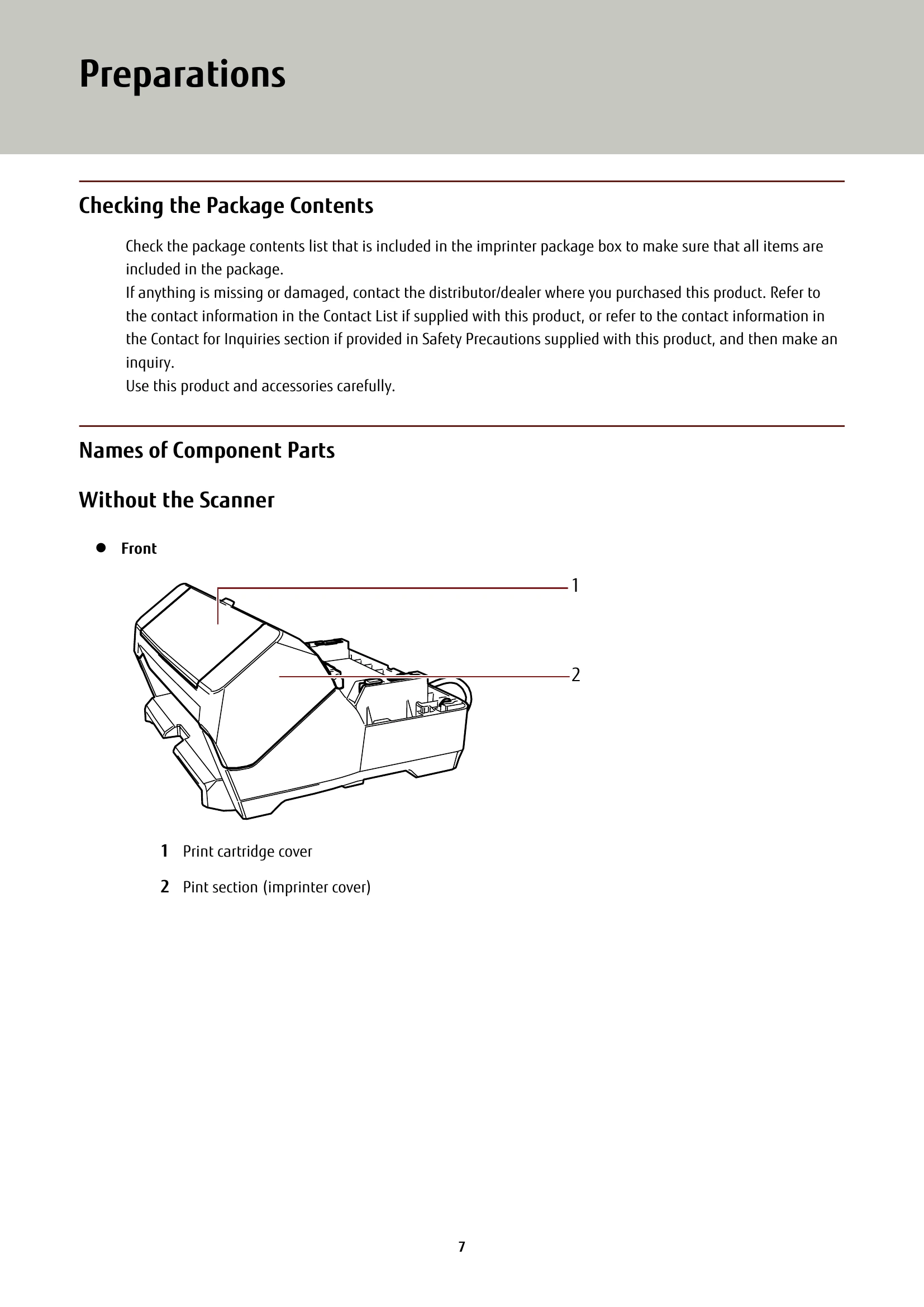
The print section (imprinter cover) was opened during scanning.
|
| U6:B4 | U6 | Print cartridge not installed |
The print cartridge is not installed in the imprinter correctly.
|
| U7:B9 | U7 | Imprinting area error | An error occurred with the print start position in the imprinter. Adjust the print start position and character string for printing so that the print area is inside the document. (For details about the adjustment, refer to Setting the Position in Which to Print (page 24).) |
| A1:B3 | A1 | Imprinter error (communication timeout) | An error occurred in the imprinter. |
| A2:B5 | A2 | Imprinter error (print head) |
|
| A3:B6 | A3 | Imprinter error (EEPROM) |
|
| A4:B8 | A4 | Imprinter error (ROM) |
|
| H6:B1 | H6 | Imprinter system error | An imprinter circuit error occurred. Turn the scanner off then back on. If the problem still persists, write down the error code and contact the distributor/dealer where you purchased this product. Refer to the contact information in the Contact List if supplied with this product, or refer to the contact information in the Contact for Inquiries section if provided in Safety Precautions supplied with this product, and then make an inquiry. |