Brand: Fujifilm
Category: Digital Camera
Document Type:
Language: EN
Brand: Fujifilm
Category: Digital Camera
Document Type:
Language: EN
Uploaded: Aug. 9, 2025, 11:51 p.m.
This manual provides information on operating the FUJIFILM FINEPIX XP80 Series camera. It covers safety notes, basic operation, shooting modes, playback, wireless networks, movie recording, connections, menus, troubleshooting, and specifications.
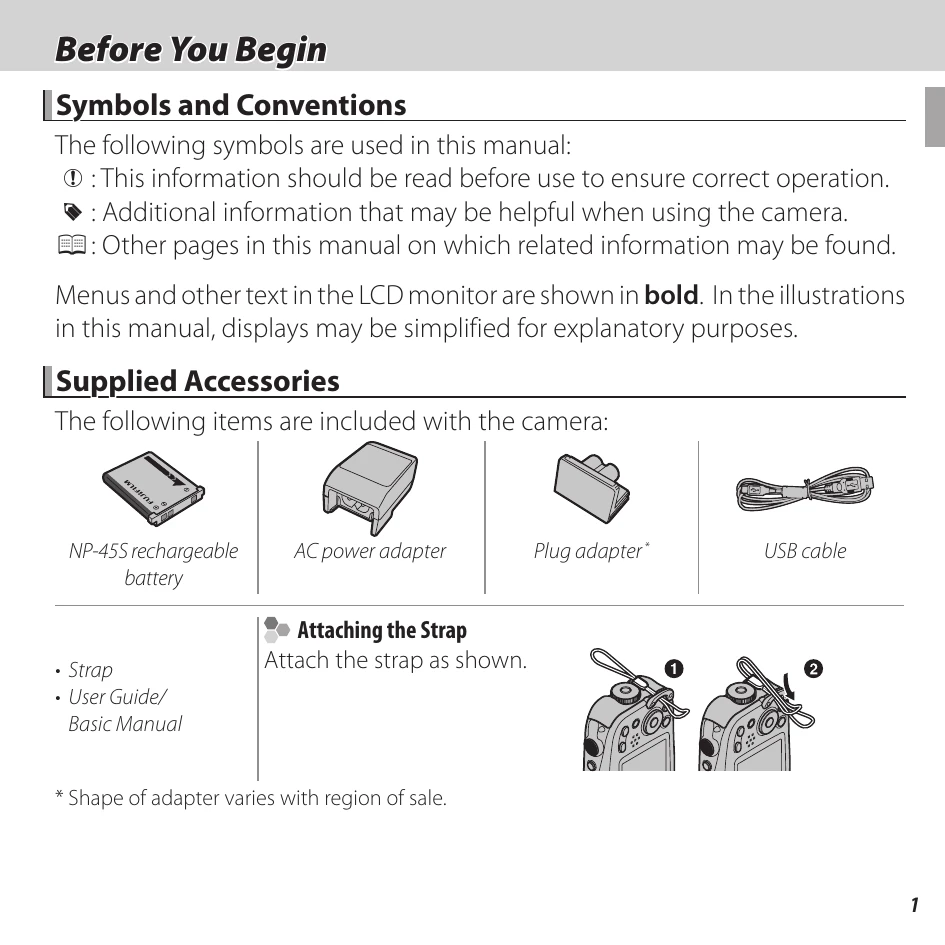
The camera comes with a rechargeable battery, AC power adapter, plug adapter, and USB cable. Instructions for attaching the strap are also provided.
| Troubleshooting | Page |
|---|---|
| Problems and Solutions | 97 |
| Warning Messages and Displays | 104 |