Brand: Fujifilm
Category: Digital Camera
Document Type:
Language: EN
Brand: Fujifilm
Category: Digital Camera
Document Type:
Language: EN
Uploaded: Aug. 9, 2025, 11:51 p.m.
Powering On/Off: Press the ON/OFF button.
Shooting: Press the shutter button halfway to focus, then fully to take a picture.
Playback: Press the playback button to view images.
Deleting Pictures: Display a picture full frame and press the selector up.
Taking Pictures During Playback: Press the shutter button halfway to return to shooting mode.
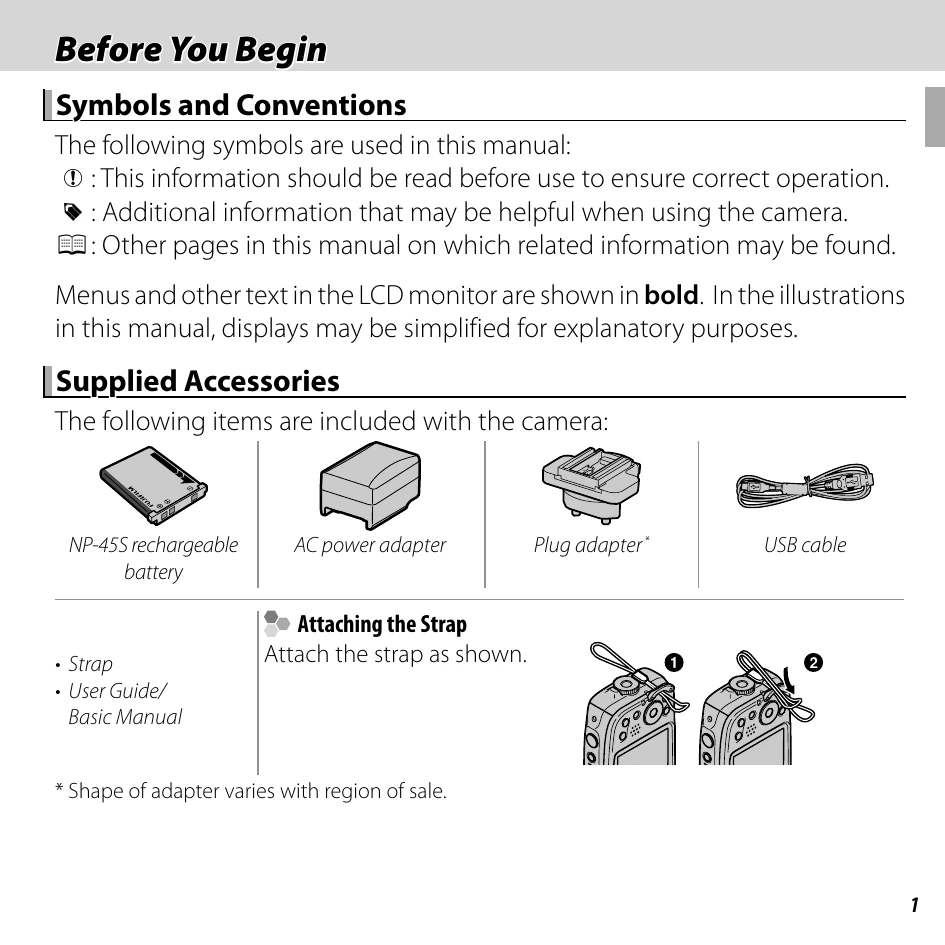
Attaching the Strap: Follow the illustrated steps to attach the camera strap.
| Warning | Description |
|---|---|
| FRAME NO. FULL | Format the memory card and reset frame numbering. |
| DEACTIVATE SILENT MODE | Exit silent mode to change flash or volume settings. |
| TOO MANY FRAMES | Reduce search results or selection for deletion. |
| PROTECTED FRAME | Remove protection to delete or modify the picture. |
| CAN NOT CROP | Picture is damaged or not compatible. |
| CANNOT EXECUTE | Function not supported for the selected item (e.g., resize, rotate, red-eye removal on movies). |
| NO CARD | Insert a memory card for COPY function. |
| SD NO IMAGE / IN NO IMAGE | Selected source for COPY contains no images. |
| DPOF FILE ERROR | Copy pictures to internal memory and create a new print order if there are too many images. |
| CAN NOT SET DPOF | Picture cannot be printed via DPOF. |
| COMMUNICATION ERROR | Confirm device and USB connection for printing/copying. |
| Ensure the battery chamber cover is locked. | Check that the battery chamber cover is securely latched. |