Manual for FINEPIX S1

Manual for FINEPIX S1

Brand: FUJIFILM

Category: Camera

Document Type:

Language: EN
Uploaded: Aug. 9, 2025, 11:50 p.m.

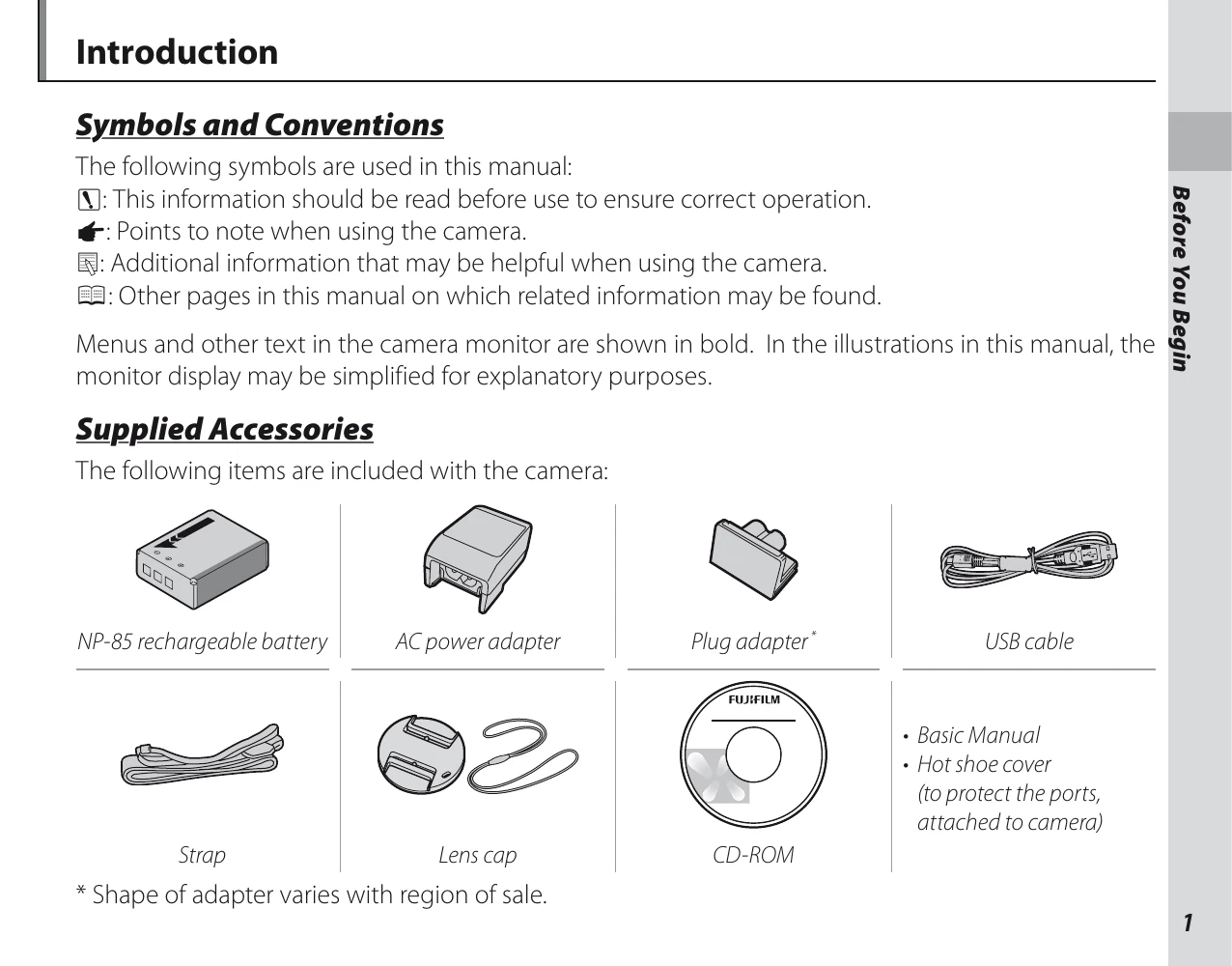
  • Before You Begin: Familiarize yourself with the camera's parts, supplied accessories, and basic setup.
  • First Steps: Learn how to attach accessories, insert the battery and memory card, and turn the camera on/off.
  • Basic Photography and Playback: Understand shooting modes, taking pictures, and viewing them.
  • More on Photography: Explore advanced photography techniques like exposure compensation, white balance, and focus modes.
  • More on Playback: Discover options for viewing, organizing, and managing your photos.
  • Wireless Networks: Connect your camera to smartphones and save pictures to a computer wirelessly.
  • Movies: Learn how to record and view movies.
  • Connections: Connect your camera to a TV or computer for viewing and transferring images.
  • Menus: Navigate through the camera's menus to adjust settings for shooting and playback.
  • Technical Notes: Find information on accessories, caring for the camera, and troubleshooting.

Troubleshooting and error codes

Problem Possible Cause Solution
Camera does not turn on. The battery is not charged or is exhausted. Charge or replace the battery.
No pictures are saved. The memory card is not inserted or is full. Insert a memory card or delete existing pictures.
Blurry images Camera shake Use a tripod or increase shutter speed.
Subject is too close. Use Macro mode.
Images are too dark or too bright. Incorrect exposure settings. Adjust exposure compensation or change shooting mode.
Privacy Policy