Manual for FINEPIX HS20EXR

Manual for FINEPIX HS20EXR

Brand: FUJIFILM

Category: Camera

Document Type:

Language: EN
Uploaded: Aug. 9, 2025, 11:50 p.m.

Introduction

  • Symbols and Conventions: Understand the meaning of Caution, Note, and Tip symbols used throughout the manual. Menus and text in the camera monitor are shown in bold.
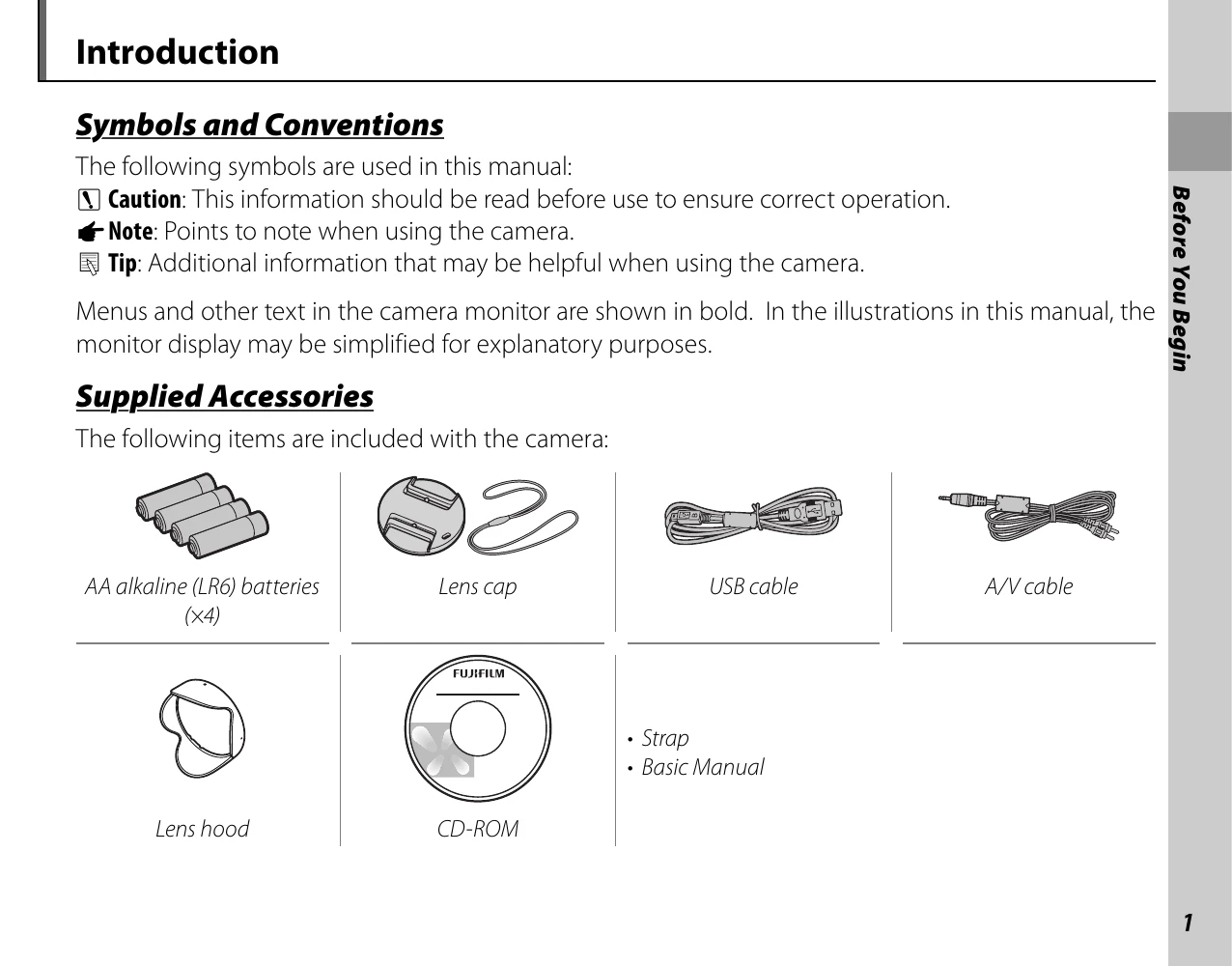
  • Supplied Accessories: Identify the items included with your camera: AA alkaline batteries (x4), lens cap, USB cable, A/V cable, lens hood, CD-ROM, strap, and basic manual.
  • Parts of the Camera: Familiarize yourself with the camera's components by referring to the numbered diagrams and their corresponding page references for detailed explanations.
  • Camera Displays: Learn about the various indicators that appear during shooting and playback, and how they vary with camera settings.
  • Battery Level: Understand the battery level indicators (no icon, red, blinking red) to know when batteries are partially discharged, low, or exhausted.
  • Inserting Batteries: Follow step-by-step instructions for opening the battery chamber, inserting batteries (ensuring correct orientation and type), and closing the cover.
  • Inserting a Memory Card: Learn about compatible memory cards (SD, SDHC, SDXC) and how to insert them, including checking the write-protect switch.

Troubleshooting and error codes

Problem Possible cause Solution Page
Nothing happens when the shutter button is pressed. Temporary camera malfunction. Remove and reinsert the batteries or disconnect and reconnect the AC power adapter/DC coupler. 8
The batteries are exhausted. Insert fresh or fully-charged spare batteries. 8
The camera does not function as expected. Temporary camera malfunction. Remove and reinsert the batteries or disconnect and reconnect the AC power adapter/DC coupler. If the problem persists, contact your FUJIFILM dealer. 8
I want to use an AC power adapter and DC coupler overseas. Check the label on the AC power adapter. The AC power adapter can be used with voltages of 100–240V. Consult your travel agent for information on plug adapters. 18
No sound. The camera is in silent mode. Turn silent mode off. 18
Privacy Policy