Brand: FUJI
Category: Camera
Document Type:
Language: EN
Brand: FUJI
Category: Camera
Document Type:
Language: EN
Uploaded: Aug. 9, 2025, 11:48 p.m.
This manual does not contain specific warranty period information.
Loading the Film:
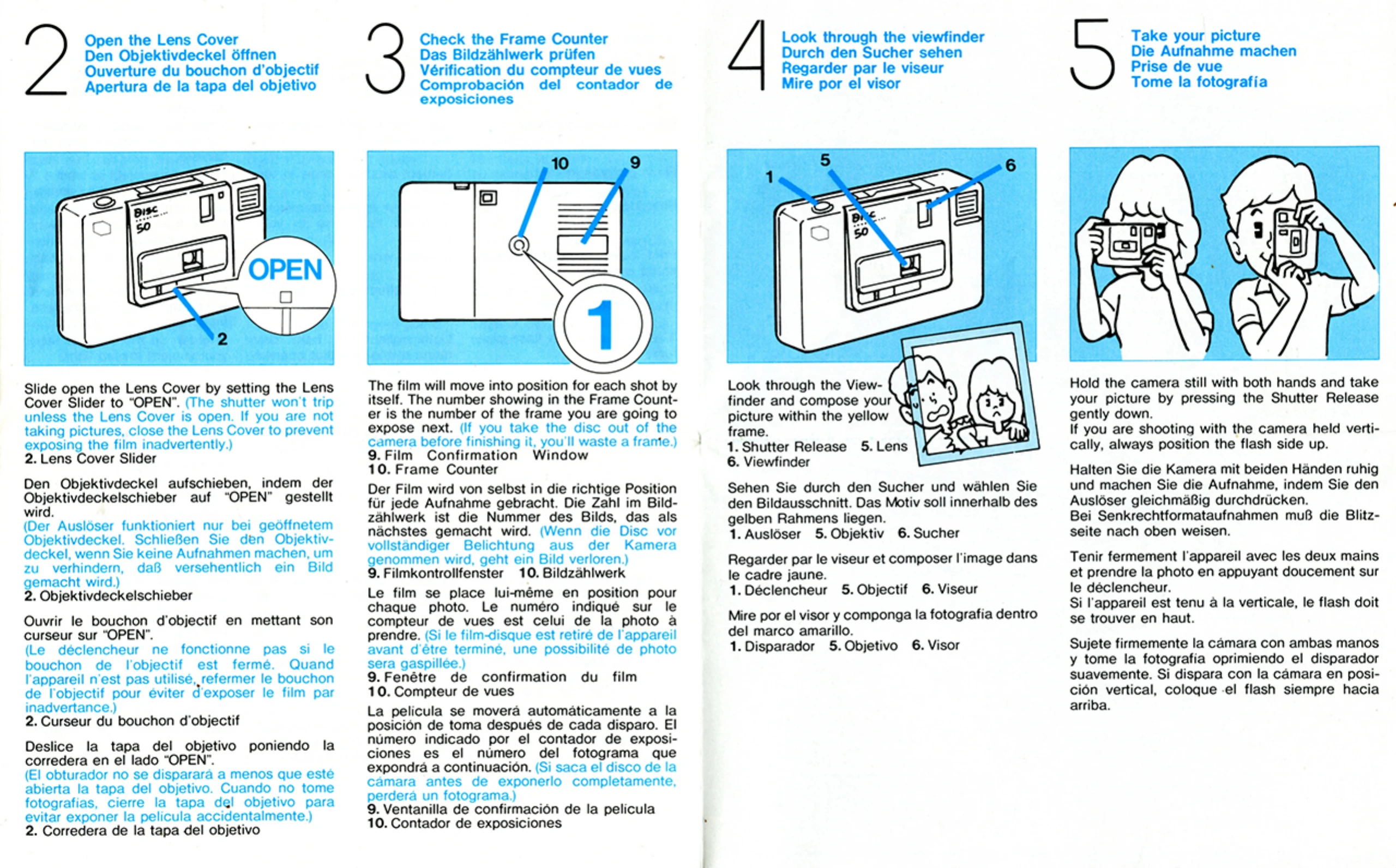
Taking a Picture:
| Print Faults | Possible Causes | Remedies |
|---|---|---|
| Print too dark. | Lens or flash was obstructed by something. | Keep your fingers, hair, and wrist strap away from the lens and flash. |
| Flash pictures too dark. | Subject was too far away from the camera. | Keep your subject between 1.2 and 5.5 meters from the camera. |
| Flash pictures too light. | Subject was too close to the camera. | Keep your subject at least 1.2 meters away from the camera. |
| Print looks fuzzy. | You either jiggled the camera or stood too close to your subject. | Hold the camera still and shoot from 1.2 meters away from your subject. |
| Print looks spotty and is not sharp enough. | Unclean lens. | Wipe the lens clean before taking pictures. |
| Entire subject or part of it missing from the print. | Lens obstructed by something. | Keep your fingers, hair, and wrist strap away from the lens front. |
| "Red eye" effect in flash pictures | Light reflections from the retina of the eye that opened wide in dim light. | Brighten up the room or face your subject toward light. |