Manual for ET-4800

Manual for ET-4800

Brand: EPSON

Category: Printer

Document Type: Manual

Language: EN
Uploaded: Sept. 12, 2025, 4:13 a.m.

Warranty Information

Refer to the relevant sections for detailed warranty information.

Product Basics

These sections help you learn about the basic features of your product.

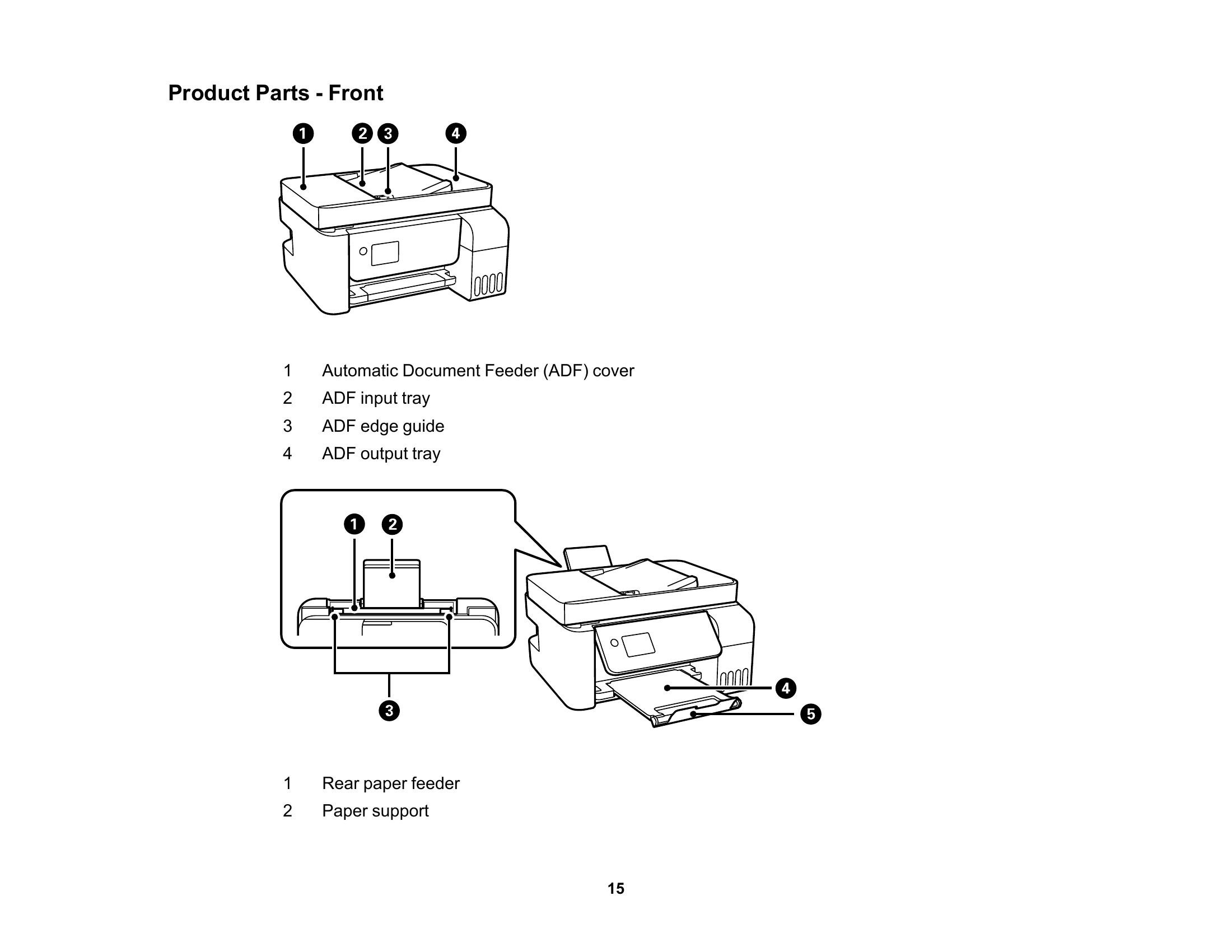
  • Product Parts Locations: Identify all the parts on your product.
  • Using the Control Panel: Learn about the control panel and select settings.
  • Using Power Saving Settings: Configure power saving options.
  • Using the Epson Smart Panel Mobile App: Utilize the mobile app for printer control.
  • Voice-activated Printing: Explore voice-activated printing capabilities.
  • Epson Connect Solutions: Set up and use Epson Connect services for smartphones, tablets, and more.
  • Using AirPrint: Print from Apple devices.
  • Setting Up Printing on a Chromebook: Configure printing from Chromebooks.
  • Android Printing: Print from Android devices using the Epson Print Enabler.
  • Fire OS Printing: Print from Fire OS devices.
  • Windows 10 Mobile Printing: Print from Windows 10 mobile devices.
  • Epson Print and Scan App: Use the app with Windows tablets.
  • Mopria Print Service: Utilize the Mopria print service.

Troubleshooting and error codes

Icons Description
Product not connected The product is not connected to a wireless network.
Searching for network The product is searching for an SSID or experiencing a wireless network connection issue.
Connected to wireless The product is connected to a wireless network. The number of bars indicates the connection's signal strength.
Wi-Fi Direct disabled Wi-Fi Direct is not enabled.
Wi-Fi Direct enabled Wi-Fi Direct is enabled.
Connected to wired network The product is connected to a wired (Ethernet) network.
Not connected to wired network The product is not connected to a wired (Ethernet) network.
Privacy Policy