Brand: EPSON
Category: Camera
Document Type: Manual
Language: EN
Brand: EPSON
Category: Camera
Document Type: Manual
Language: EN
Uploaded: Nov. 21, 2025, 9:09 p.m.
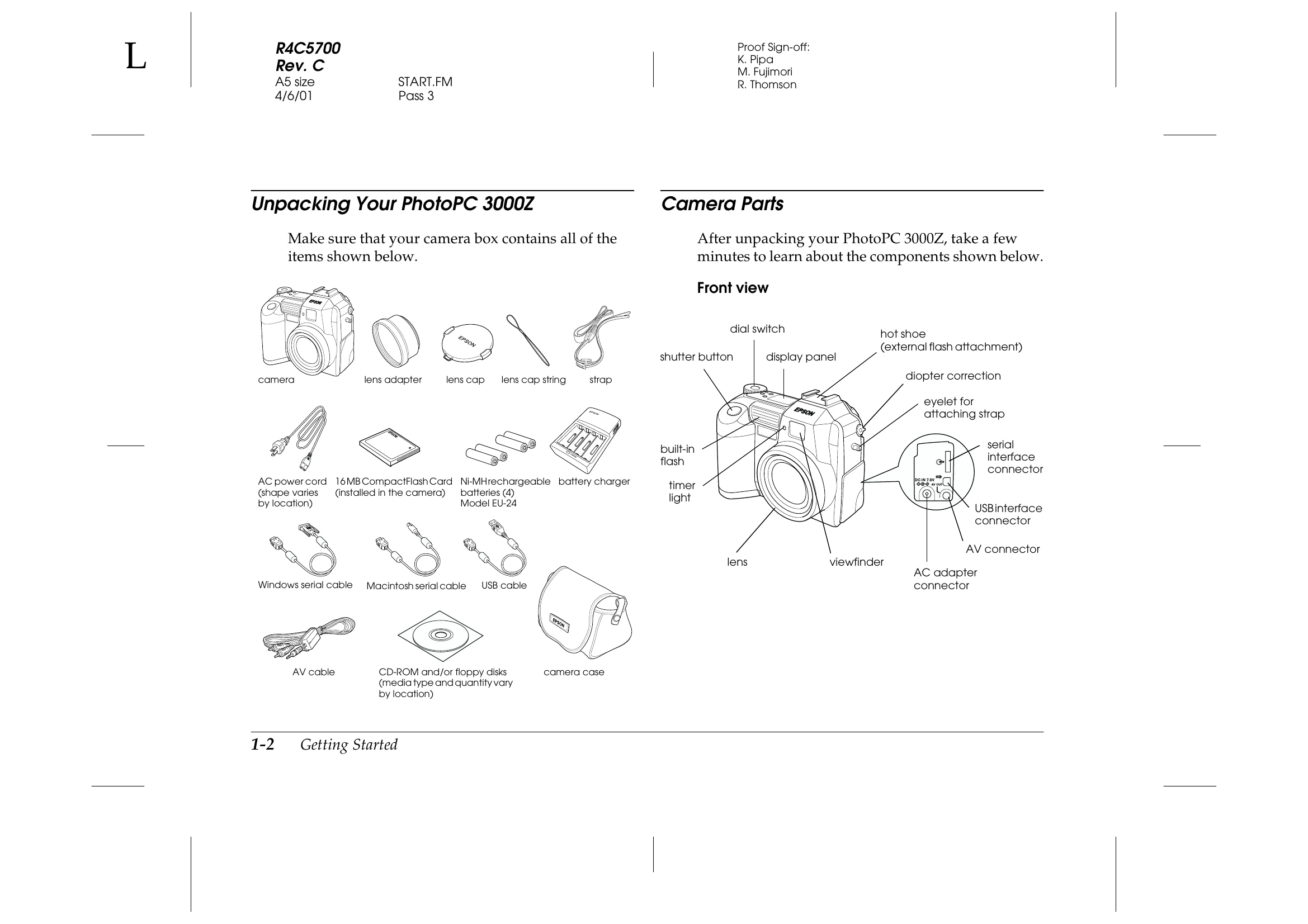
The EPSON PhotoPC 3000Z is a revolutionary, easy-to-use digital camera that enables you to take full-color pictures that you can edit, manipulate, and print using your computer. Create professional letters, documents, and presentations from your desktop using stunning, lifelike images. Share pictures with business colleagues or friends over the Internet. Add color and visual appeal to your newsletters, flyers, and brochures. Improve the look of any document using images taken with your PhotoPC 3000Z.
The PhotoPC 3000Z comes with everything you need to get started, including EPSON Photo!3 software that lets you transfer pictures from the camera to your computer's hard disk. You can then edit, enhance, or organize your pictures, or insert them into your documents. For instructions on using and installing EPSON Photo!3, see the EPSON Digital Camera Software User's Guide.
| Light | Indication |
|---|---|
| Green (On) | Camera is warmed up and ready for shooting. Auto focus is locked (when shutter button is pressed halfway). Camera is taking picture using self timer. |
| Green (Blinking) | Camera is warming up (immediately after camera is turned on). Camera is auto focussing (when shutter button is pressed halfway). Camera is taking a video clip. Memory card is not installed. Lens cap is on. |
| Red (Blinking) | Insufficient space in memory card to take a picture or video clip. Low battery. |
| Red (On) | Error. Contact your EPSON dealer for servicing. |