Brand: Doro
Category: Mobile Phone
Document Type:
Language: EN
Brand: Doro
Category: Mobile Phone
Document Type:
Language: EN
Uploaded: Aug. 10, 2025, 12:10 a.m.
The Doro Leva L10 comes with a 24-month warranty.
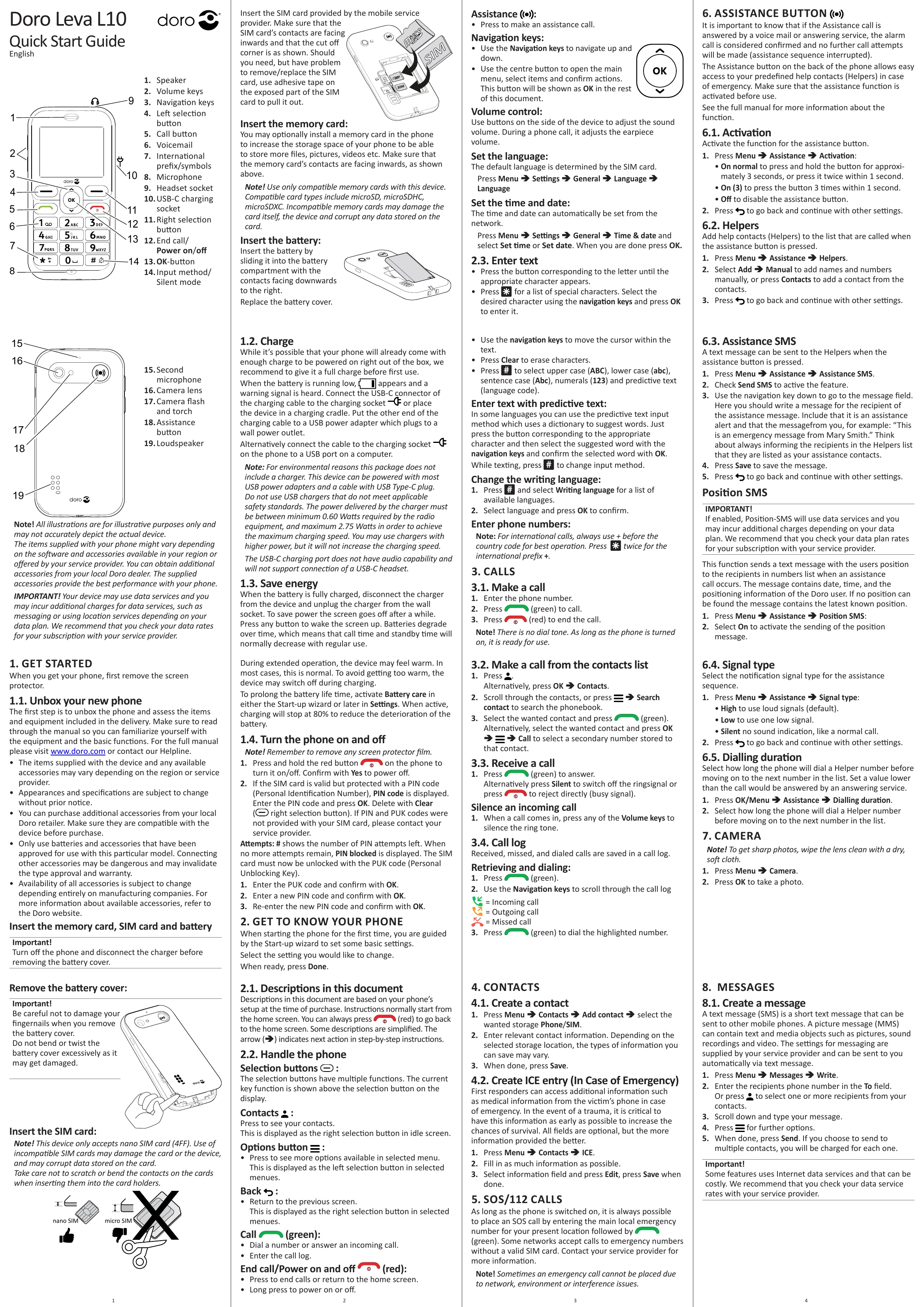
Remove the screen protector. Unbox the phone and check included items. Familiarize yourself with functions. Charge the phone fully before first use. Insert SIM card, memory card (optional), and battery. Turn the phone on/off by pressing and holding the red button.
Use compatible accessories. Check data service rates with your provider. The phone may feel warm during extended operation; this is normal.
| Problem | Possible Cause | Solution |
|---|---|---|
| Phone does not switch on | Battery is empty | Charge the battery. |
| PIN blocked | Incorrect PIN entered too many times | Enter the PUK code to unlock the SIM card. Contact your service provider if you do not have the PUK code. |
| Cannot make calls | No network coverage | Move to an area with better network coverage. |
| Cannot send/receive messages | Incorrect messaging settings | Contact your service provider for correct messaging settings. |
| Assistance button not working | Assistance function not activated or no Helpers added | Activate the Assistance function and add Helpers in the settings menu. |