Brand: Doro
Category: Mobile Phone
Document Type:
Language: EN
Brand: Doro
Category: Mobile Phone
Document Type:
Language: EN
Uploaded: Aug. 10, 2025, 12:10 a.m.
Manual Publish Date: 2016-06-22
This product is guaranteed for 24 months from the date of purchase.
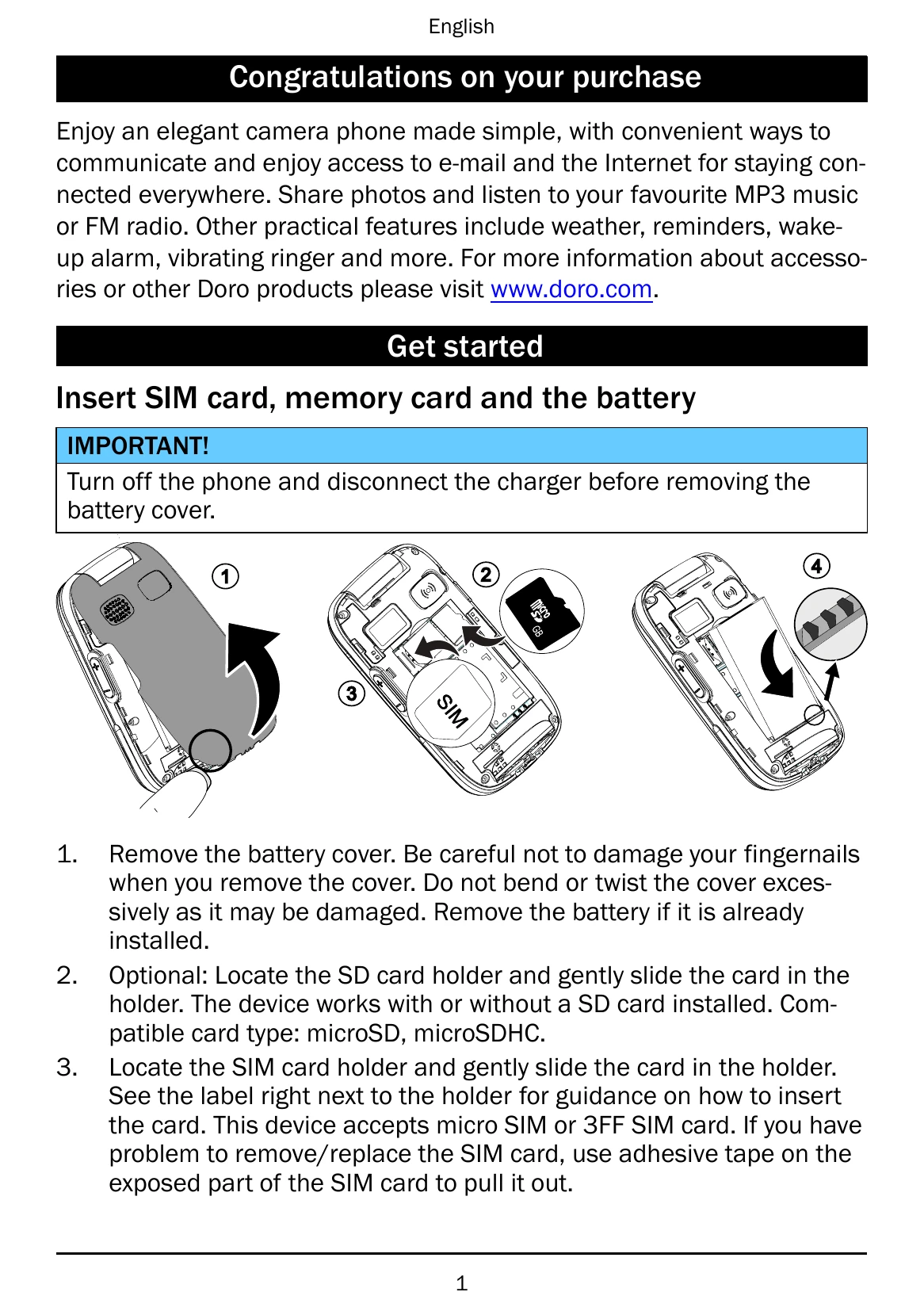
Getting Started: Insert SIM card, memory card, and battery. Charge the phone using the provided charger. Turn the phone on by pressing and holding the power button. Follow the start-up wizard for initial setup.
Basic Operation: Navigate using the navigation buttons. Confirm actions with OK and cancel with Abort. Use the keypad to enter numbers and text. Access the phonebook to manage contacts.
Calls: Make calls by entering numbers or selecting from the phonebook. Answer calls by opening the flip or pressing a key. End calls by pressing the End call button.
Messages: Create and send text (SMS) and picture (MMS) messages. Access inbox, outbox, and sent messages.
Other Features: Use the camera to take pictures, FM radio to listen to music, and torch for light. Explore settings for sound, display, and connectivity.
| Problem | Solution |
|---|---|
| Phone does not turn on | Ensure battery is charged. Check battery connection. |
| Cannot make calls | Check SIM card is inserted correctly. Check network coverage. Check call barring settings. |
| No sound | Check volume settings. Check if silent mode is activated. |
| Display issues | Restart the phone. Check brightness settings. |
| Cannot connect to network | Ensure SIM card is active. Check network settings. Move to an area with better signal strength. |