Brand: DeLonghi
Category: Coffee Maker
Document Type: Manual
Language: EN
Brand: DeLonghi
Category: Coffee Maker
Document Type: Manual
Language: EN
Uploaded: April 20, 2026, 8:11 p.m.
Refer to the guarantee certificate for warranty details.
| PROBLEM | POSSIBLE CAUSE | REMEDY |
|---|---|---|
| The coffee is not hot. | The cups were not preheated. | Warm the cups by rinsing them with hot water. |
| The infuser has cooled down because 2/3 minutes have elapsed since the last coffee was made. | Before making coffee, heat up the infuser by pressing the rinse button. | |
| The coffee is weak or not creamy enough. | The coffee is ground too coarsely. | Turn the grinding dial one click anticlockwise while the grinder is in operation. Continue one click at a time until coffee delivery is satisfactory. |
| The coffee is unsuitable. | Use coffee beans suitable for espresso machines. | |
| The coffee is delivered too slowly or a drop at a time. | The coffee is ground too finely. | Turn the grinding dial one click clockwise while the grinder is in operation. Continue one click at a time until coffee delivery is satisfactory. |
| Coffee does not come out of one or both of the spouts. | The spouts are blocked. | Clean the spouts with a toothpick. |
| The frothed milk has large bubbles | The milk is not cold enough or is not semi-skimmed. | Use skimmed or semi-skimmed milk at refrigerator temperature (about 5°C). |
| The milk is not frothed | Cappuccino maker dirty. | Clean as described in the section "12.1. Cleaning the cappuccino maker after use". |
| Steam delivery stops | A safety device stops steam delivery after 3 minutes. | Wait, and then enable the steam function again. |
| The appliance does not come on | It is not plugged into the mains socket. | Plug into the mains socket. |
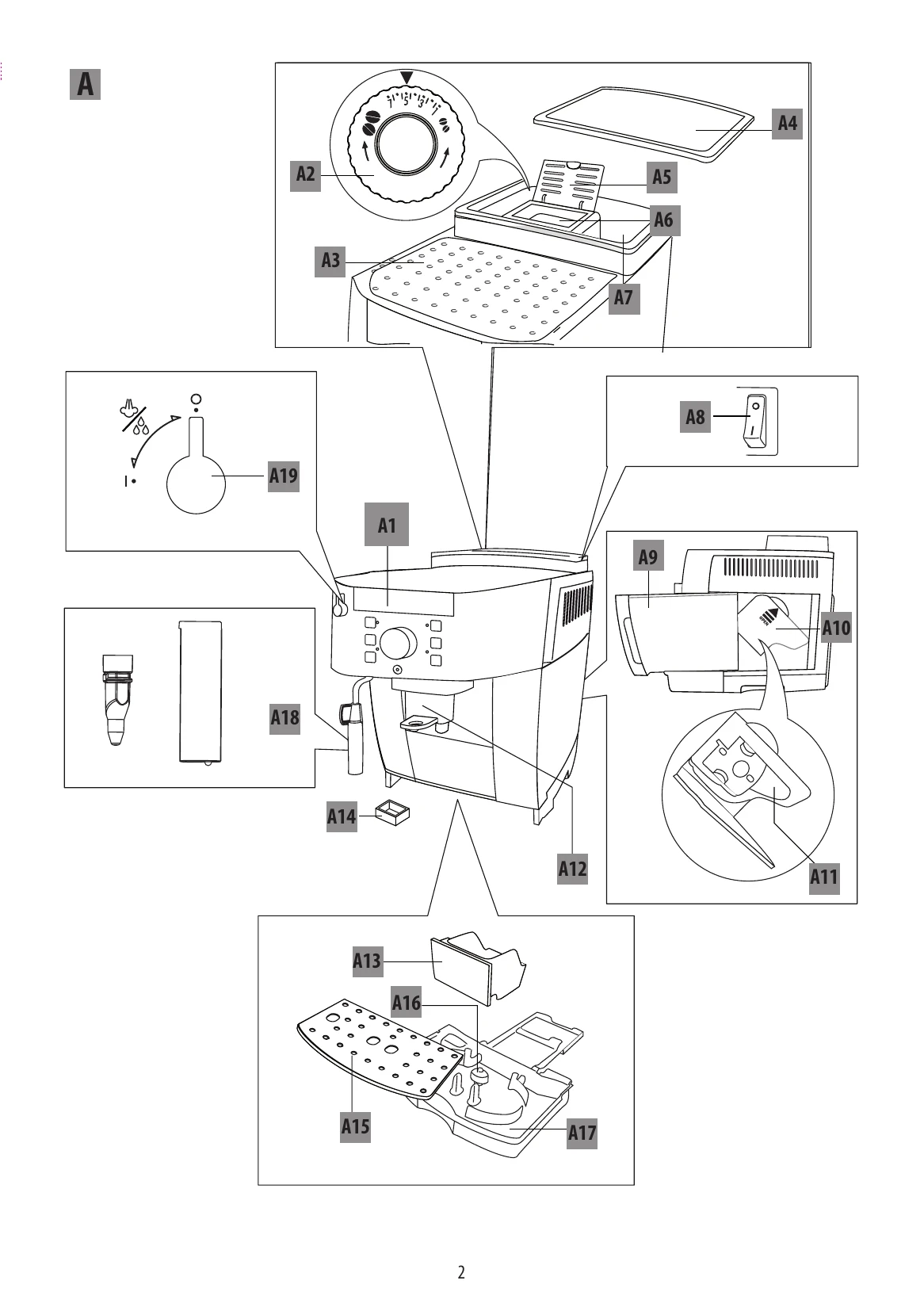
| The main switch (A8) is not turned on. | Place the main switch in the I position. |