Brand: Dell
Category: Printer
Document Type: Manual
Language: EN
Brand: Dell
Category: Printer
Document Type: Manual
Language: EN
Uploaded: Sept. 12, 2025, 4:29 a.m.
Manual Publish Date: 2008-11-01
None
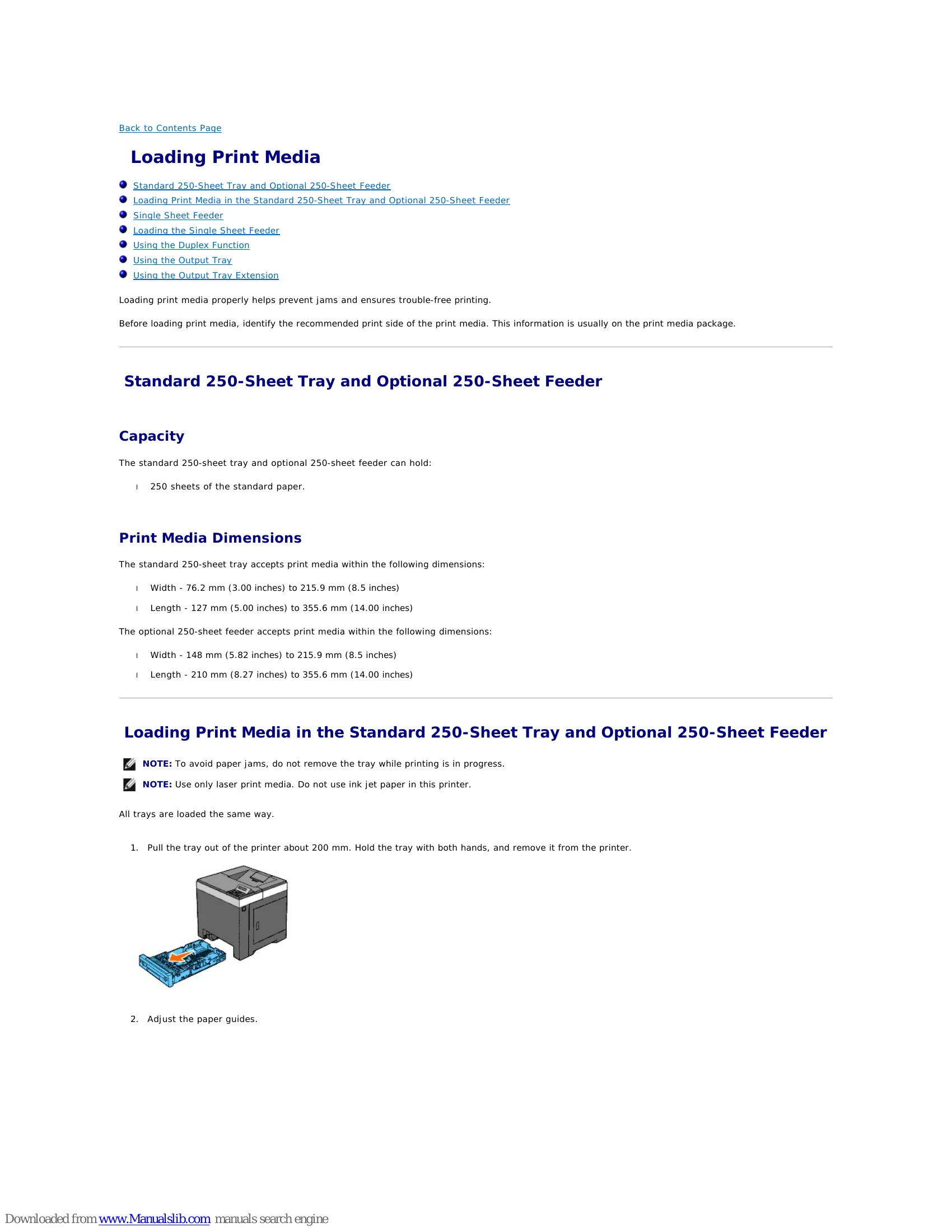
Proper print media loading prevents jams and ensures trouble-free printing. Always check the recommended print side on the media package before loading. For trays, pull them out about 200 mm, adjust paper guides, and ensure media is fanned and edges are straightened. Do not overfill trays. For the Single Sheet Feeder, adjust guides and push media in until automatically fed. For envelopes, load them with flaps closed and print side up, ensuring correct orientation for the specific envelope type.
System settings can be changed via the operator panel, Tool Box, or Dell Printer Configuration Web Tool. These settings include power management, warning tones, time-outs, language, and paper handling preferences. Changes made via the operator panel, Tool Box, or Web Tool become the user default.
| Paper type | Weight (gsm) | Remarks |
|---|---|---|
| Plain Paper | 60-90 | - |
| Plain Thick Paper | 80/90-105 | - |
| Covers | 106-163 | - |
| Covers Thick | 164-216 | - |
| Coated | 106-163 | Inkjet printer paper cannot be used. |
| Coated Thick | 164-216 | Inkjet printer paper cannot be used. |
| Label | 3R97408 | Inkjet printer paper cannot be used. |
| Envelopes | ||
| Recycled |