Brand: D-Link
Category: Video Conferencing
Document Type: Manual
Language: EN
Brand: D-Link
Category: Video Conferencing
Document Type: Manual
Language: EN
Uploaded: Sept. 12, 2025, 4:14 a.m.
Manual Publish Date: 2002
Provides a 1-year limited warranty for hardware and power supplies/fans, and a 90-day warranty for spare parts.
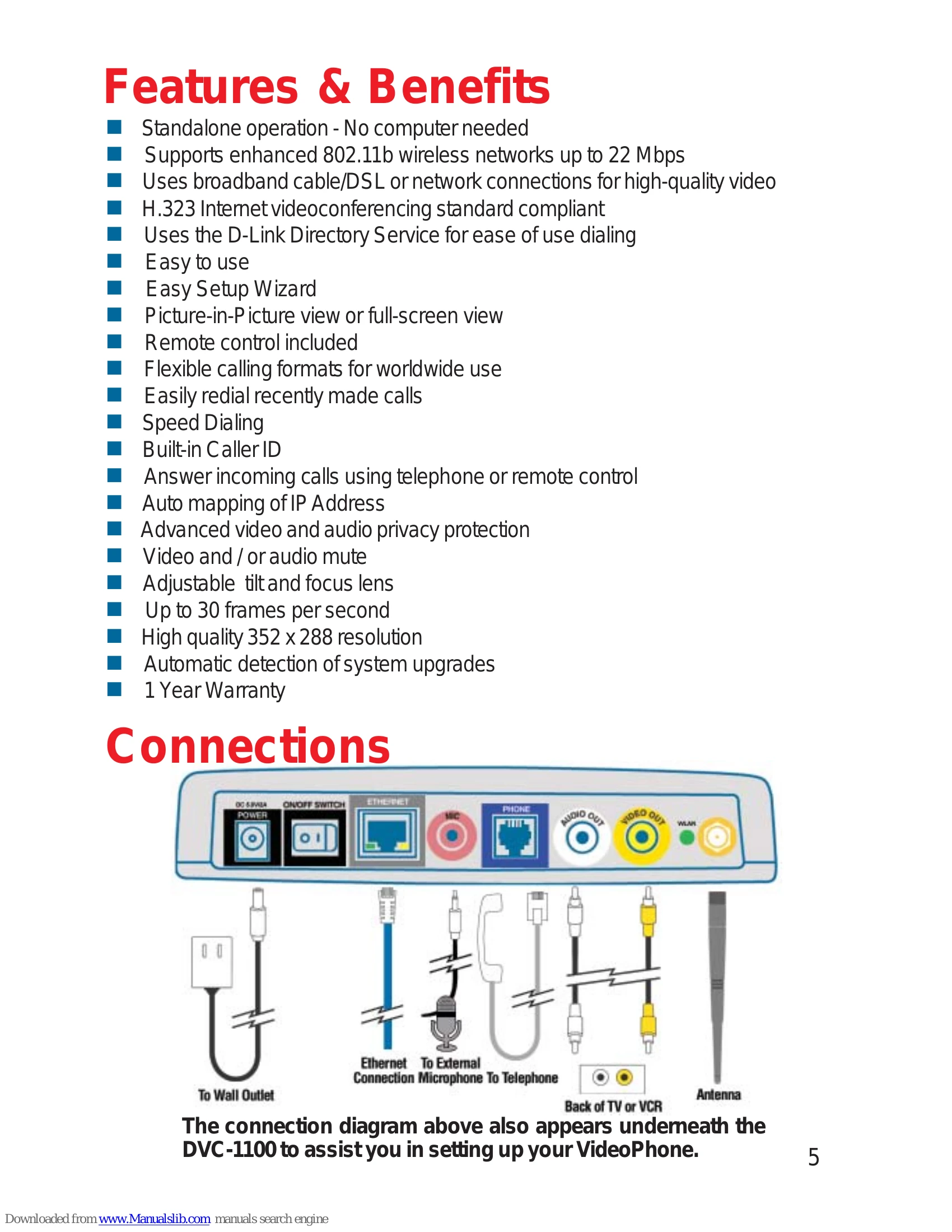
The D-Link DVC-1100 is a standalone VideoPhone that allows high-quality, low-cost videoconferencing over your existing wireless network. It connects to your television and broadband internet, eliminating the need for a computer. Key features include:
To use the VideoPhone, connect it to power, your television, and your network (wired or wireless). Follow the on-screen Setup Wizard to configure your personal information, wireless network settings, and internet connection details. The device can then be used to make and receive video calls.
| Status Icon | Meaning |
|
The i2eye Update status icon appears at startup. While the icon appears, the DVC-1100 is quickly determining if auto-update is enabled. If it is enabled, the DVC-1100 will determine if an update exists. When this is complete, the icon disappears. |
|
If the DVC-1100 cannot connect to the update server, the operation was unsuccessful and the icon will show as: Typically, this means the DVC-1100 is not connected to the Internet. |
P |
The Public IP Status Icon, P appears at startup when the DVC-1100 attempts to connect to the Internet and determine the Public IP address of your Internet connection. If this operation is unsuccessful and the icon shows as: |
DS |
The Directory Service Status Icon DS is displayed at startup, showing the DVC-1100 is registering with the i2eye Directory Service to allow phone number dialing. If the Directory Service cannot be reached, the |
W |
The Wireless Status Icon W appears at startup while the i2eye attempts to connect to the selected wireless network. If the DVC-1100 cannot connect to the selected wireless network, the |