Brand: D-Link
Category: Networking
Document Type: Manual
Language: EN
Brand: D-Link
Category: Networking
Document Type: Manual
Language: EN
Uploaded: Nov. 21, 2025, 6:07 p.m.
Manual Publish Date: 2015-04-04
Refer to product documentation for warranty information.
Connect the VDSL line to the VDSL port on the router and to the telephone wall socket. Connect Ethernet devices to the LAN ports on the router. Power on the router using the AC adapter.
Open a web browser and enter the router's IP address (default: 10.0.0.138). Log in using the default credentials (Username: Admin, Password: Admin). The web interface allows for configuration of WAN and LAN settings, wireless networks, and advanced features.
| Problem | Solution |
|---|---|
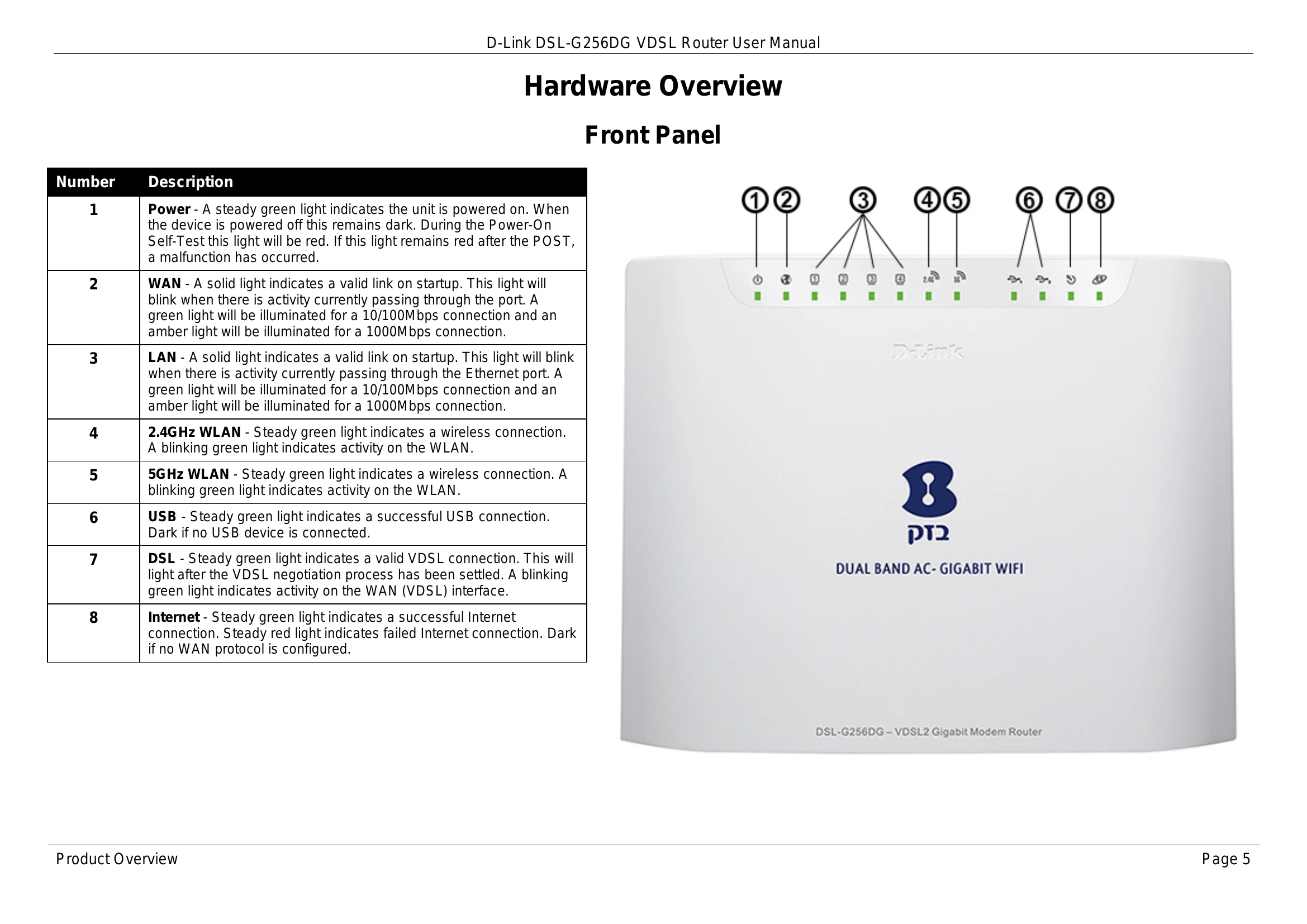
| Router not working correctly | Check cable connections. Verify LED indicators (Power, DSL, LAN). Ensure WAN Service settings match ISP information. |
| No Internet connection | Contact your ISP to confirm service is active and that your username/password are correct. |
| Forgot Web UI login password | Reset the router to factory defaults using the reset button (10-15 seconds). Default IP: 10.0.0.138, Username: Admin, Password: Admin. |