Brand: D-Link
Category: Networking
Document Type: Quick Start Guide
Language: EN
Brand: D-Link
Category: Networking
Document Type: Quick Start Guide
Language: EN
Uploaded: Sept. 12, 2025, 4:30 a.m.
Refer to the Quick Installation Guide for warranty information.
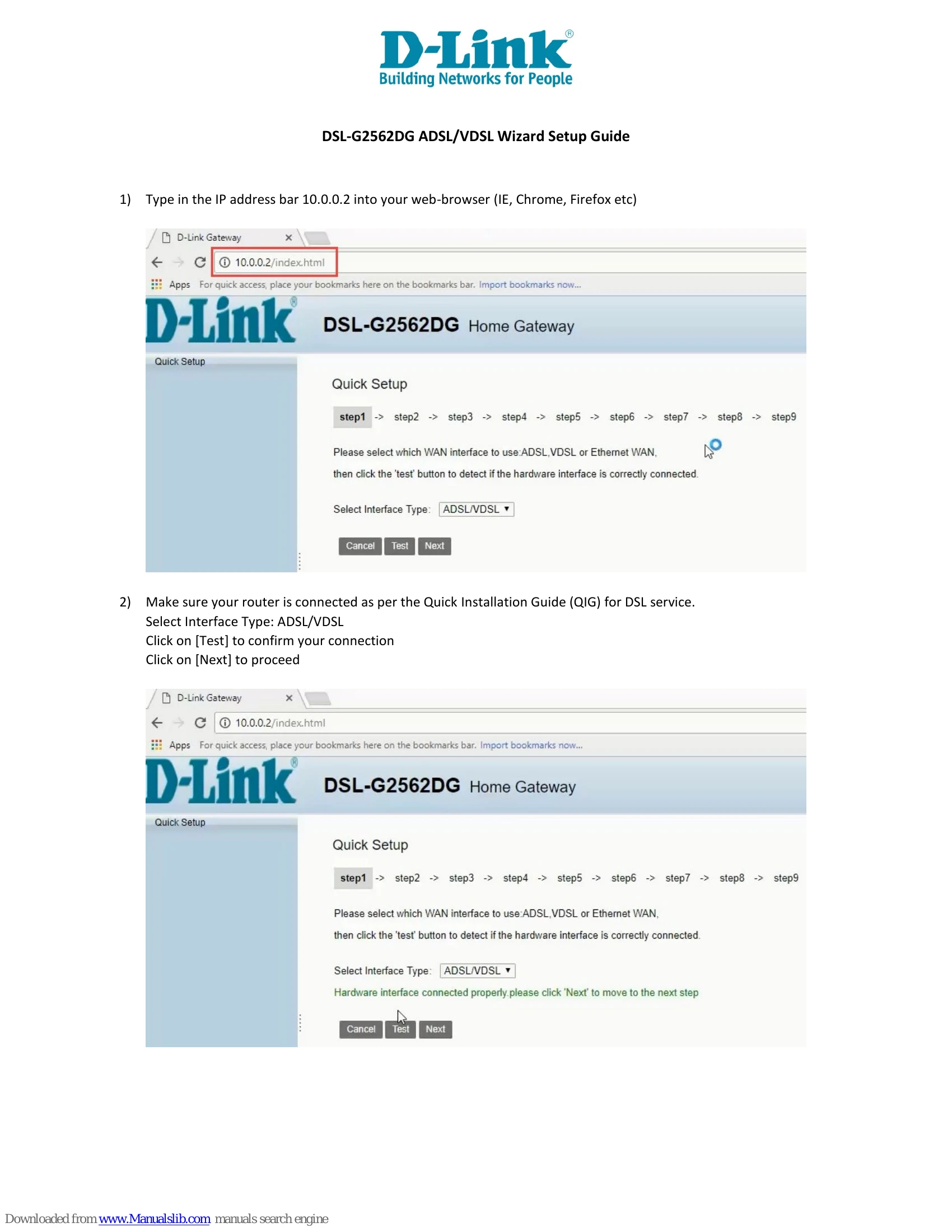
This guide provides step-by-step instructions for setting up your D-Link DSL-G2562DG modem for ADSL/VDSL service. The process involves accessing the modem's web interface, selecting the WAN interface type, testing the hardware connection, configuring PPPoe details, and setting up Wi-Fi and modem login passwords.
Key Steps:
If the Internet connection does not work, try the Setup Wizard again or use Manual Setup with ISP-provided details.