Brand: D-Link
Category: Networking
Document Type: Manual
Language: EN
Brand: D-Link
Category: Networking
Document Type: Manual
Language: EN
Uploaded: Sept. 12, 2025, 4:28 a.m.
Manual Publish Date: 2001-03-01
D-Link warrants the hardware to be free from defects for one year or as long as the original purchaser owns the product in the USA.
1. Insert the DFE-680TXD into the CardBus slot of your notebook, with the D-Link label facing up.
2. Connect the network cable (UTP) to the RJ-45 port on the DFE-680TXD and to your network hub or switch.
3. Confirm connection by checking the "Ln/Act" LED indicator, which should glow steady green.
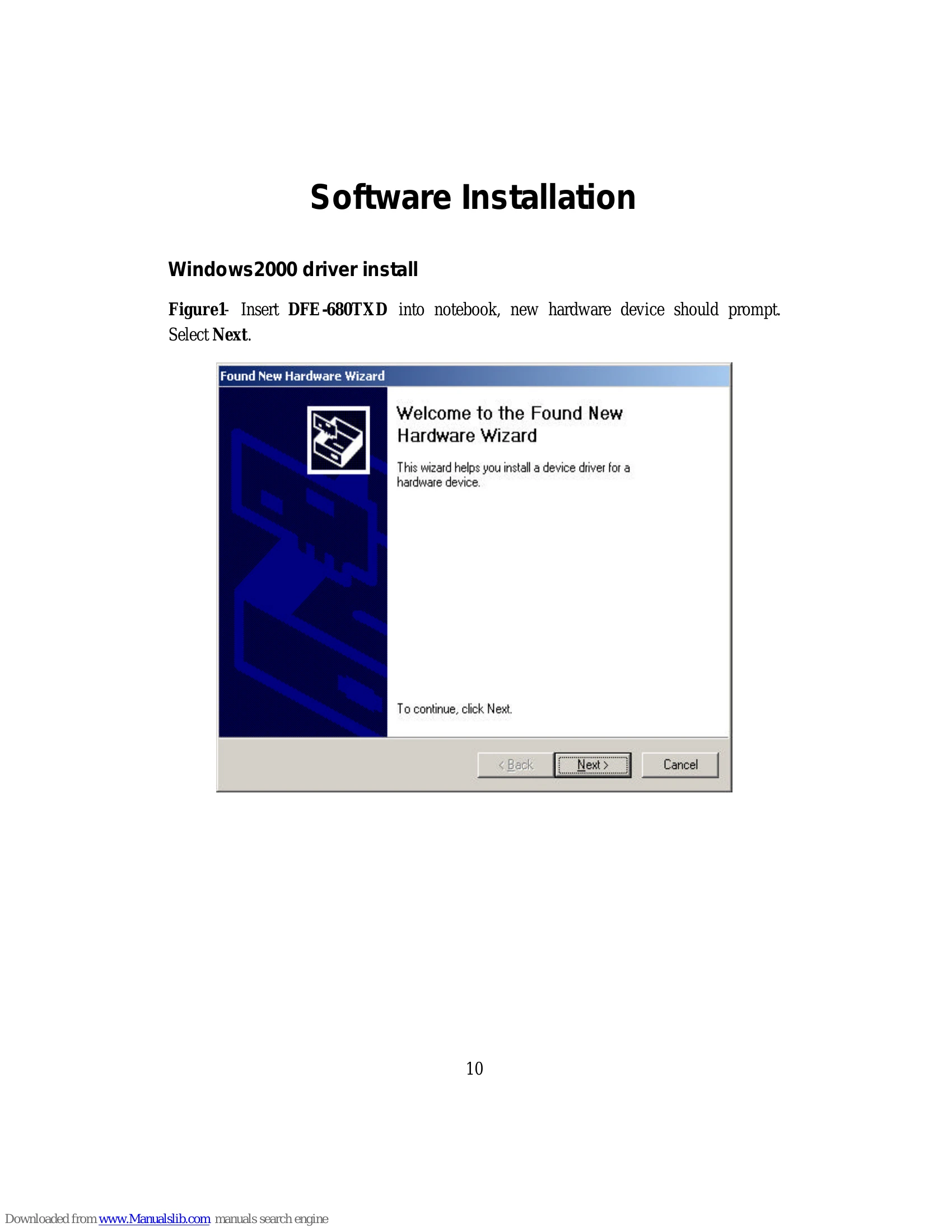
1. Insert the DFE-680TXD into the notebook.
2. The "Found New Hardware Wizard" will appear. Click Next.
3. Select "Search for a suitable driver" and click Next.
4. Ensure "CD-ROM drives" is checked and click Next.
5. Click Next when the driver is found.
6. Click Yes to continue if the "Digital Signature Not Found" window appears.
7. Click Finish to complete the installation.
1. Insert the DFE-680TXD into the PCMCIA slot.
2. The "Add New Hardware Wizard" will appear. Select Next.
3. Select "Specify the location of the driver" and click Next.
4. Enter the CD-ROM drive letter or browse to the CD-ROM drive containing the drivers and click Next.
| Problem | Possible Cause | Solution |
|---|---|---|
| No network connection / Ln/Act LED is dark | DFE-680TXD not seated properly | Remove and reinsert the DFE-680TXD, ensuring it is fully seated. |
| No network connection / Ln/Act LED is dark | Network cable not connected properly or damaged | Check cable connections at both ends. Ensure the cable is a straight Category 5 UTP cable. Replace if damaged. |
| No network connection / Ln/Act LED is dark | Hub or switch is not powered on or functioning | Ensure the hub/switch is powered on and operating normally. |
| Slow network performance | Incorrect speed or duplex settings | Verify autonegotiation is enabled on both the DFE-680TXD and the network hub/switch. |
| Cannot communicate with other computers | Incorrect Computer Name or Workgroup settings | Ensure all computers on the network have unique Computer Names and the same Workgroup name. |
| Device Manager shows errors (yellow exclamation point or red X) | Network adapter not installed properly or driver issue | Reinstall the DFE-680TXD and its drivers. Check Device Manager for specific error messages. |