Brand: D-Link
Category: Network Storage
Document Type: Manual
Language: EN
Brand: D-Link
Category: Network Storage
Document Type: Manual
Language: EN
Uploaded: Sept. 12, 2025, 4:15 a.m.
Manual Publish Date: 2004-10-12
This limited warranty covers hardware for one year and software for ninety days against defects in workmanship and materials.
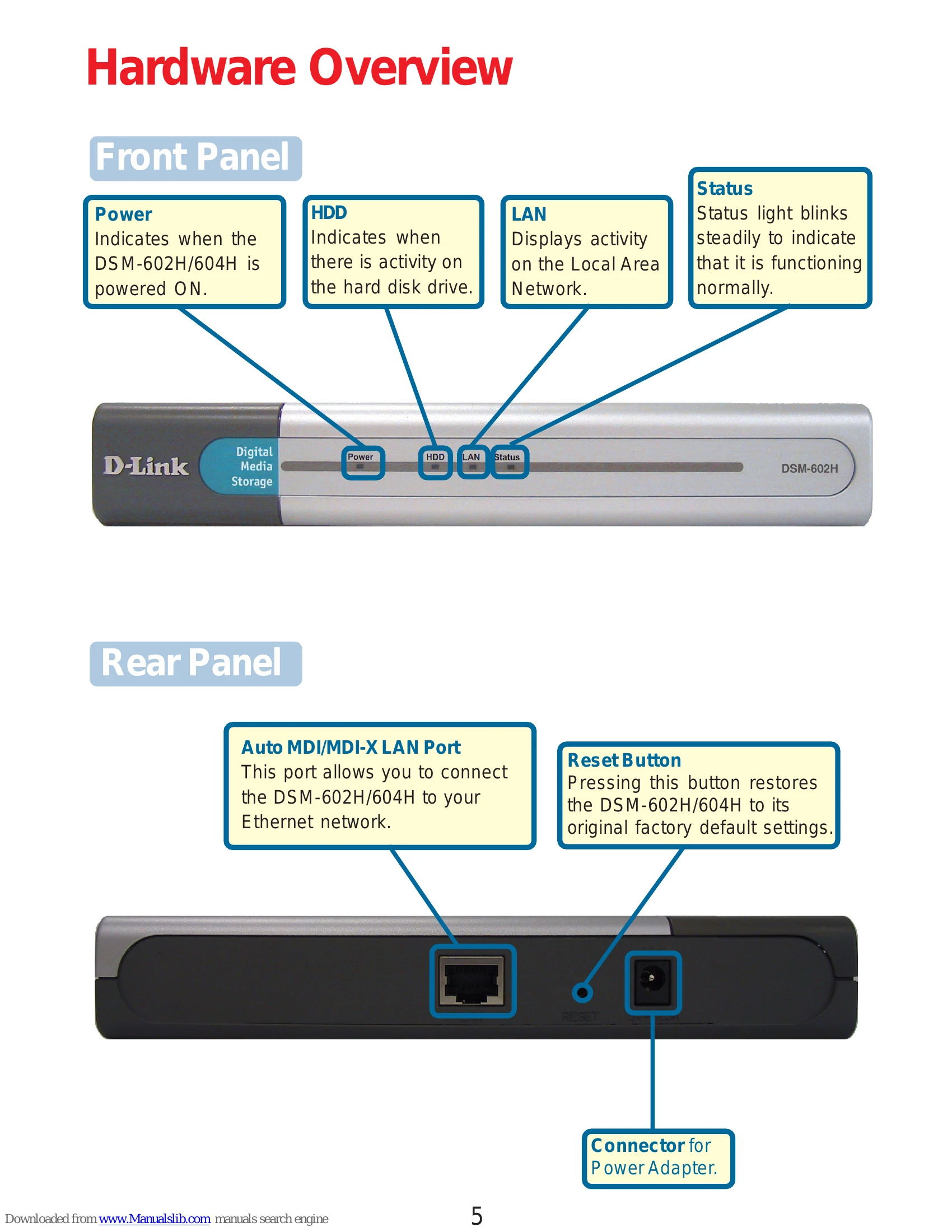
The D-Link MediaLounge DSM-602H/604H is a portable network-attached storage device that connects to your home or small business network. It allows you to share digital files such as photos, music, videos, and documents among multiple computers. The device is plug-and-play and utilizes UPnP or Rendezvous for automatic discovery on compatible operating systems. Basic network connection involves powering the device, connecting it to your router via an Ethernet cable, and ensuring your network has a DHCP server. Advanced features like folder creation, access rights management, and disk formatting can be accessed through a web-based configuration utility.
To access the storage:
| Problem | Possible Cause | Solution |
|---|---|---|
| The DSM-602H/604H does not power on. | The power adapter is not securely connected. | Ensure the power adapter is firmly plugged into the DSM-602H/604H and the wall outlet or power strip. |
| Cannot access the DSM-602H/604H on the network. | The Ethernet cable is not securely connected. | Ensure the Ethernet cable is firmly plugged into the DSM-602H/604H and your router or switch. |
| Cannot access the DSM-602H/604H on the network. | The network does not have a DHCP server. | Ensure your router or network has a DHCP server enabled, or configure a static IP address for the DSM-602H/604H. |
| Cannot access the DSM-602H/604H on the network. | UPnP is not enabled on your computer (for Windows XP/Me). | Enable UPnP in Windows components. Refer to page 14 for instructions. |
| The DSM-602H/604H is not found on Mac OS X. | Rendezvous is not enabled or configured correctly. | Ensure Rendezvous is active on your Mac and the DSM-602H/604H is properly connected to the network. |