Manual for 2938

Manual for 2938

Brand: Coolpad

Category: Mobile Phone

Document Type:

Language: EN

Uploaded: Aug. 10, 2025, 12:09 a.m.
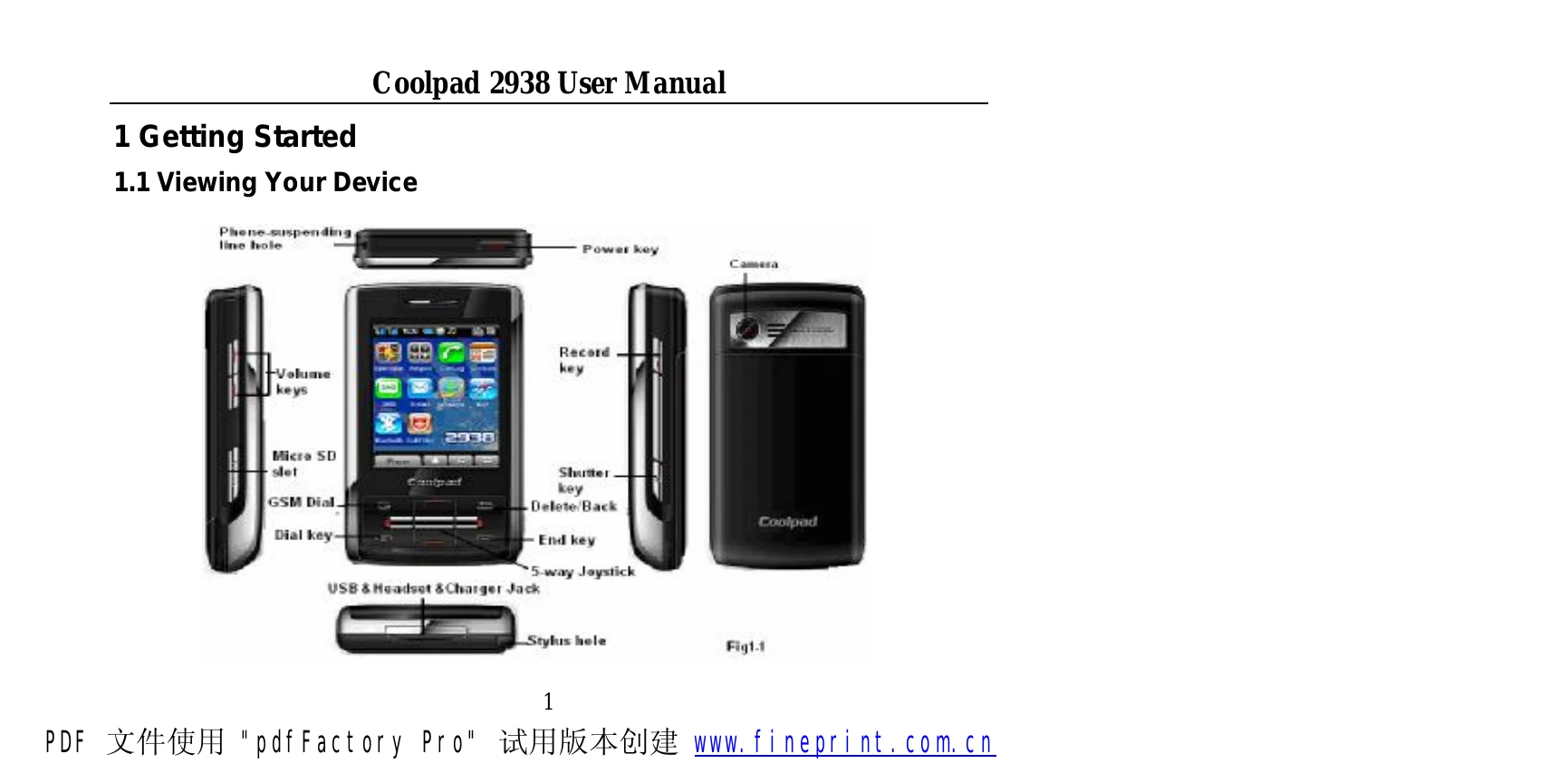
  • Getting Started: Learn how to view your device, install/remove battery and SIM card.
  • Basic Operations: Switch the device on/off, understand status bar indicators, and use input methods.
  • Phone Functions: Make, answer, and manage calls, utilize speed dial, and explore call features.
  • Contacts: Create, find, copy, and manage contacts and groups.
  • Call Log: View call details and available operations.
  • Messages: Write, read, and manage messages, including templates and search functions.
  • WAP & E-Mail: Access the internet and manage email accounts.
  • Calendar & Memos: Schedule events and take notes.
  • Tasks, Alarm, Files: Manage tasks, set alarms, and organize files.
  • Coolpad Player, Camera, Ringtones, Album: Use multimedia features.
  • Recorder & Radio: Record audio and listen to the radio.
  • Games: Play built-in games.
  • Control Panel: Adjust settings for standby, calls, network, and device.
  • Profiles & Connectivity: Manage profiles and connect via USB, Modem, Bluetooth.
  • Call Filter & Tools: Filter calls and use various tools.
Privacy Policy