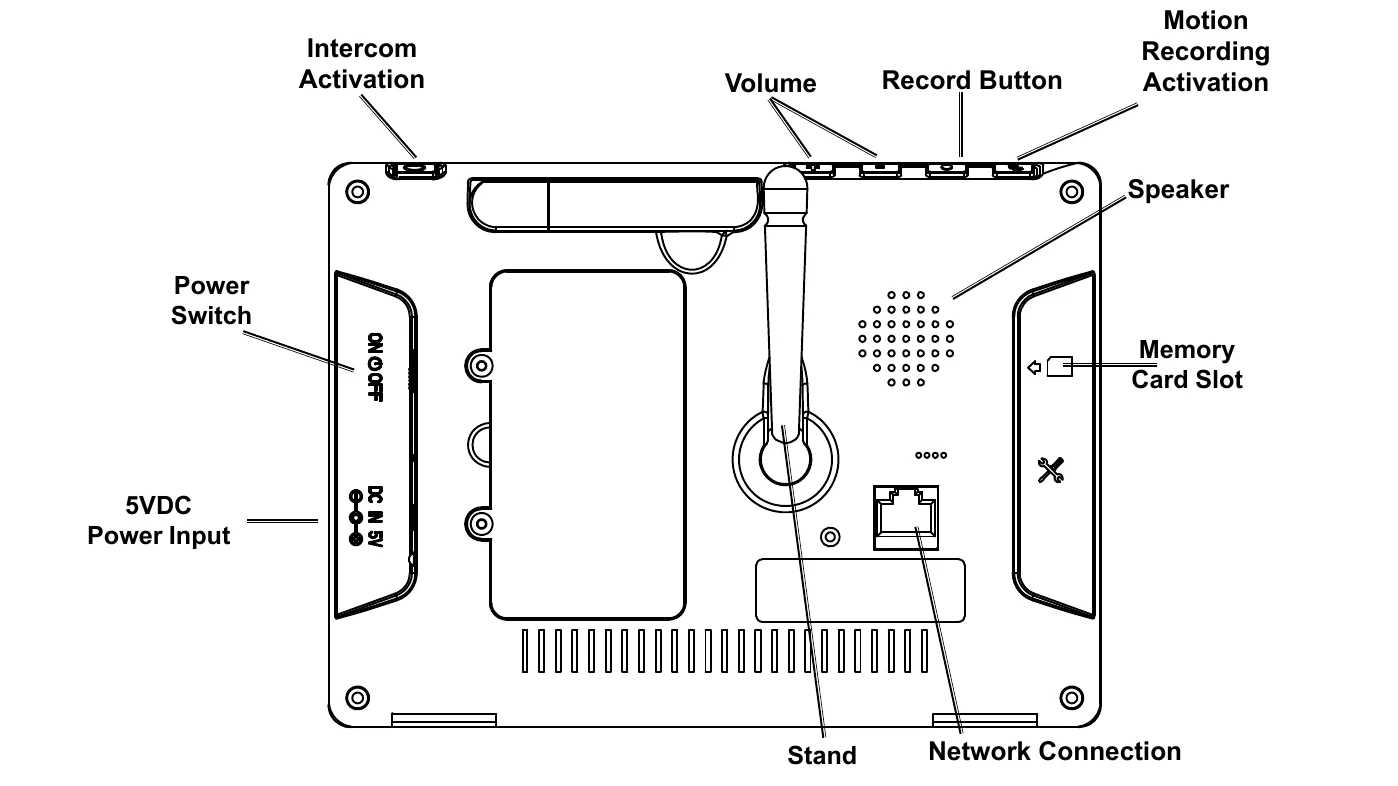
Receiver Functions: Use joystick to navigate menus, select channels, scan modes, zoom, and delete files. Icons represent channel select, quad/sequence viewing, scan mode, zoom, delete file, and menu access.
Display Functions: Icons indicate camera signal strength, recording status, new file indicators, volume status, intercom activation, and overwriting status. Date and time are displayed in 24-hour format.
Video Motion Detection: Activate by accessing the "Detect" menu, selecting a camera, and choosing sensitivity settings (High, Medium, Low, Off). Recording begins when motion is detected.
Using Intercom: Allows audio communication between receiver and cameras. Adjust receiver volume. Go to Single Camera mode, touch and hold the Intercom icon to speak, release to listen.
Playback Files: View recordings on the receiver or other devices by removing the SD card. Delete files using the receiver's interface, not a computer.
Remote Viewing Via MyCam View App: Connect receiver to router via Ethernet cable, download app, add device by manual entry or QR code scan, set name, UID, and password.